Sales Tools 2026: AI Sales Tools News I Track
Last December, I watched an SDR teammate copy-paste a “personalized” AI email that addressed a prospect’s dog by the CFO’s name. We laughed… then we didn’t, because it still booked a meeting. That tiny, awkward moment is why I track Sales AI News: not to worship shiny releases, but to understand which AI sales tools actually change the day-to-day, and which ones just create new flavors of busywork.
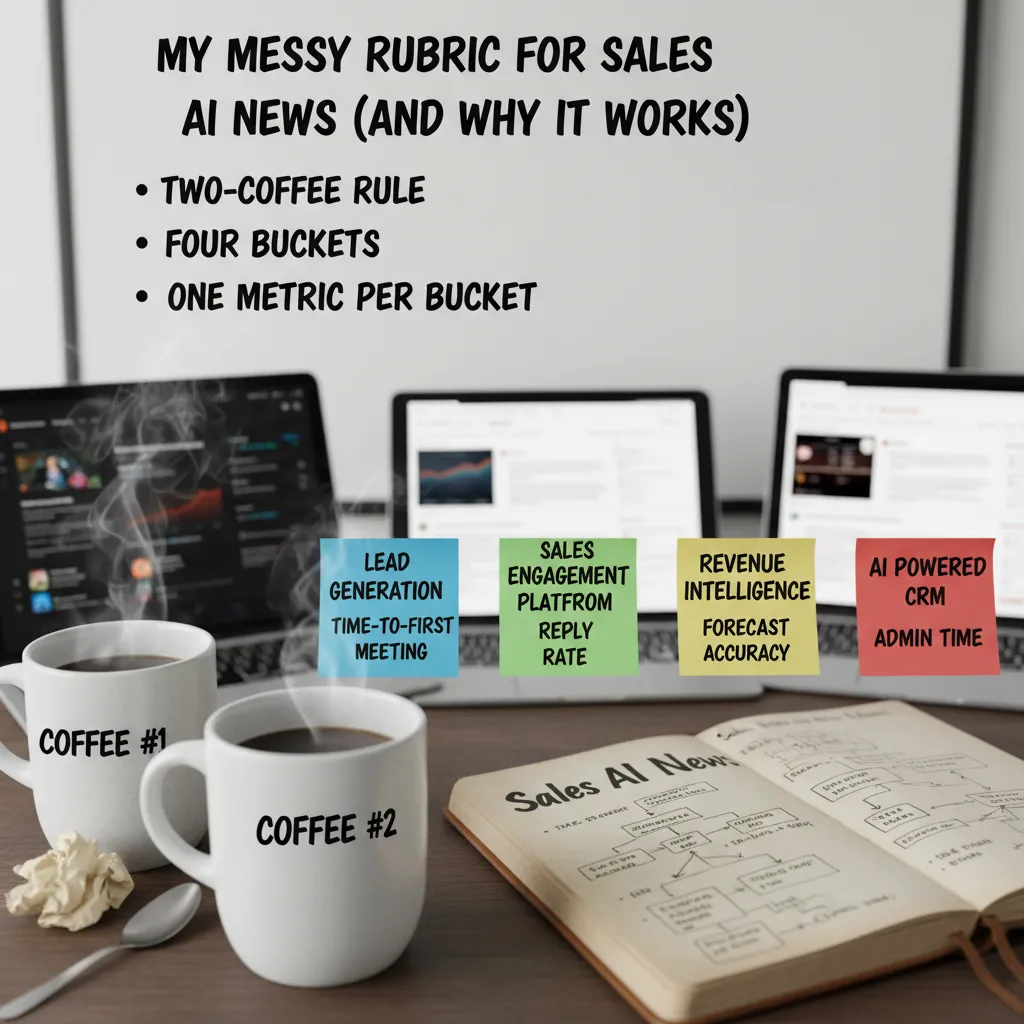
My messy rubric for Sales AI News (and why it works)
I read a lot of “Sales AI News” updates—new agents, new copilots, new dashboards. If I tried to track every feature, I’d never ship anything. So I use a messy rubric that keeps me honest and keeps our stack lean.
The “two-coffee” rule
My first filter is simple: if a tool can’t explain value before my second coffee, it’s not entering our stack. That means the vendor (or the release notes) must answer, in plain language: What changes for a rep this week? If the pitch is all “next-gen AI” and no clear workflow win, I move on.
I sort every release into four buckets
To make Sales AI updates comparable, I force each release into one category:
- Lead Generation (finding and qualifying accounts)
- Sales Engagement Platform (outreach, sequencing, follow-up)
- Revenue Intelligence (calls, deal risk, pipeline signals)
- AI powered CRM (data entry, next steps, record hygiene)
One metric per bucket (so I don’t drown)
I track one metric per bucket, because feature lists are endless and outcomes are not:
| Bucket | Metric I track |
|---|---|
| Lead Generation | Time-to-first-meeting |
| Sales Engagement Platform | Reply rate |
| Revenue Intelligence | Forecast accuracy |
| AI powered CRM | Admin time |
My tiny confession about G2
I’ll admit it: I use G2 ratings as a starting signal when I scan new AI sales tools. But I never treat them like gospel. I look for patterns in reviews (setup pain, data quality, support) and then verify with a small pilot.
The Wi‑Fi thought experiment
If your Wi‑Fi dies mid-quarter, which AI sales tools still help?
This question exposes what’s real. Tools that leave behind clean notes, usable exports, and clear next steps still create value. Tools that only work inside a live dashboard often don’t.
Revenue Intelligence updates I actually feel in pipeline reviews
I watch Revenue Intelligence like a hawk because it turns “gut feel” pipeline talk into something I can defend. In 2026, the best updates aren’t flashy—they show up in the weekly pipeline review when someone asks, “Why do you believe this deal is real?” and I can answer with evidence, not vibes.
Gong.io Platform: conversation analysis that finds risk (including mine)
With the Gong.io Platform, the biggest change I feel is how fast conversation analysis surfaces deal risk. It flags things like missing next steps, weak mutual plans, or competitors being mentioned. And yes, it sometimes calls out my bad questions—like when I lead the buyer too hard or skip discovery. That’s uncomfortable, but it’s also useful because it gives me a coaching moment tied to a real deal, not a generic playbook.
- Risk signals I look for: no timeline, no champion language, pricing too early, “send info” loops.
- Coaching signals: talk-to-listen ratio, question quality, and missed stakeholder mapping.
Clari Revenue: pipeline analytics that shortens forecasting meetings
Clari Revenue is where I feel the “less political” part. When pipeline analytics are clear, forecasting meetings get shorter because we spend less time debating whose deals are “special.” I can see movement, slippage, and coverage in a way that makes it easier to agree on what needs attention.
| Pipeline review question | What I check in Revenue Intelligence |
|---|---|
| Is it real? | Stage progression + activity + buyer signals |
| Is it stuck? | Slippage patterns + next step quality |
| What changed? | New risks, stakeholder shifts, pricing mentions |
Mini tangent: dashboards can become a blame game
I’ve seen teams weaponize dashboards. To avoid that, I add narrative notes in the review: context, buyer constraints, and what we’re doing next. Data should drive decisions, not shame.
What I want next
My wish list is simple: cleaner handoffs from conversation intelligence to opportunity scoring—without 12 integrations and brittle workflows. If the insights can flow into the forecast automatically, pipeline reviews get even sharper.
AI powered CRM: Salesforce Einstein vs HubSpot Sales Hub (how I’d choose)
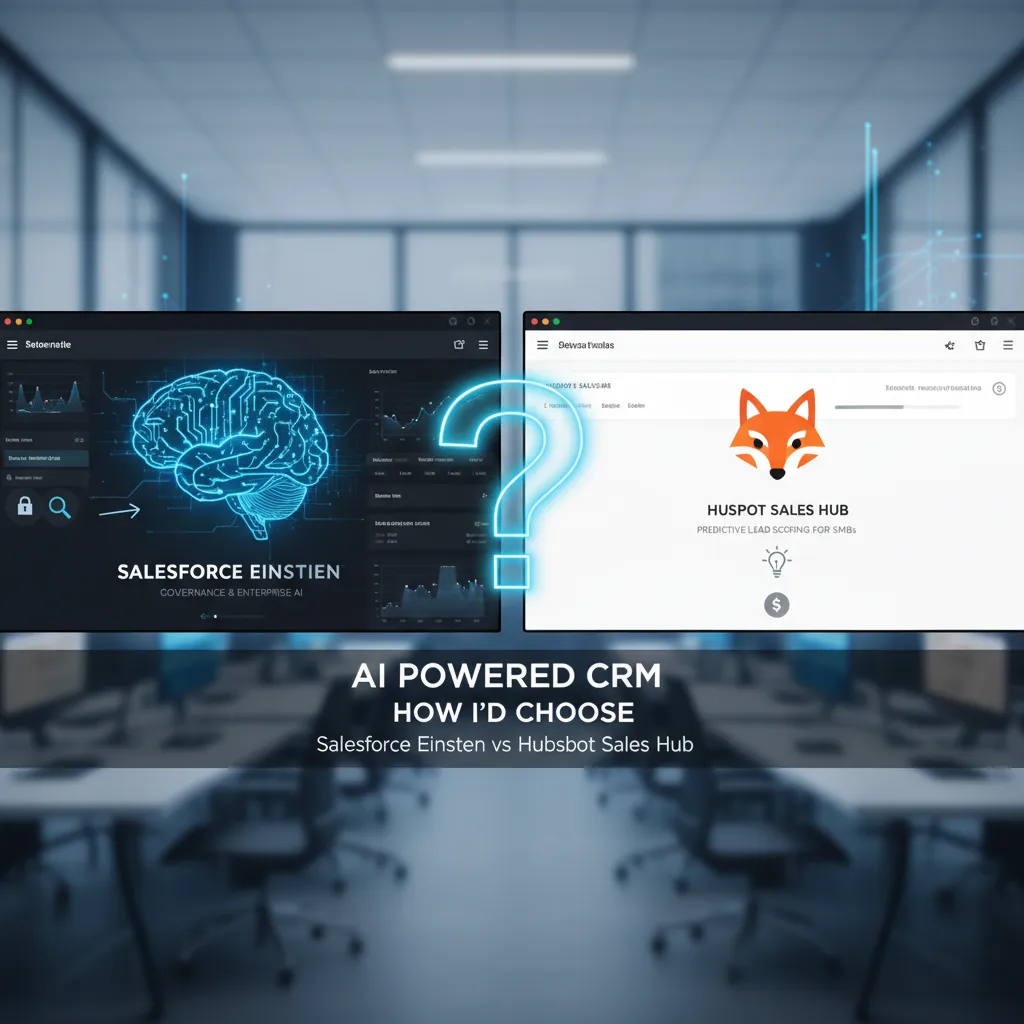
When I track sales AI news, I keep coming back to one practical question: do you need tight governance or fast time-to-value? That’s the real split between Salesforce Einstein and HubSpot Sales Hub for most teams I talk to.
Salesforce Einstein: where governance and forecasting win
I respect Salesforce Einstein when the business cares about controls, permissions, and consistent reporting across big teams. In Enterprise setups, I see the most value in:
- Opportunity scoring to prioritize deals with a consistent model
- Activity capture to reduce manual logging (and improve data hygiene)
- Forecasting that leadership can actually standardize across regions
The newer Agentforce Sales add-on is intriguing, but it’s also pricey and very Salesforce-native. I treat it like automation glue—useful for connecting workflows, routing, and next steps—not magic that fixes a broken process.
HubSpot Sales Hub: my default for SMB speed
HubSpot Sales Hub is my default for SMBs when you want predictive lead scoring and practical AI help without a consulting project. If your team needs to start working better this month (not next quarter), HubSpot usually gets you there with less friction.
My personal bias: if setup takes longer than onboarding a new SDR, I get cranky.
If I inherited a messy CRM tomorrow, here’s my first AI move
I’d turn on the AI feature that improves data quality and focus the fastest:
- Automatic activity capture (so the CRM reflects reality)
- Lead or opportunity scoring (so reps know what to work next)
- Simple forecasting signals (so managers stop guessing)
If the org is enterprise-heavy and audit-sensitive, I lean Einstein. If it’s an SMB trying to grow pipeline fast, I lean HubSpot.

Lead Generation & Sales Intelligence Tools: speed vs trust
In the latest Sales AI news I track, lead gen tools keep getting faster. But the real question I ask is: how much do I trust the data when it hits my CRM? In 2026, speed is cheap. Confidence is not.
Apollo.io Prospecting: the all-in-one workhorse
Apollo.io Prospecting is the all-in-one lead generation workhorse I keep hearing about. It’s built for moving quickly: find contacts, build lists, enrich, and push into outreach without juggling five tabs. I also like that the pricing is clear enough to plan around, which matters when you’re trying to forecast pipeline costs, not just “try a tool.”
ZoomInfo Intelligence + Cognism Leads: when trust matters more than volume
When teams graduate from “more leads” to “better leads,” I see them look at ZoomInfo Intelligence and Cognism Leads. This is where data quality, GDPR compliance, and intent signals start to matter more than raw volume. If I’m targeting regulated industries or EU buyers, I’d rather have fewer records I can defend than a huge list that creates risk.
Humantic AI Personality: less robot, more human
Humantic AI Personality is a quirky add-on that’s surprisingly useful when your email reads like a robot audition. It nudges me toward tone and framing that fits the person, not just the persona. I don’t treat it as truth, but as a fast hint for personalization.
Quick reality check (and my small confession)
- Reality check: the best AI sales tools don’t fix a weak ICP; they just help you find out faster.
- Confession: I still sanity-check 10 leads by hand—old habits die hard.
Speed fills the top of the funnel. Trust keeps it from leaking.
Sales Engagement Platform drama: Outreach vs Salesloft (and the email that made me cringe)
Sales engagement is where AI can either save your week—or spam the planet. This is why I keep a close eye on the Outreach vs Salesloft conversation in my “Sales Tools 2026” tracking list. Sequencing is powerful, but when AI writes and sends at scale, small mistakes turn into big trust problems fast.
Outreach vs Salesloft: enterprise sequencing, enterprise pricing
Both Salesloft Engagement and Outreach Automation sit in the “enterprise-grade sequencing” bucket. They’re built for teams that need workflows, reporting, and tight process control. The catch is the same on both sides: custom pricing (translation: talk to sales). If you’re evaluating either, I’d ask early about AI features that touch messaging, deliverability, and compliance—because those are the areas that can quietly make or break your pipeline.
Lavender Email: coaching that helps reps sound human
On the other end, Lavender Email is the tool I think about when I hear “AI that improves reps—not replaces them.” It’s email coaching, not just email generation. For newer reps, that matters: good coaching can help them sound like themselves faster, instead of copying a stiff template that screams “automation.”
The email that made me cringe (and still got a reply)
My worst recent moment: an AI follow-up that referenced a webinar the prospect never attended. It was the kind of detail that’s supposed to feel personal, but it landed like a lie. The weird part? It still got a reply. That’s the danger: a tactic can “work” while still damaging trust.
“Personalization” isn’t adding a random detail. It’s being accurate, relevant, and respectful.
What I watch for in releases
- Guardrails: clear checks before sending, plus safe defaults for new users.
- Personalization controls: rules like
only reference verified eventsand easy review queues. - Coaching: feedback that teaches reps why a message works, not just what to send.
AI Sales Agents & Enterprise Sales Automation: the 'autopilot' myth
In the latest Sales AI news I track, “AI sales agents” keep getting pitched like an autopilot for revenue. I’m excited by the progress, but I don’t buy the myth. Autonomy in sales is like a sharp knife: powerful, fast, and easy to misuse if you don’t set rules.
Thunai AI Agents: autonomy that needs guardrails
Thunai AI Agents are positioned as autonomous sales agents for multi-channel automation. That’s compelling because it promises speed across email, LinkedIn, and follow-ups without constant rep effort. But when a tool can act on my behalf, I immediately ask: who approved the action, what data did it use, and can I replay the decision later?
Enterprise sales automation is a choreography, not a button
When people say “enterprise sales automation,” they often mean one platform. In practice, it’s a choreography between:
- CRM (system of record)
- Engagement (sequencing, calling, meetings)
- Intelligence (signals, enrichment, scoring)
If those parts aren’t aligned, an agent just automates the mess faster. I want clean handoffs, clear ownership, and predictable workflows.
Nooks: prospecting + coaching in one place
Nooks stands out to me as an AI sales assistant for outbound teams that combines prospecting and coaching. That matters when managers are stretched thin and can’t review every call or message. If the assistant can surface patterns, suggest better talk tracks, and help reps build lists faster, it’s a practical win.
My boundary (for now)
My current rule is simple: I don’t let agents send first-touch emails without a human review—yet. I’m fine with drafting, researching, and recommending next steps, but the first impression still needs accountability.
What I’m listening for in updates
- Audit trails: a clear log of what the agent did and why
- Permissions: role-based controls down to channel and template
- Learning from losses: how it adapts after “no,” not just after wins
Automation is only “smart” when it’s explainable, permissioned, and trainable on real outcomes.
Conclusion: My 30-day Sales AI News routine (steal it)
I track Sales AI news because the releases never stop—new copilots, new data connectors, new “agent” features, and constant pricing changes. But I don’t try to follow everything. Instead, I run a simple 30-day loop that turns AI sales tools news into real decisions. If you’re building your 2026 stack, you can copy this routine and stay calm while the market moves.
Week 1: Pick one workflow to improve
I start by choosing one workflow: Lead Generation, Sales Engagement, Revenue Intelligence, or Sales Forecasting. I don’t pick a tool first—I pick the problem. Then I scan the latest updates and releases in Sales AI (new features, integrations, and model improvements) and shortlist only what fits that workflow. My rule: if it doesn’t remove a step from the rep’s day, it’s not a priority.
Week 2: Run a tiny pilot (one team, one metric)
Next, I run a small pilot with one team and one metric. No “boil the ocean” programs. For example, if I’m testing sales engagement AI, I might track reply rate or meetings booked. If it’s revenue intelligence, I might track call review time or CRM field completion. The goal is clarity, not perfection.
Week 3: Review calls + pipeline with stakeholders
In week three, I review calls and pipeline with stakeholders—sales leaders, ops, and a few reps. I ask one question: what got simpler? Speed is nice, but simplicity is what sticks. If the tool creates extra steps, extra tabs, or extra “AI babysitting,” it’s a red flag.
Week 4: Decide, document, and move on
Week four is decision time: adopt, shelf, or revisit later. I document why, including what worked, what didn’t, and what would need to change. That note saves future-me from repeating the same trial when the next wave of AI sales tools arrives.
The best AI sales stack feels boring in the best way—quietly reliable.
TL;DR: I follow Sales AI News to spot the few updates that matter: stronger revenue intelligence (Gong, Clari), better AI powered CRM (Salesforce Einstein, HubSpot), faster lead generation (Apollo.io, ZoomInfo, Cognism), and more capable AI sales agents (Thunai, Agentforce). Use ratings, pricing, and one-week tests to separate real gains from demo magic.


Comments
Post a Comment