Ops Leaders on AI Adoption: What I Heard
Last fall, I watched a plant manager “test” AI by asking it to fix a scheduling mess… and then blamed it when it politely hallucinated a shift plan that violated labor rules. That tiny moment explains why this post exists. I pulled notes from an expert-style conversation with operations leaders and layered in what I’ve seen in the trenches: AI Adoption is moving fast, but Operational Efficiency only shows up when the process—and the people—are ready. Also: everyone is suddenly talking about Agentic AI like it’s a new hire you don’t fully trust yet.
1) Why AI Is Now an Operations Priority (2026 vibe)
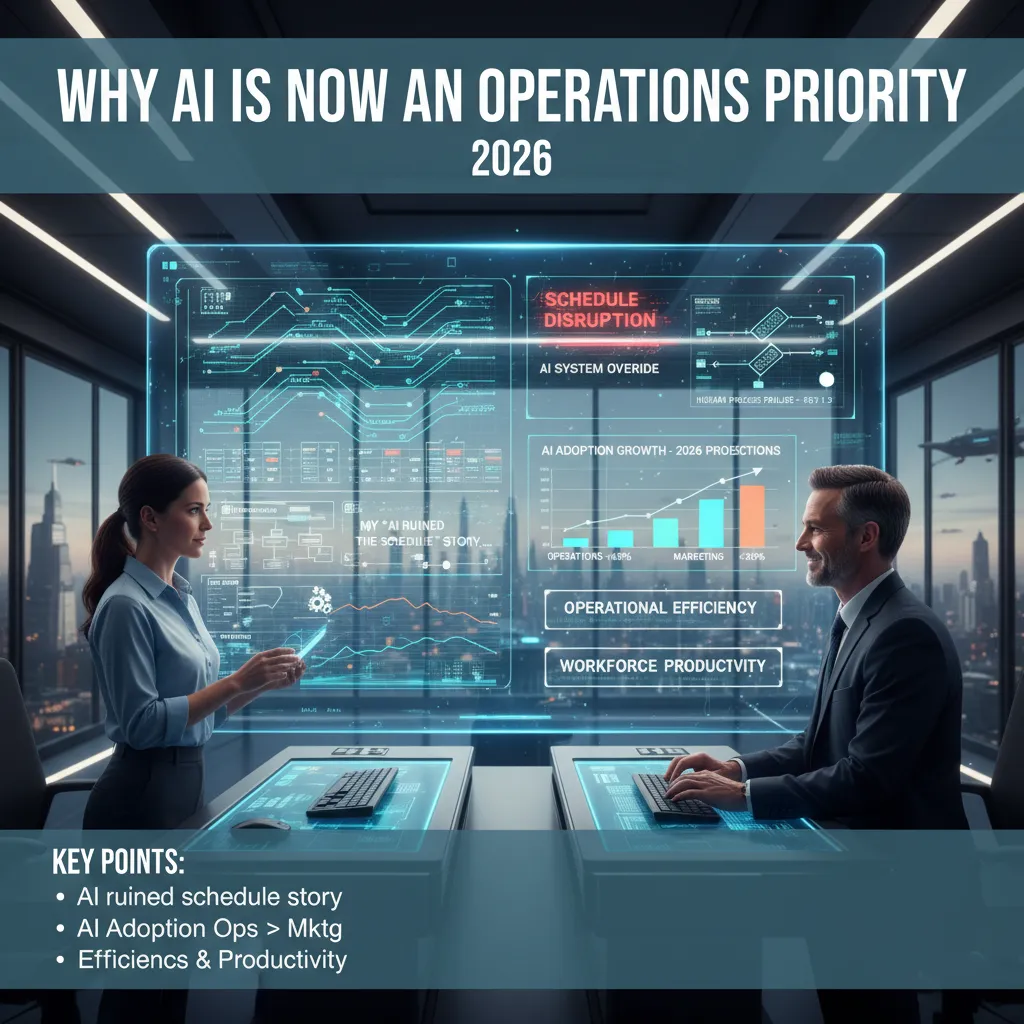
My “AI ruined the schedule” story (and what actually failed)
I’ll start with the moment that made me laugh later and sweat in real time: we rolled out an AI-assisted planning tool, and within a week our schedule looked “optimized” on paper but fell apart on the floor. People blamed the AI. But in the interviews for Expert Interview: Operations Leaders Discuss AI, the pattern was clear—it wasn’t the model. It was our process. We had messy handoffs, unclear ownership, and exceptions handled in side chats. The AI just made those cracks show up faster.
One leader put it simply:
“AI didn’t break operations. It exposed what we were already tolerating.”
AI adoption growth is shifting to ops (not marketing)
What I heard again and again is that 2026 AI adoption is expected to rise most in operations functions—planning, procurement, customer support workflows, maintenance, and fulfillment. Marketing already has mature tools and clear playbooks. Ops is different: it’s full of repeatable decisions, constant trade-offs, and real constraints like labor, inventory, and time. That’s where AI can move the needle without needing a viral campaign or a brand refresh.
The “unsexy” objectives: efficiency and workforce productivity
When ops leaders talked about AI in operations, they didn’t lead with flashy innovation. They kept coming back to two goals:
- Operational Efficiency: fewer delays, fewer rework loops, smoother flow from request to delivery.
- Workforce Productivity: helping teams spend less time chasing updates and more time solving real problems.
In plain terms, they want AI to reduce the daily friction: the status meetings, the spreadsheet merges, the “who owns this?” confusion.
The first KPI I’d track: cycle times (harder to fake)
Small tangent, but it matters: if I had to pick one KPI for AI adoption, I wouldn’t start with cost savings. I’d start with cycle time—how long it takes to move from intake to completion. Cost can be delayed, reclassified, or “explained away.” Cycle time is stubborn. If AI is helping, it should show up here.
I’d track:
- End-to-end cycle time
- Queue time between steps
- Exception rate (how often humans must override)
Where data science fits: less model worship, more Tuesday tools
The best teams weren’t chasing perfect models. They were building decision tools that get used on Tuesday: simple recommendations inside the workflow, clear confidence signals, and fast feedback loops from operators. Data science becomes most valuable when it supports real decisions—what to prioritize, what to expedite, what to reroute—not when it wins a leaderboard.
2) The Real Productivity Gains: Where AI Helps on a Bad Tuesday
In the interviews, the most useful AI stories were not about “fully automated operations.” They were about bad Tuesdays: late trucks, a sick supervisor, a machine that won’t hold tolerance, and a customer asking for an earlier ship date. That’s where AI adoption in operations starts to feel real—small wins that reduce rework and decision fatigue.
Scheduling: AI can propose options, but humans approve the why
Several ops leaders told me AI is great at generating schedule scenarios fast. It can take constraints (shift rules, changeover time, due dates) and propose a few workable plans. My rule is simple: AI can suggest the “what,” but people must approve the “why.” The “why” is where tradeoffs live—who gets overtime, which customer we call, which line we protect for quality.
- AI drafts 2–5 schedule options in minutes
- Humans validate constraints and pick the tradeoff they can defend
- We document the decision so the next fire drill is easier
Resource allocation: the boring-but-decisive lever
When leaders described real productivity gains, they kept coming back to resource allocation: machines, people, and overtime budgets. It’s not glamorous, but it decides throughput. AI helps by highlighting bottlenecks and showing the cost of each choice. One leader said the best output was a simple recommendation like: “Move two operators to Line 3 for four hours; avoid Saturday overtime.”
Forecast accuracy: small improvements beat flashy automation
I heard a consistent theme: a 3–5% forecast improvement can beat a big automation project, because it prevents the bullwhip effect. Better forecasts mean fewer expedite fees, fewer panic buys, and less inventory whiplash. AI helps by blending signals ops teams already have—order history, promotions, lead times, and known constraints—then flagging when demand is shifting, not just “up or down.”
The adoption pattern: “one stubborn spreadsheet” goes first
Across teams, the first AI workflow is often a spreadsheet that everyone hates but nobody can replace. AI gets introduced as a helper: clean the data, explain anomalies, draft a plan, and create a repeatable checklist.
A quick aside on “Vibe Coding”
I’m seeing more scrappy internal tools built fast with AI-assisted coding. That can be fine for a sandbox dashboard. But the moment it touches payroll, timecards, or compliance, the bar changes. If it impacts pay, it needs controls, audit trails, and clear ownership—not just a clever script someone wrote on a Friday.
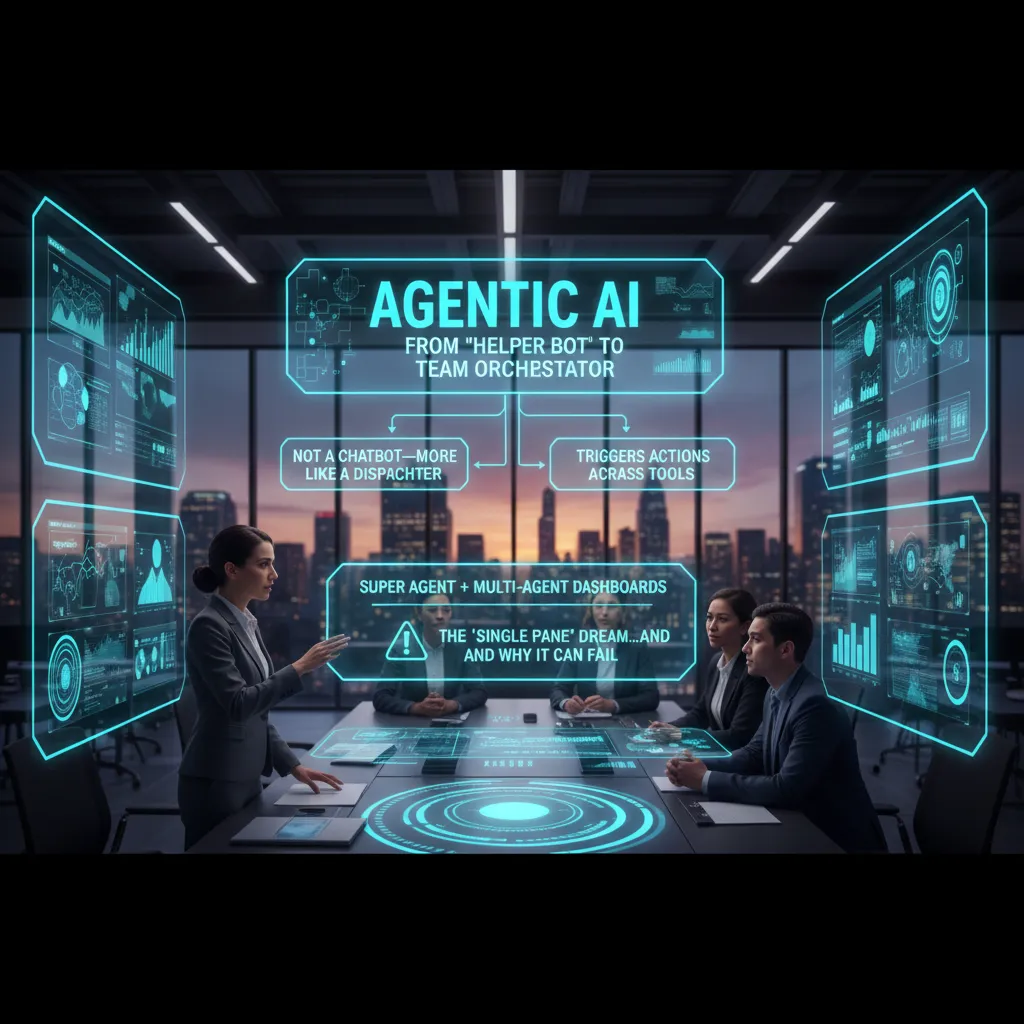
3) Agentic AI Arrives: From “Helper Bot” to Team Orchestrator
In the interviews for Expert Interview: Operations Leaders Discuss AI, the biggest shift I heard was this: leaders are moving from “AI that answers” to AI that acts. One ops leader said it in a way that stuck with me:
“It’s not a chatbot—more like a dispatcher.”
That “dispatcher” idea is how I now explain agentic AI. Instead of waiting for a prompt and giving a reply, an agent watches signals, makes a plan, and routes work to the right tool or person—like a coordinator for operations.
Agentic Systems + Agentic Workflows: When AI Can Trigger Actions
What changes when AI can trigger actions across tools? Everything gets faster—and riskier. Leaders described agentic workflows as chains of steps that used to live in people’s heads:
- Detect an issue (late shipment, machine alert, stockout risk)
- Check context (ERP, WMS, tickets, supplier lead times)
- Take action (create a PO, reroute orders, open a case, message a manager)
In practice, this looks less like “ask the bot” and more like the system nudges, drafts, and executes. One leader framed it as reducing “tab switching” across tools. The agent becomes the glue between systems.
The “Single Pane” Dream—and the Single Point of Failure
Several ops leaders talked about a super agent or multi-agent dashboard: one place to see what’s happening and what the AI is doing. It’s the classic “single pane of glass” goal—inventory, production, logistics, and customer issues in one view.
But they also warned me it can become a single point of failure. If the dashboard is wrong, or the agent logic breaks, the whole team may follow bad guidance at scale. One leader said they now ask, “What happens if the agent is down for two hours?” the same way they ask about an ERP outage.
Accountability at 2 a.m.
I heard a little fear, honestly. The question came up more than once: who’s accountable when AI agents reorder inventory at 2 a.m.? Leaders want clear controls—approval thresholds, audit trails, and “human-in-the-loop” rules. A simple example they gave me was:
If reorder_amount > $50,000, require manager approval.
Wild Card: A Night Shift of Agents
I keep imagining a “night shift” of AI agents running a factory like a jazz ensemble—improvising, but still in key. One agent watches quality, another watches maintenance, another watches supply. They riff off each other, but the operating rules keep them on tempo: safety first, service levels second, cost third.

4) Supply Chain AI: Forecasts, Friction, and a Little Humility
In the interviews, supply chain leaders gave me a needed reality check: AI is only as calm as your supplier data. If lead times are stale, item masters are messy, or suppliers update schedules by email and spreadsheets, the model will “learn” noise. One leader put it plainly:
“The math is fine. The inputs are the problem.”
Where Supply Chain AI Actually Pays Off
When I asked where AI is delivering real value today, I heard the same practical use cases again and again. Not flashy demos—work that reduces daily friction.
- ETA prediction: better arrival estimates using carrier signals, port congestion data, and historical patterns.
- Inventory buffers: smarter safety stock that adjusts to volatility instead of staying fixed for months.
- Exception management: flagging what needs attention now, so planners stop chasing every late shipment.
The theme was consistent: AI helps most when it supports decisions that happen every day, not once a quarter.
Efficiency vs. Resilience (No Single Right Answer)
I also heard leaders wrestling with a tradeoff that feels very current: operational efficiency vs. resilience. AI can squeeze costs by tightening inventory and optimizing routes. But resilience often means extra capacity, extra suppliers, and extra stock—things that look “inefficient” on a dashboard.
Some teams are using AI to run scenarios faster: “If we cut buffer by 10%, what service risk do we accept?” Others are using it to justify resilience with clearer risk numbers. I don’t think there’s one right answer—just a clearer way to choose.
A Small Confession on Forecast Accuracy
I used to chase perfect Forecast Accuracy like it was the main goal. Now I’ll take “good enough + fast”. Leaders told me they’d rather refresh a decent forecast weekly (or daily) than polish a perfect one that arrives too late to matter.
Micro-Case: Port Delays and an Agentic Workflow
Here’s the scenario I heard often: port delays hit, and suddenly every plan is wrong. An agentic workflow could:
- Detect delay signals (AIS, carrier updates, dwell time spikes).
- Recommend reroutes or alternate ports based on cost and service rules.
- Notify planners, customer service, and key customers with consistent ETAs.
- Update KPIs like OTIF risk, projected stockouts, and expedite spend.
The humility part is important: even with AI, supply chains stay messy. The win is reacting faster, with fewer surprises, using data you can trust.
5) Governance, Risk Management, and the Uncool Work That Makes AI Stick
In the interviews, the ops leaders were clear: AI adoption doesn’t fail because the model is “bad.” It fails because the operating system around it is missing. The unglamorous work—governance, risk controls, and daily execution discipline—is what turns AI from a demo into something teams trust.
Execution Discipline: what it looks like day-to-day
What I heard most often was simple: treat AI changes like any other production change. That means change control (who approved the prompt update?), playbooks (what do we do when the agent is wrong?), and escalation paths (who gets paged when it breaks at 2 a.m.?). One leader described it as “boring on purpose.”
Governance models for agentic AI
Agentic AI raises the stakes because it can take actions, not just give answers. The leaders kept coming back to three controls: permissions, audit trails, and the kill switch nobody wants to talk about until they need it.
“If it can click buttons in production, it needs the same guardrails as a junior admin—maybe more.”
Practically, that looked like least-privilege access, logged actions (not just outputs), and a clear “stop” mechanism: disable the agent, revoke tokens, and fall back to manual steps.
Data quality: the surprisingly emotional topic
Data quality came up as an emotional issue because it exposes process debt. When AI highlights missing fields, inconsistent statuses, or duplicate records, it’s not just a technical problem—it’s a mirror. Several leaders said the hardest part was getting teams to agree that “the data is the process,” and fixing it means changing habits.
AI integration: why “just connect the tools” becomes a 3-month argument
Integration sounded easy until definitions showed up. “Customer,” “case,” “resolved,” “priority”—each team had its own meaning. Connecting systems forced a shared language, and that took time. The AI didn’t create the conflict; it made it visible.
My practical checklist (one page for an ops review)
- Scope: what decisions/actions can the AI make vs. recommend?
- Access: least privilege, role-based permissions, token rotation
- Audit: log prompts, actions, tool calls, and human overrides
- Kill switch: owner, steps, and rollback plan tested monthly
- Change control: versioning for prompts, workflows, and policies
- Playbooks: error handling, escalation path, on-call ownership
- Data rules: required fields, definitions, and quality dashboards
- KPIs: accuracy, time saved, rework rate, and incident impact
6) My 2026–2028 AI Predictions for Business Operations (and one bet I’m unsure about)
After listening to operations leaders in the Expert Interview: Operations Leaders Discuss AI, I’m convinced the next wave of AI adoption won’t be led by flashy demos. It will be led by teams that can prove operational efficiency in weeks, not quarters.
Prediction #1: Ops becomes the default “buyer” of enterprise AI
From what I heard, operations is becoming the most practical home for AI budgets. Ops teams sit close to the work, the data, and the pain. They can measure cycle time, error rates, cost per ticket, and SLA performance. That makes ROI easier to defend. In 2026–2028, I expect more AI decisions to move from “innovation groups” to ops leaders who can say, here’s the baseline, here’s the lift, here’s the payback period.
Prediction #2: Agentic AI moves from pilots to cross-functional workflows
Many leaders described the same pattern: early pilots were narrow and often stalled after a proof of concept. The shift I expect next is toward agentic workflows that span finance, procurement, and customer operations. Not one big “AI brain,” but connected agents that handle handoffs: matching invoices, chasing approvals, updating vendors, summarizing exceptions, and routing customer issues with context. The winners will be the teams that design these workflows like real operations—clear inputs, clear outputs, and clear owners.
The bet I’m unsure about: the “Super Agent” interface
I keep hearing excitement about a single chat-style interface that can do everything—search, plan, execute, and report. I’m not fully sold. Will a “Super Agent” truly simplify work, or will it hide complexity until something breaks? My concern is that teams may lose visibility into why decisions were made, which is risky in finance, compliance, and customer ops. I think we’ll see it rise, but I’m unsure it will become the main way work gets done.
What I’d do in the next 90 days
I’d pick one workflow with real volume (not a vanity use case), instrument it end-to-end, and ship a constrained AI agent. Constrained means tight permissions, clear escalation paths, and a small set of actions it can take. If it can’t measure impact, it doesn’t ship.
My closing reflection: the best ops leaders I’ve met treat AI like lean. It’s continuous improvement, not a miracle. The teams that win in 2026–2028 will be the ones that keep tightening the loop between process, data, and learning.
TL;DR: Operations is becoming the loudest voice in AI Adoption heading into 2026. The wins are real (Productivity Gains, faster Cycle Times), but only when AI Integration is paired with Execution Discipline, data quality, and Risk Management—especially for Agentic AI in supply chain workflows.


Comments
Post a Comment