HR AI Strategy Guide for 2026 Planning
I first realized my HR tech stack was quietly “working against me” on a Tuesday morning when three people asked the same benefits question—on three different channels—within ten minutes. I remember thinking: if I can’t route a simple question cleanly, what chance do I have with agentic AI and predictive insights? This guide outline is how I’d build a real HR AI strategy for 2026: a little messy, very practical, and grounded in what employees actually experience (not what vendors promise).
1) My 2026 HR AI “why”: burnout, benefits, and reality checks
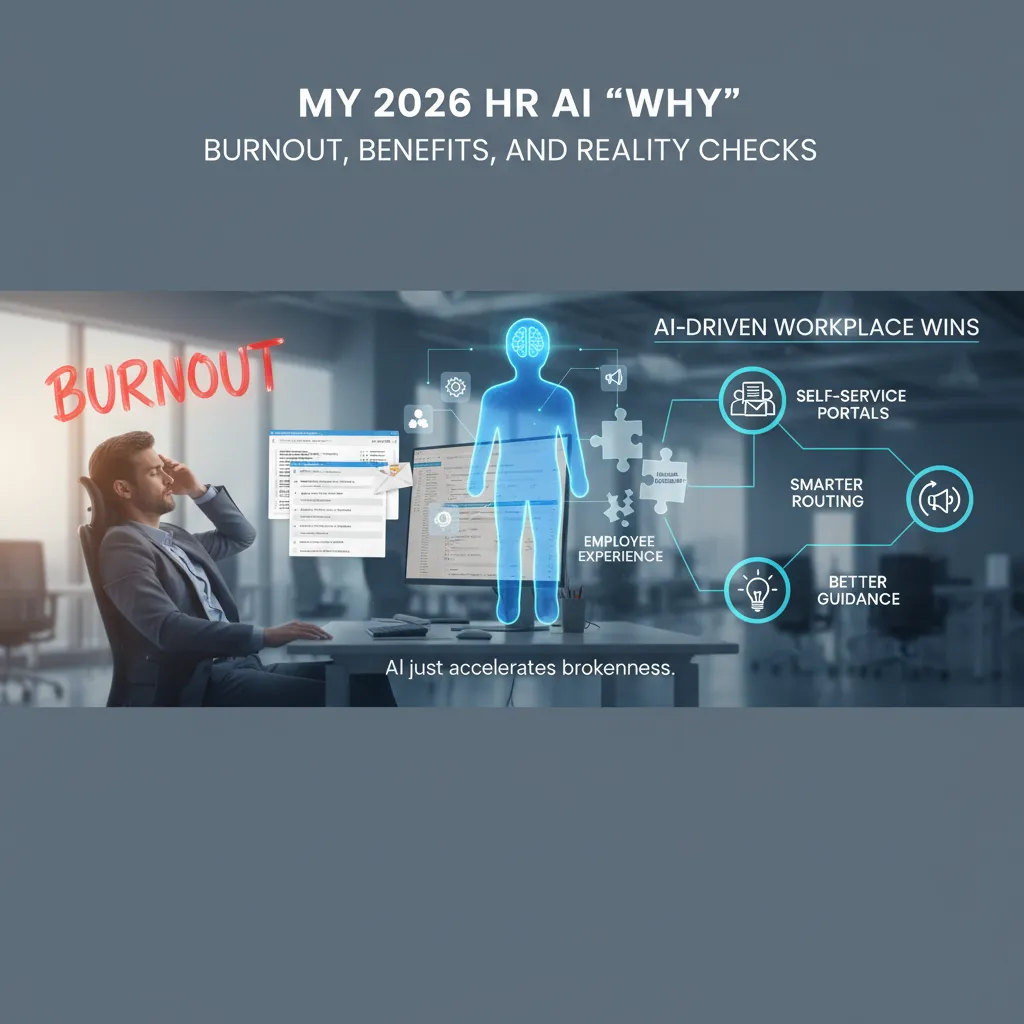
I didn’t start my 2026 HR AI strategy because I wanted a flashy demo. I started because I watched HR Operations friction pile up every day: the same questions asked in different ways, a noisy inbox that never cleared, and an HR Help Desk that felt like a human search engine. People weren’t trying to be difficult. They just couldn’t find the right answer fast enough, in the tools they already used.
When “cool AI” makes a broken experience worse
Here’s the reality check I keep coming back to: Employee Experience beats cool demos. If onboarding steps are unclear, if benefits content is outdated, or if policies are scattered across five places, AI doesn’t fix that. It accelerates the brokenness by delivering inconsistent answers at scale. In other words, AI can’t be your content strategy. It exposes whether you have one.
Where AI-driven workplace wins show up first
From what I’ve seen (and what the best HR AI playbooks emphasize), early wins come from practical, repeatable use cases:
- Self-service portals that answer common HR questions with approved content
- Smarter case routing so the right specialist gets the issue the first time
- Better guidance inside workflows (onboarding, leave, benefits enrollment) so employees don’t get stuck
My goal isn’t to replace HR. It’s to remove the repeat work that causes burnout and delays.
HR as an airport: signage, security, and gate agents
I like to think of HR like an airport. The signage is your knowledge base and policy content—clear, current, and easy to follow. Security is governance—permissions, privacy, and what the AI is allowed to say. And gate agents are HR partners—still essential when the situation is complex, sensitive, or high risk.
Business value early, not after a year of reshuffling
For 2026 planning, I’m tying HR AI to priorities leaders already care about: faster resolution times, fewer tickets, better onboarding satisfaction, and cleaner benefits decisions. I want to prove value early, not after a year of platform reshuffling and “we’re still configuring it.”
2) Skills-Based Approach meets Workforce Intelligence (my favorite “unsexy” foundation)
If I’m planning an HR AI strategy for 2026, I start here—not with shiny tools. A skills-based approach plus workforce intelligence is the foundation that makes everything else work, even if it feels boring.
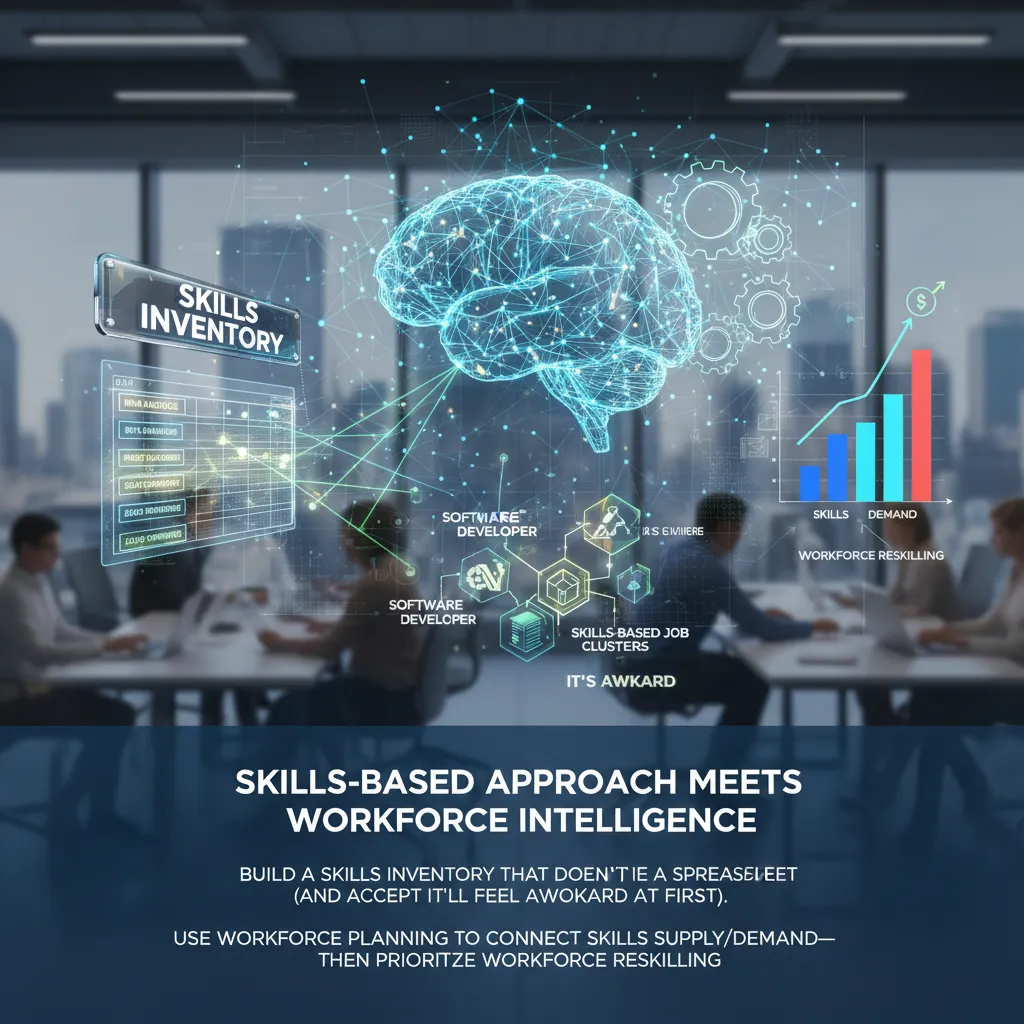
Build a Skills Inventory that doesn’t die in a spreadsheet
I avoid “list every skill in the company.” Instead, I start with 20–30 critical skills tied to real work outcomes (projects, tickets, customer issues, revenue tasks). Then I capture them in a system people already touch (HRIS, ATS, LMS), not a one-off file.
- Define each skill in plain language
- Set levels (basic / working / advanced) with examples
- Tag evidence (certs, work samples, manager validation)
Turn roles into skills-based job clusters (it will feel awkward)
Next, I group roles into skills-based job clusters—not perfect job families. This is where teams push back because titles feel “cleaner.” I accept the awkward phase. Clusters help me see shared skills across roles, which is exactly what AI-driven talent mobility and internal matching need.
Use workforce planning to connect skills supply and demand
Workforce planning becomes simple: What skills do we need, when, and where? Then I compare supply vs. demand and prioritize workforce reskilling where it’s cheapest to move the needle—usually adjacent skills, not total career changes.
Mini scenario: redesign jobs vs. hire
| Team | Move | Cycle time | Cost |
|---|---|---|---|
| A | Redesign jobs + reskill 6 people | 6–10 weeks | Training + manager time |
| B | Hire 6 net-new | 10–16+ weeks | Recruiting + ramp time |
Where predictive insights actually help
I use predictive insights for one job: spotting skills gaps early, before “urgent hiring” becomes the default plan. When workforce intelligence flags a likely gap 90 days out, I can reskill, redeploy, or hire with intent—not panic.
3) Agentic AI in HR Operations: where I’d pilot first (and where I wouldn’t)
What “agentic AI” means in plain English
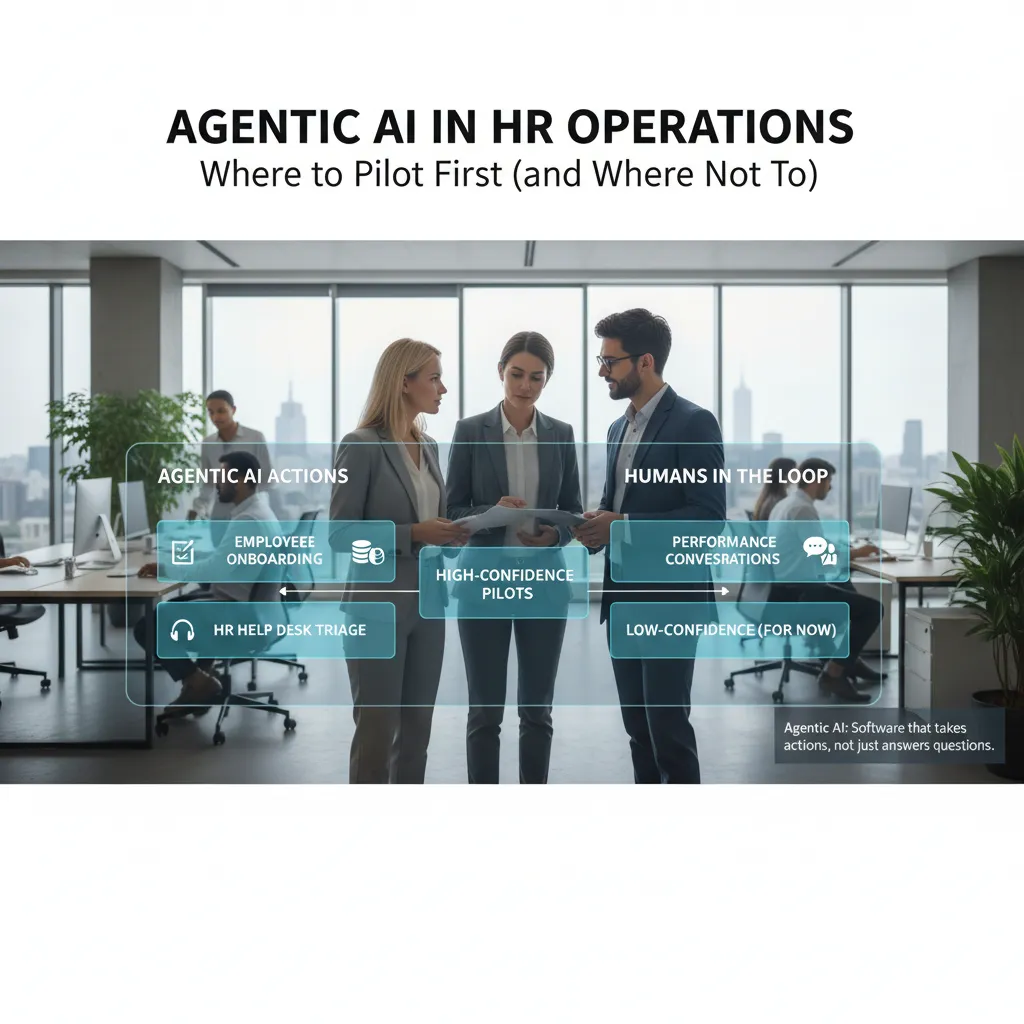
In my 2026 planning, I treat agentic AI as software that can take actions, not just answer questions. Instead of only drafting a reply, it can open a ticket, send a reminder, check a record, or route a case—based on rules I set. In The Complete HR AI Strategy Guide, this is where HR AI strategy moves from “assist” to “operate,” so I start small and pick workflows with clear steps and low risk.
High-confidence pilots I’d start with
- Employee onboarding task nudges: automated reminders for forms, I-9 timing, equipment requests, and manager check-ins. The agent can follow a checklist and escalate when steps stall.
- Payroll validation: flagging missing punches, odd overtime spikes, duplicate payments, or mismatched bank updates before payroll closes. The agent suggests fixes, but a human approves.
- HR help desk triage: classify requests (benefits, leave, policy), pull the right article, collect missing details, and route to the right queue with priority tags.
Low-confidence (for now): keep humans in the loop
I would not let an agent run performance conversations or lead sensitive employee relations investigations. These involve trust, nuance, and legal risk. Here, AI can summarize notes or suggest questions, but humans should own decisions, wording, and outcomes.
Design the human–agent handoff
To make agentic AI safe in HR operations, I define:
- Escalation rules: when confidence is low, data is missing, or the topic is sensitive.
- Audit trails: every action logged—what it did, why, and which data it used.
- “Stop the line” moments: a clear pause button for HR to halt automation instantly.
My rule: if I can’t explain why the agent acted, it shouldn’t act.
Measure productivity gains without lying to myself
I track time saved per workflow (baseline vs. after) and pair it with quality checks: error rates, rework, escalations, and employee satisfaction. If time drops but mistakes rise, the “gain” isn’t real.
4) HR-IT Collaboration and AI Architecture: the “boring” part that decides everything
In my HR AI strategy work, I treat HR-IT collaboration as non-negotiable. Not “loop IT in at the end for a security review,” but a real partnership from day one. AI touches identity, access, data, integrations, and vendor risk. If HR and IT are not aligned early, the project will look fast in a demo and fail in production.
My non-negotiable: HR-IT partnership from day one
I set a shared rhythm: one HR owner, one IT owner, and one security/privacy contact. We agree on what “good” looks like: safe data use, clear audit trails, and a support path when the AI tool breaks or gives a wrong answer.
Draw the HR tech stack map (before you buy anything)
I always create a simple map of the HR tech stack. It becomes the truth source for the HR AI strategy guide and stops “mystery integrations” later.
- Systems of record: HRIS, ATS, payroll, LMS
- Self-service portals: employee and manager portals, case management
- Knowledge base: policies, SOPs, benefits content, FAQs
- Integration points: SSO, APIs, data warehouse, ticketing tools
Tech nearshoring + citizen developers: helpful, but risky
Nearshore teams can speed up integrations and automation. Citizen developers can build quick workflows in low-code tools. I use both when the work is repeatable and well-governed. I pause when it creates shadow workflows: unofficial bots, copied data in spreadsheets, or “one person knows how it works” automations.
Consolidate with intent
For 2026 planning, I push for fewer tools with clearer ownership. Every extra platform adds duplicate data, extra permissions, and more places for AI to pull the wrong answer from.
Practical artifact: a one-page RACI for AI incidents
Yes, really. I keep it short and visible.
| Incident | R | A | C | I |
|---|---|---|---|---|
| Wrong HR answer to employee | HR Ops | HR Leader | IT + Legal | Comms |
| Data exposure / access issue | IT Security | CISO/IT | HR + Legal | Exec team |
| Integration failure | IT Apps | IT Owner | Vendor + HRIS | HR Ops |
5) Responsible AI: Governance Trust, Data Privacy, and Bias Mitigation (the part employees feel)
When I plan HR AI for 2026, I treat Responsible AI as an employee experience issue, not just a legal one. People don’t “feel” our model accuracy—they feel whether decisions are fair, explainable, and respectful of their data.
Set AI governance rules before scaling
Before we roll AI into more HR workflows, I set clear governance: what data is used, for what purpose, and who approves changes. I also define who can turn a feature on, who can retrain a model, and what triggers a review (new data source, new country, new job family).
- Data inventory: list every field the tool touches.
- Purpose limits: no “reuse later” without approval.
- Change control: documented sign-off for updates.
Data privacy checks employees will notice
Privacy is where trust is won or lost. I run a simple checklist: retention periods, access controls, and those “do we really need this field?” moments. If a field doesn’t improve outcomes or compliance, I remove it. I also make sure employees can understand what is collected and why.
- Retention: delete or anonymize on a schedule.
- Access: role-based permissions, audit logs.
- Minimization: collect less, protect more.
Bias mitigation in hiring and internal mobility
For hiring, promotions, and internal moves, I follow one loop: test, monitor, document—repeat. I compare outcomes across groups, check for proxy variables, and track drift over time. If we can’t explain a recommendation, we don’t automate it.
- Pre-launch bias testing with real scenarios
- Ongoing monitoring with clear thresholds
- Documentation for decisions and fixes
Cultural readiness: how I explain AI without PR language
“AI helps us sort information faster, but people still make the final call. You can ask how a decision was made, and you can challenge it.”
Compliance navigation
I align our HR AI strategy to local regulations and our internal ethics standards, then translate that into practical rules teams can follow. Compliance is not a one-time checkbox; it’s a working agreement we keep updating.
6) Proving value with Predictive Analytics: retention, engagement, and benefits experience
In my 2026 planning, I treat predictive analytics as the bridge between HR data and HR action. The goal is not to “predict everything.” It’s to predict a few outcomes we can actually change, then prove impact with clear before-and-after reviews.
Build predictions HR can act on
I focus on three models that map to real decisions:
- Attrition risk: who may leave and why (role, manager patterns, pay range, growth signals).
- Time-to-productivity: which onboarding paths lead to faster ramp-up for each job family.
- Internal mobility likelihood: who is ready to move, and what skills or experiences are missing.
Link every prediction to an intervention
Predictions only create value when they trigger a next step. I design “if this, then that” playbooks so HR and managers know what to do.
- Manager nudges: prompts to schedule a stay interview, rebalance workload, or clarify goals.
- Learning paths: targeted courses, projects, or mentoring tied to skill gaps.
- Benefits guidance: personalized education (not pressure) to help employees use what they already have.
- Job redesign options: adjust shift patterns, role scope, or team structure when risk is role-driven.
Benefits experience is a strategic lever
I don’t treat benefits as admin, because the data is loud: nearly 63% would leave for better benefits. Predictive analytics can highlight where benefits confusion, access issues, or life-stage needs are driving dissatisfaction. Then I can test fixes like better decision support, simpler enrollment, and targeted communications.
Use engagement analytics carefully
I avoid “surveillance vibes.” I use aggregated signals (team-level trends, pulse themes, workload indicators) and keep rules clear: no individual spying, no secret scoring, and transparent opt-ins where needed.
Close the loop every quarter
Each quarter, I run a simple “what changed?” review: which interventions were used, what moved (retention, ramp time, mobility, benefits satisfaction), and what we will stop, start, or scale.
Conclusion: The weirdly human checklist I’m using to ship this
As I wrap my 2026 planning, I keep coming back to one final gut-check: does this make an AI-Driven Workplace feel kinder, faster, and clearer? If the answer is “no” (or even “not sure”), I treat that as a signal to slow down. In The Complete HR AI Strategy Guide, the message I took most seriously is that AI only works in HR when it improves real work, not just reports about work.
For me, the threads only hold when I tie them together on purpose: a Skills-Based Approach tells me what we are trying to grow and match; agentic AI helps people move through tasks with less friction; HR-IT collaboration keeps the data, security, and integrations honest; and Responsible AI makes sure we can explain decisions, protect privacy, and reduce bias. When those four pieces connect, I don’t end up with a pile of tools. I end up with a strategy that can survive budget reviews, audits, and real employee feedback.
I also made a small promise to myself: if the dashboard looks good but employees feel worse, I pause the rollout. I’ve seen how easy it is to celebrate shorter handle times while ignoring rising frustration, confusion, or fear. In HR, trust is a core metric, even when it’s not on the screen.
And I like to test my plan with a wild-card hypothetical: “What if our HR bot quits?” Meaning: what if the vendor changes terms, the model drifts, the key admin leaves, or the workflow breaks after an update? If that happens, I want resilience—clear documentation, named owners, fallback steps, and a way to keep serving employees without panic.
My next step is simple: next Monday, I will pick one workflow, one metric, and one governance rule, and start. Not to prove AI is magical, but to prove we can ship it safely, learn fast, and keep the workplace human.
TL;DR: If I had to boil it down: I’d start with a skills-based approach and workforce planning, pair HR-IT collaboration with an AI architecture I can defend, pilot agentic AI in HR operations where time savings are measurable, and lock in AI governance (privacy + bias mitigation) before scaling. Then I’d use predictive analytics to prove business value—especially in benefits experience and retention improvement—because that’s where employees feel it fastest.


Comments
Post a Comment