Best HR AI Tools: A Real-World 2026 Rundown
The first time I watched an “AI assistant” answer a policy question faster than I could find the doc myself, I felt two things at once: relief (finally) and mild panic (am I the bottleneck?). That moment sent me down a rabbit hole of HR AI software—some tools felt like a genuine coworker, others like a flashy demo that forgot about real HR days: messy org charts, last-minute requisitions, and the dreaded “can you pull this report by 3?” In this post, I’m comparing top HR AI tools with a very human filter: where they actually help, where they can mislead, and what I’d bet on for HR software 2026.
My slightly chaotic scorecard for Best HR AI
When I read Top HR Tools Compared: AI-Powered Solutions, I stopped trying to crown one “winner.” Instead, I built a messy little scorecard based on what breaks first in real HR work. Here’s what I actually test when I’m picking the best HR AI tools for a team.
1) The “3 a.m. test”
Could the AI answer a policy question correctly without waking me (or Legal)? I look for clear citations, version control on policies, and safe “I don’t know” behavior. If it guesses on leave rules or overtime, it fails.
2) The “Friday performance reviews” test
AI writing help is only useful if it sounds like me, not a template. I test whether it can:
- turn bullet notes into feedback with my tone
- keep it specific (examples, impact, next steps)
- avoid risky language (medical, protected traits, labels)
3) The “messy data” test
HR analytics only counts if the visualization tells a story, not a spreadsheet tragedy. I want charts that explain what changed, why it might be happening, and where to look next—even when data is incomplete or inconsistent.
4) The “people-risk” test
Employee relations AI must respect context. I check if it supports investigation planning, consistent documentation, and timeline building—without pushing me toward a “one-size” outcome. Good tools help me ask better questions and keep notes clean.
5) A quick “stack reality” aside
Most teams won’t replace everything. So I score integrations higher than vendor bravado: HRIS, ATS, payroll, identity, and ticketing. If setup requires heroics, adoption dies.
My rule: if it can’t handle real HR chaos, it’s not “best”—it’s just shiny.

AI assistants that actually cut HR ticket volume
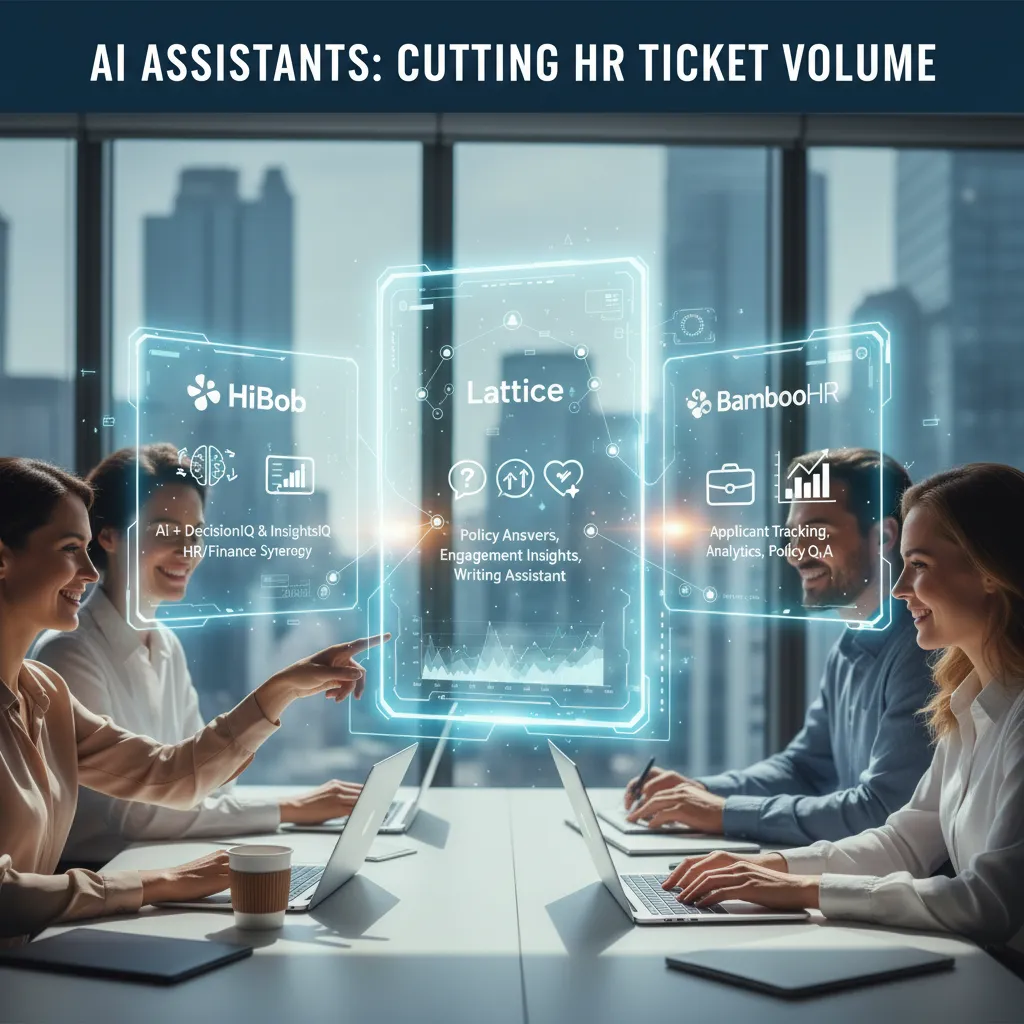
When I look at the best HR AI tools in 2026, I care less about flashy demos and more about one thing: fewer HR tickets. The tools below stand out because they answer common questions fast, guide people through workflows, and reduce back-and-forth in Slack and email.
What I see working in real teams
- HiBob: HiBob’s AI assistant paired with DecisionIQ and InsightsIQ is especially useful when HR workflows spill into finance planning. I’ve seen it help teams connect headcount changes, approvals, and people data without sending every question to HR or Finance.
- Lattice: Lattice does well with policy answers, engagement insights, and writing assistance during performance review cycles. In practice, that means fewer “how do I phrase this?” messages and fewer manager delays that turn into HR escalations.
- BambooHR: BambooHR keeps things simple by putting AI-powered applicant tracking, onboarding help, analytics, and policy Q&A inside a familiar HRIS. For many companies, that “single place to ask” is what reduces ticket volume the most.
- Leena AI: Leena AI is built for query resolution and automated onboarding. It feels like a front desk for People Ops—routing questions, serving answers, and nudging employees through steps before they ever open a ticket.
My opinionated take on adoption
Conversational interface matters more than “AI” branding—if it’s clunky, adoption dies.
If employees have to hunt for the assistant, re-type questions, or click through five menus, they’ll default back to HR. The best HR AI assistant is the one people actually use, every day, to get policy answers and complete tasks without friction.
AI recruiting tools: applicant tracking, resume screening, and the awkward human parts
Recruiting is where HR AI feels most “real” to me: the volume is high, the timelines are tight, and the human stakes are obvious. In the source comparison of AI-powered HR tools, I kept coming back to one theme—automation helps most when it protects the basics, not when it replaces judgment.
BambooHR: applicant tracking that keeps the basics tidy
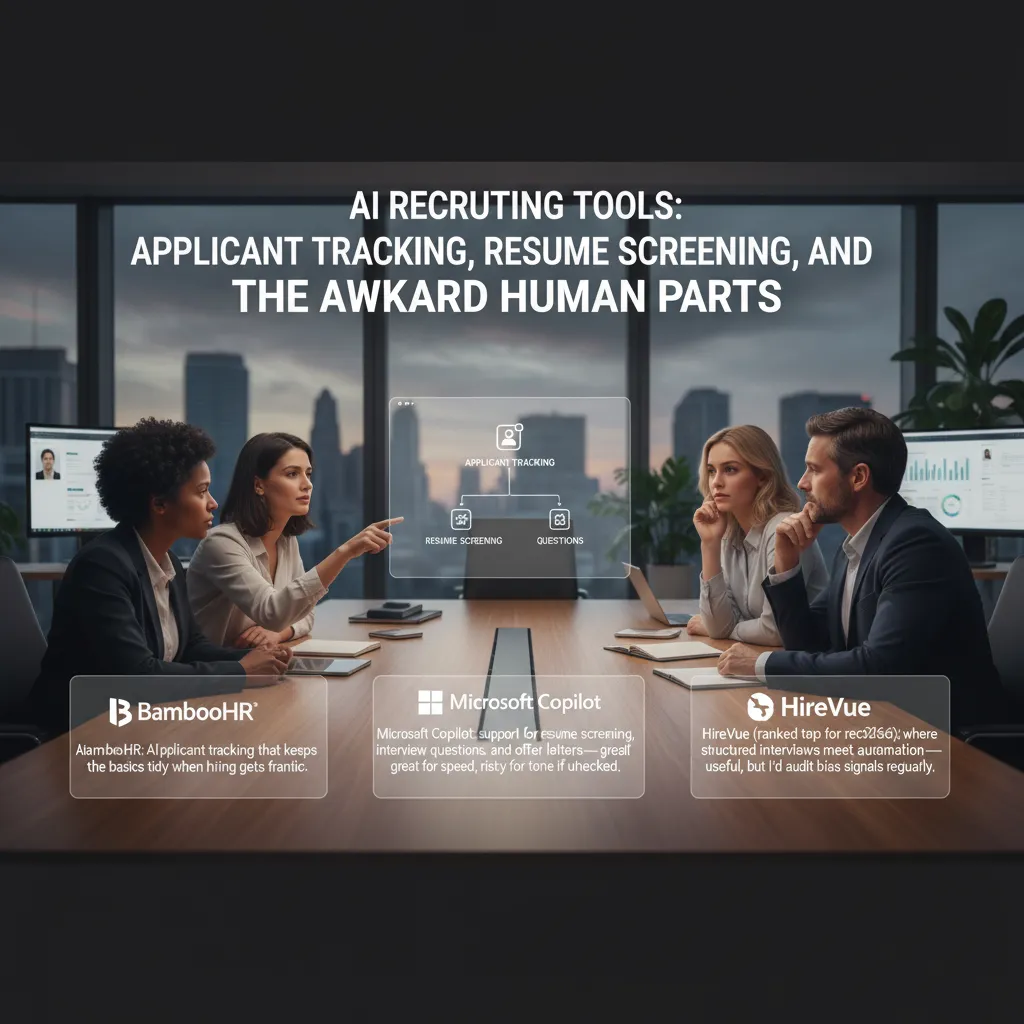
When hiring gets frantic, BambooHR shines as an AI-powered applicant tracking system that keeps workflows clean: job posts, candidate stages, notes, and handoffs. I like it for reducing “where are we on this candidate?” chaos. It’s not flashy, but it makes the process feel controlled.
Microsoft Copilot: fast drafts, but watch the tone
Microsoft Copilot is great for speed: resume screening support, interview question drafts, and even offer letter templates. The risk is tone. If I don’t review it, I can end up with language that sounds cold, overly legal, or oddly generic. Copilot is a strong assistant, but it needs a human editor.
HireVue (top recruiting tool in 2026): structure + automation
HireVue is ranked top for recruiting in 2026 in the source material, and I get why: structured interviews plus automation can improve consistency. Still, I’d audit bias signals regularly—especially scoring logic, question sets, and any patterns that disadvantage certain groups.
HR Acuity: interview questions when ER issues complicate hiring
HR Acuity stood out for AI-generated interview questions, which is especially helpful when employee relations issues and role clarity collide. It helps me stay focused on job-related criteria instead of drifting into “vibes-based” interviewing.
- Best use: standardize questions and document rationale.
- My rule: if it impacts a decision, I review it line by line.
Wild-card scenario: I imagine a hiring manager asking Copilot for a job description at 4:59 p.m.—and HR having to “humanize” it at 5:01.
Performance management that doesn’t sound like a robot
When people ask me about AI in performance management, I tell them this: managers don’t hate reviews. They hate unclear expectations and too many boxes. The best HR AI tools reduce the busywork, but still leave room for real judgment and real stories.
Lattice: help when the page is blank
From what I’ve seen in “Top HR Tools Compared: AI-Powered Solutions,” Lattice shines when you’re staring at an empty review form. Its performance review assistance can suggest structure and wording, and its engagement insights help you spot patterns (like a team that’s quietly burning out). It’s especially useful for managers who want to write clearly without sounding stiff.
Leena AI: the timeline nudger
Leena AI takes a different angle: it can automate parts of performance management and nudge managers on timelines—which, in real life, is a small miracle. If your biggest problem is reviews slipping, reminders getting ignored, and cycles dragging on, this kind of automation keeps the process moving without HR chasing everyone.
Workday HCM: tie reviews to mobility
Workday HCM is strongest when you want performance to connect to bigger talent management goals. Growth plans plus skill gaps analysis work well if you’re serious about internal mobility—moving people into new roles based on skills, not just titles.
My practical trick to keep it human
- Use AI to create a first-draft structure (goals, impact, strengths, next steps).
- Add one real anecdote per employee—a moment you observed, a customer quote, a project turning point.
- Replace generic lines like “great communicator” with specifics: what they did and why it mattered.
AI can draft the frame, but the manager has to supply the truth.
HR analytics, workforce planning, and the moment finance starts asking questions
I’ve noticed HR analytics gets “serious” the minute finance joins the call and asks, “So what’s the plan, and what will it cost?” That’s when HR AI tools stop being nice dashboards and start being decision support.
HiBob: InsightsIQ + DecisionIQ for decision-ready HR analytics
In my experience, HiBob’s InsightsIQ and DecisionIQ are most useful when I need to turn HR data into clear actions. Instead of exporting charts and re-explaining them, I can answer the real questions faster—like what changed, why it changed, and what we should do next. It also means fewer “can you resend that?” emails after meetings.
Workday HCM: workforce planning at scale
When the org is large, I look for tools that handle workforce trends, skill gaps analysis, and growth plans without breaking. Workday HCM is strong here: it’s built for planning across teams, tracking capability needs, and connecting hiring and development to long-term growth. For enterprise workforce planning, that scale matters.
BambooHR: approachable analytics for smaller teams
BambooHR feels more approachable for smaller companies that still want data visualization and clean reporting. If I’m supporting a lean HR team, simple charts and easy-to-share metrics can be the difference between “we think” and “we know.”
My tangent: if your dashboards don’t change a meeting outcome, they’re just expensive wallpaper.
What I’d track in 2026
- Headcount plan vs actual (by team and quarter)
- Time-to-fill (and where the process stalls)
- Internal mobility rate (moves, promotions, lateral shifts)
- Manager follow-through on growth plans (not just completion)
Compensation management and market pricing: where AI can save you (and where it can get you sued)
Comp management is where HR AI tools can pay for themselves fast—because pay data is messy, titles are inconsistent, and managers want answers now. But it’s also where a “smart” suggestion can create real legal risk if you can’t explain how you got there.
Where AI helps: faster market pricing and cleaner job matching
In my experience, Payscale is strongest when compensation data is scattered across spreadsheets, HRIS fields, and old offer letters. Its market pricing, job summaries, and peer auto-match features can quickly turn “we think this is a Level 3” into a more consistent benchmark.
Workday HCM shines when you want compensation conversations tied to the rest of the employee story. If your data hygiene is decent, you can link pay to skills, role expectations, and growth plans, which makes manager conversations less emotional and more structured.
My “creative writing” title problem
The first time I ran market pricing, I realized half our titles were basically fan fiction: “Customer Happiness Ninja,” “Ops Wizard,” “Senior Manager” (with zero direct reports). AI didn’t fix that for me—but it exposed it fast. Once we normalized titles and job families, the pricing outputs got way more useful.
Where AI can get you sued: no audit trail, no control
A practical warning: compensation management + AI needs clear audit trails and compliance tools. If you can’t show inputs, job match logic, and who approved changes, you’re inviting pay equity issues and discrimination claims.
- What I’d automate: first-pass benchmarking insights, job summary drafts, peer matching suggestions.
- What I won’t: final pay decisions without human context (performance, scope, internal equity, location, budget).
Employee relations AI: investigation planning, timelines, and the HR Acuity ‘seatbelt’ effect
When I look at employee relations (ER) AI, I don’t want a general chatbot. I want a tool that is built for the messy, high-stakes reality of investigations. In the source comparison, HR Acuity (with olivER AI) stands out because it’s designed for employee relations, investigation planning, and benchmarking—this is where specialized tools shine.
Why ER AI matters (and what I actually need)
ER work can affect jobs, safety, and legal risk. That’s why I care less about “speed” and more about issue timeline generation and consistent documentation. If the system helps me capture what happened, when it happened, and what evidence supports it, I’m less likely to miss gaps or rely on memory.
Use-case: interview questions that reduce risk
One practical win: AI-generated interview questions. When configured carefully, this can help me avoid leading questions and keep interviews fair. For example, instead of “Why did you ignore the policy?” I’d rather be prompted with something neutral like:
“Walk me through what happened from your perspective, step by step.”
- Good ER AI suggests neutral phrasing and follow-ups tied to the allegation.
- Better ER AI reminds me to document answers in a consistent format.
My gut-check: the “seatbelt” effect
My test is simple: the tool should slow me down in the right moments, like a seatbelt, not rush me. I want prompts that force clarity—dates, witnesses, policy links, and next steps—before I move forward.
Small aside: if your ER process lives in email, AI won’t fix it. Get the workflow right first, then add the tool.
Payroll automation, onboarding, and the ‘boring stuff’ that makes HR lovable
If you want HR to feel “easy,” start with payroll and onboarding. In my experience, these are the everyday moments employees remember: getting paid correctly, getting access on time, and not feeling lost on Day 1. The best AI HR tools don’t just add fancy chat—they remove friction from the work that quietly shapes trust.
Gusto AI: one payroll platform that isn’t painful
From the comparisons I’ve tested, Gusto AI is the cleanest option when you need payroll, basic recruiting, onboarding, and compliance in one place. It’s built for speed: fewer manual steps, fewer “did we file that?” worries, and fewer payroll surprises. If your team is small or growing fast, this kind of all-in-one setup can keep HR from becoming a weekly fire drill.
BambooHR + automated onboarding: fewer Day-1 messes
BambooHR shines when you care about structure. Automated onboarding checklists, document collection, and reminder nudges help prevent the classic chaos: missing forms, no laptop request, no calendar invites, no clear first-week plan. It’s not glamorous, but it’s the difference between “welcome aboard” and “good luck.”
Leena AI: onboarding plus answers for distributed teams
Leena AI is especially useful when your people are spread across time zones. It supports automated onboarding and query resolution, so new hires can ask the same questions everyone asks—policies, benefits, tools—and get consistent answers without waiting for HR to wake up.
My personal bias: employee onboarding is where culture is either built or quietly lost. Automate the forms, the checklists, and the reminders—but keep a human welcome call. AI can’t replace that moment when someone feels seen, safe, and excited to start. That’s the “boring stuff” done right, and it’s what makes HR lovable.
TL;DR: If you’re shopping for AI HR solutions in 2026, pick tools that (1) reduce ticket volume with an AI assistant, (2) improve performance reviews without sounding robotic, (3) tighten applicant tracking and resume screening, (4) make HR analytics and workforce planning visual, and (5) handle employee relations and investigation planning with care. My short list: HiBob, Lattice, BambooHR, Workday HCM, Payscale, HR Acuity (olivER), Leena AI, Gusto, and Microsoft Copilot—each wins in different lanes.


Comments
Post a Comment