AI Ops Tools 2026: A Real-World Comparison
Last year I watched a simple Monday morning task—“pull last week’s pipeline notes and turn them into next steps”—turn into a 90-minute scavenger hunt across Slack, email, CRM, and a meeting recording. That’s the moment I stopped looking for “the smartest AI” and started looking for AI operations management tools that behave like reliable teammates. In this post I’m comparing AI-powered solutions the way I wish someone had compared them for me: what they automate, what they cost, where they break, and which ones quietly save your sanity.
My “Ops Pain” Checklist (Before Any Demo)
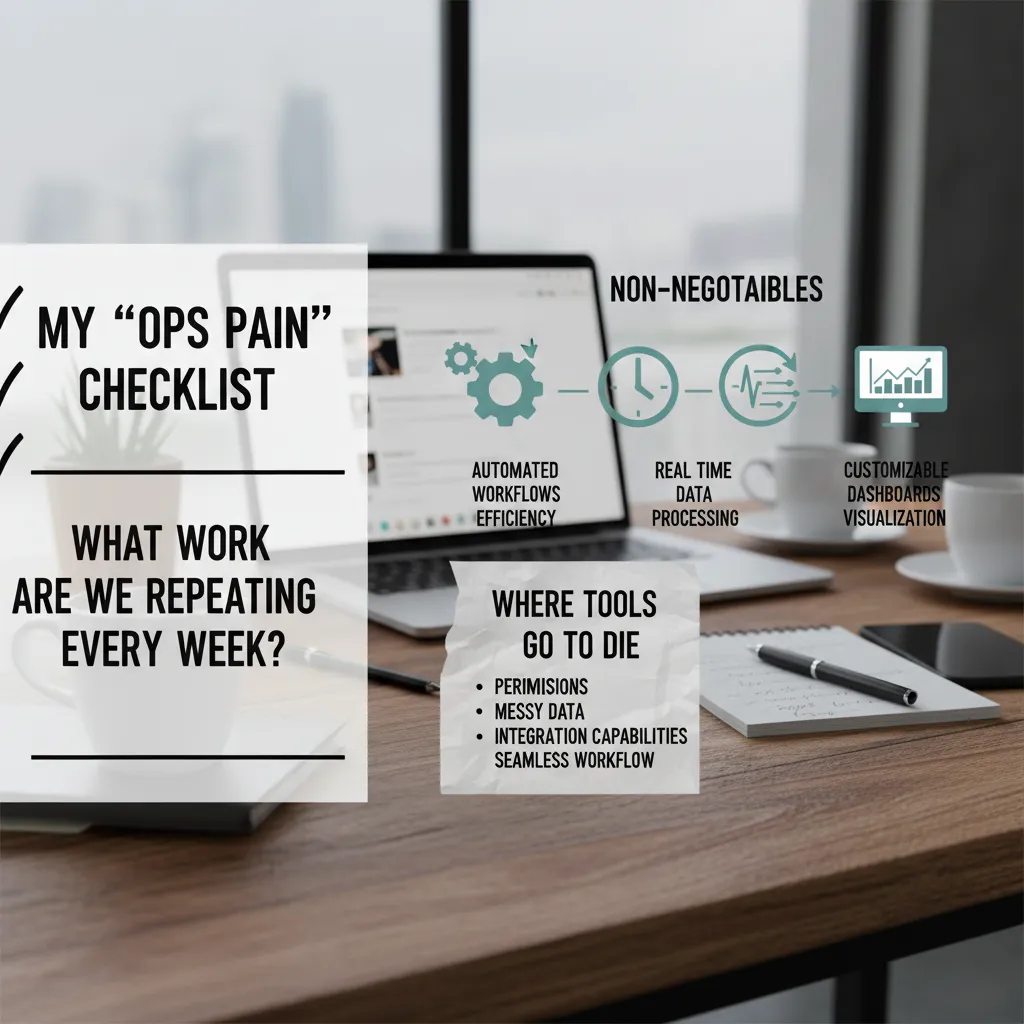
Before I watch a single demo for AI ops tools, I start with the boring question: what work are we repeating every week (and pretending it’s “strategy”)? In the source comparison of top operations tools, the best platforms don’t just “add AI.” They remove the weekly grind: status chasing, manual updates, and copy-paste reporting.
1) The weekly-repeat test
I write down every recurring task that steals time from real operations work. If a tool can’t reduce these, it’s not an ops tool—it’s a new tab to manage.
- Manual ticket routing and follow-ups
- Spreadsheet-based capacity tracking
- End-of-week reporting that starts with “export CSV”
2) My non-negotiables (features I won’t compromise on)
When I compare AI-powered operations tools, I look for three core capabilities that show up again and again in real-world wins:
- Automated workflows for efficiency (rules, triggers, approvals, and handoffs that run without babysitting)
- Real-time data processing (so dashboards and alerts reflect what’s happening now, not yesterday)
- Customizable dashboards for visualization (different views for execs, managers, and on-call teams)
3) Where tools go to die (my running risk list)
I keep a checklist of failure points that kill adoption even when the AI looks impressive:
- Permissions: if roles are confusing, people stop using it—or worse, they over-share data.
- Messy data: if the tool can’t handle inconsistent fields, duplicates, or missing values, the “insights” become noise.
- Integration capabilities: if it can’t connect cleanly to the systems we already run, the workflow breaks.
Tiny tangent: I once bought a tool because the dashboard was pretty. Two weeks later we were exporting CSVs like it was 2009.
Now I ask every vendor to show the unglamorous parts: setup time, data cleanup, permission models, and the exact integrations needed for a seamless workflow.
Top AI Operations Tools I’d Actually Shortlist (2026)
When I compare AI ops tools in 2026, I don’t rank them by who shouts loudest on LinkedIn. I group them by the job they do in real operations: moving work forward, turning data into decisions, and reducing the daily admin drag. This shortlist is based on what I see teams actually adopt when “AI-powered operations” stops being a slide and starts being a workflow.
1) Lindy: the “ops glue” for cross-tool follow-through
If you want an AI assistant that can chase tasks across tools without babysitting, Lindy is the one I keep coming back to. It’s most useful when work lives in many places (email, calendar, CRM, Slack, docs) and the real problem is follow-up, not ideas.
- Turns requests into actions (create tasks, schedule, send reminders)
- Helps reduce handoffs by keeping context across tools
- Best for ops teams that need reliable execution, not just chat
My test: if I stop nudging it, does the work still move? Lindy is built for that.
2) ThoughtSpot + DataRobot: analytics and ML when spreadsheets stop scaling
For business analytics intelligence platforms, I look for two things: fast answers for non-technical users and automated insights that don’t require a full data science sprint. That’s where ThoughtSpot and DataRobot fit.
- ThoughtSpot: search-driven analytics for quick, self-serve reporting
- DataRobot: automated machine learning to build and monitor models faster
- Together they cover “what’s happening?” and “what’s likely next?”
This combo makes sense when your ops metrics are too big for manual reporting, but you still need clear, explainable outputs for leaders.
3) Microsoft Copilot: the one that sneaks into your day
Microsoft Copilot earns a spot because many teams already live in Microsoft 365. It shows up inside the tools people use all day, which lowers adoption friction.
- Drafts and summarizes in Outlook and Word
- Speeds up meeting notes and action items in Teams
- Helps turn messy docs into usable ops updates
Best AI Executive Assistant: Copilot vs Lindy (My Take)
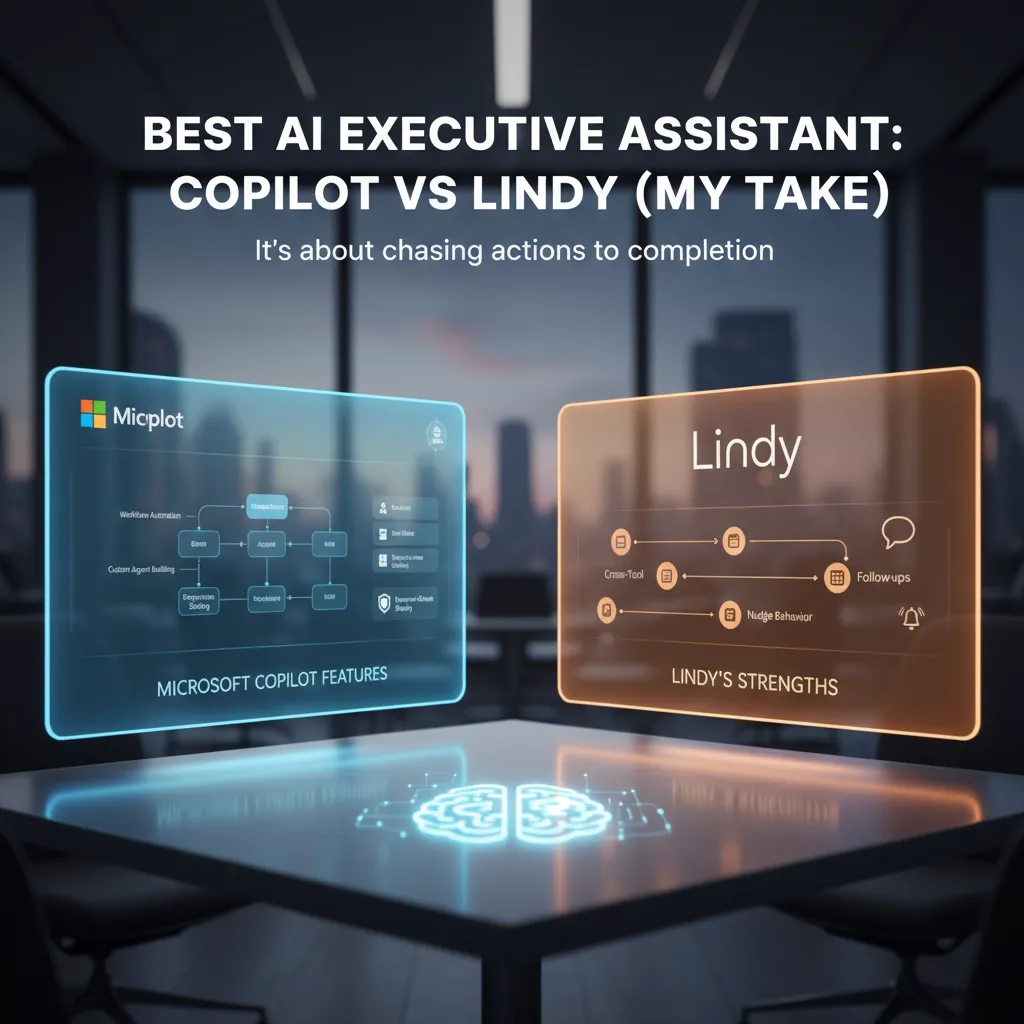
When I judge the best AI executive assistant, I’m not looking for clever writing. I’m looking for something that chases actions to completion. In ops, the real work is the follow-up: the owner, the due date, the reminder, and the “did it actually happen?” loop.
Microsoft Copilot: strong inside the Microsoft workflow
In my day-to-day, Microsoft Copilot feels like the safest bet when your company lives in Microsoft 365. The features that matter most to me are:
- Workflow automation that turns meeting notes into tasks and updates without extra clicks
- Custom agent building so I can shape an assistant around our ops playbooks (intake, triage, escalation)
- Enterprise-grade security and admin controls (and yes, I care)
Copilot is especially useful when I want a consistent, governed experience across Teams, Outlook, and documents. It’s less about “wow” moments and more about reducing friction in the tools we already pay for.
Where Lindy shines for me: cross-tool follow-ups
Lindy wins points with me when the work spans multiple tools and multiple humans. The standout behavior is its nudge style: it follows up across apps and keeps poking the thread when people forget. That matters because most action items die in the gap between “we agreed” and “someone did it.”
If I’m coordinating across email, calendar, CRM, and a project board, Lindy feels more like a persistent operator than a writing helper. It’s the assistant I reach for when I need cross-tool follow-ups and a steady cadence of reminders.
A quick story from the first time it felt real
The first time an assistant auto-drafted my post-meeting recap, I felt weirdly judged by my former self. It pulled decisions, listed owners, and even flagged one vague commitment as “needs a due date.”
It wasn’t smarter than me—it was just more consistent than me.

AI Productivity Automation Tools: Zapier AI & Friends
In my 2026 ops stack, AI productivity automation tools are the “small hinges swing big doors” category. They don’t replace my core systems, but they remove the tiny delays that add up: copying data, chasing updates, and reminding people (again) that something is overdue.
Zapier AI: no-code automation that actually fits SMB ops
From the source material on AI-powered operations tools, the big idea is simple: connect the tools you already use and let AI handle the handoffs. That’s why Zapier AI stands out for me. With 8,000+ app connections, it’s basically a cheat code for small and mid-sized teams that don’t have time to build custom integrations.
I start with triggers that match real life
I don’t begin with “what can this tool do?” I begin with “what keeps happening every week?” The best automations start with triggers that mirror real work, like:
- Form submitted → create a lead, enrich it, and notify the right owner
- Deal moved → summarize notes and post the update to the team channel
- Invoice overdue → route a reminder, log the event, and escalate if needed
Then I use AI steps to route, summarize, and notify—the three actions that keep operations moving without extra meetings.
My unpopular opinion: automate slower, fix faster
Unpopular opinion: a messy workflow automated faster is still a mess.
I’ve learned to do a small cleanup before I automate: remove duplicate steps, define one “source of truth,” and name fields consistently. Even 30 minutes of process cleanup can save weeks of debugging later.
Quick comparison: Zapier AI & friends
| Tool type | Best for | What I watch for |
|---|---|---|
| Zapier AI | No-code cross-app workflows | Trigger quality + error handling |
| AI assistants | Summaries, drafts, classification | Clear prompts + data boundaries |
| iPaaS alternatives | Heavier integrations | Cost creep + admin overhead |
When these tools are set up with real triggers and a slightly cleaner process, they quietly deliver the biggest ops wins.
Pricing Plans Comparison (And the Hidden Costs Nobody Puts on the Slide)
When I compare AI ops tools, I’m less afraid of the sticker price than I am of surprise admin hours. Most “Top Operations Tools Compared: AI-Powered Solutionsundefined” style charts show a clean per-user number, but real-world cost is what happens after the purchase: setup, access rules, data cleanup, and the time it takes to get people to actually use the tool.
What the list price tells you (and what it doesn’t)
Salesforce Einstein often starts around $50/user/month. In my experience, that can be worth it if it truly reduces time-to-response and improves conversation insights across support and sales. If Einstein helps your team find the right context faster, route work better, and avoid repeat questions, the math can work out quickly.
Microsoft Copilot at about $30/user/month looks cheaper on paper. But I treat that number as the entry fee, not the full cost. Rollout, training, and governance are where “cheap” can get expensive—especially if you need to control what data Copilot can see, how prompts are handled, and what gets logged.
The hidden costs I always model
- Rollout time: onboarding, permissions, and tool configuration.
- Training: short sessions plus ongoing coaching so usage sticks.
- Governance: data access rules, audit needs, and policy work.
- Integration work: connecting tickets, chat, CRM, and monitoring.
- Quality control: reviewing outputs and fixing bad workflows.
I add a “cost of waiting” line item: manual work is a tax you pay every single week.
A simple comparison view
| Tool | Typical starting price | Where hidden costs show up |
|---|---|---|
| Salesforce Einstein | $50/user/month | CRM data hygiene, workflow tuning, reporting |
| Microsoft Copilot | $30/user/month | Training, governance, access controls, adoption |
For AI ops tools in 2026, I price the plan and the people-hours. If the tool saves real time weekly, it earns its seat fast; if it adds admin drag, the “deal” disappears.
Best AI Procurement Software & the 15% Moment
In my real-world comparisons for AI Ops Tools 2026, AI procurement software is where “AI” gets extremely practical, extremely fast. It’s not about flashy demos. It’s about finding money that’s already leaking out of the business through renewals, unused seats, and messy vendor lists.
The source material on AI-powered operations tools highlights a reported ~15% average cost savings from smarter procurement workflows. That number is the “15% moment” for me, because it’s usually when finance teams go from “interesting” to “we need this in Q1.” When an ops tool can show savings with evidence, it stops being an experiment and starts being a line item.
What I look for in the best AI procurement software
I like tools that turn vendor sprawl into a story: who we pay, why we pay, and what we can renegotiate. The best platforms connect contract data, invoices, and usage signals so I can answer basic questions quickly, without chasing five spreadsheets.
- Vendor visibility: one place to see every supplier, owner, renewal date, and spend trend.
- Contract intelligence: AI that pulls key terms (auto-renewal, notice periods, price escalators).
- Usage-to-cost matching: highlights shelfware and over-licensed teams.
- Workflow automation: intake, approvals, and audit trails that reduce back-and-forth.
The wild card: “smoke alarm” alerts before renewals
Here’s the scenario I keep pushing for: imagine your AI flags duplicate tools before renewal—like a smoke alarm for subscriptions. Two teams paying for similar products, or the same tool bought twice under different names. The alert is simple, but the impact is big.
“Procurement AI works best when it surfaces decisions early—before the renewal clock runs out.”
| Signal | What I do next |
|---|---|
| Duplicate category tools | Consolidate vendors and renegotiate pricing |
| Low usage vs. high spend | Right-size seats or switch plans |
| Auto-renewal approaching | Trigger review and send notice on time |
Conclusion: Building an Ops Stack That Doesn’t Hate You Back
After comparing the AI-powered options in Top Operations Tools Compared: AI-Powered Solutions, I stopped trying to crown a single “best” platform. In real ops work, the “best” tool changes depending on the team, the data, and the mess you’re walking into. What actually helps me is building a calm, integrated stack where each tool has a clear job and the handoffs are smooth. When the stack is calm, my day is calm—and that’s the real win.
My simple rule: three layers, one conversation
My rule is to pick one assistant layer, one automation layer, and one analytics layer—then make them talk. The assistant layer is where I ask questions, draft updates, and turn messy notes into clear actions. The automation layer is where repeat work gets triggered and tracked without me babysitting it. The analytics layer is where I check what’s happening, what’s drifting, and what needs attention before it becomes a fire.
The key is integration. If my assistant can’t pull context, if automation can’t pass clean data, or if analytics can’t reflect reality, I end up doing manual glue work. That’s when tools start to feel like extra coworkers who never read the thread.
If you’re stuck, run a tiny pilot
If you’re unsure where to start, I run a small pilot: one workflow, one team, one month, with a measurable output. I pick something boring but frequent—like incident triage, onboarding steps, or weekly reporting. Then I measure time saved, error rate, and how often people bypass the system. If the pilot reduces noise and makes handoffs clearer, I scale it. If it adds friction, I cut it fast.
The best ops day is the one where nothing “exciting” happens—and that’s kind of the point.
In 2026, AI ops tools are powerful, but the goal isn’t more features. The goal is fewer surprises, fewer pings, and a stack that supports the work instead of fighting it.
TL;DR: If you want quick wins, start with no-code workflow automation (think Zapier AI’s 8,000+ app connections). If you’re already in Microsoft 365, Copilot at $30/user/month is hard to ignore for secure, everyday ops. For revenue and service teams, Salesforce Einstein starts at $50/user/month. For analytics-heavy orgs, ThoughtSpot and DataRobot stand out for data-driven insights and machine learning automated insights. Whatever you choose, prioritize integration capabilities, security compliance safeguards enterprise, and a clear “pilot-to-production” plan.


Comments
Post a Comment