AI in HR, Step by Step (Without Losing the Human)
Last year I watched an HR team try to “do AI” by buying a shiny tool before anyone could agree on what problem they were solving. Two months later, the only thing that changed was the number of dashboards. That little fiasco taught me a rule I now repeat (too often, probably): AI in HR isn’t a feature—it’s a workflow decision. In this guide, I’ll walk through the steps I wish that team had taken, with a candid look at what breaks, what improves fast, and where Agentic AI fits into HR trends 2026 without turning your people function into a black box.
1) Start With the ‘HR Annoyances’ List (Not a Vendor Demo)
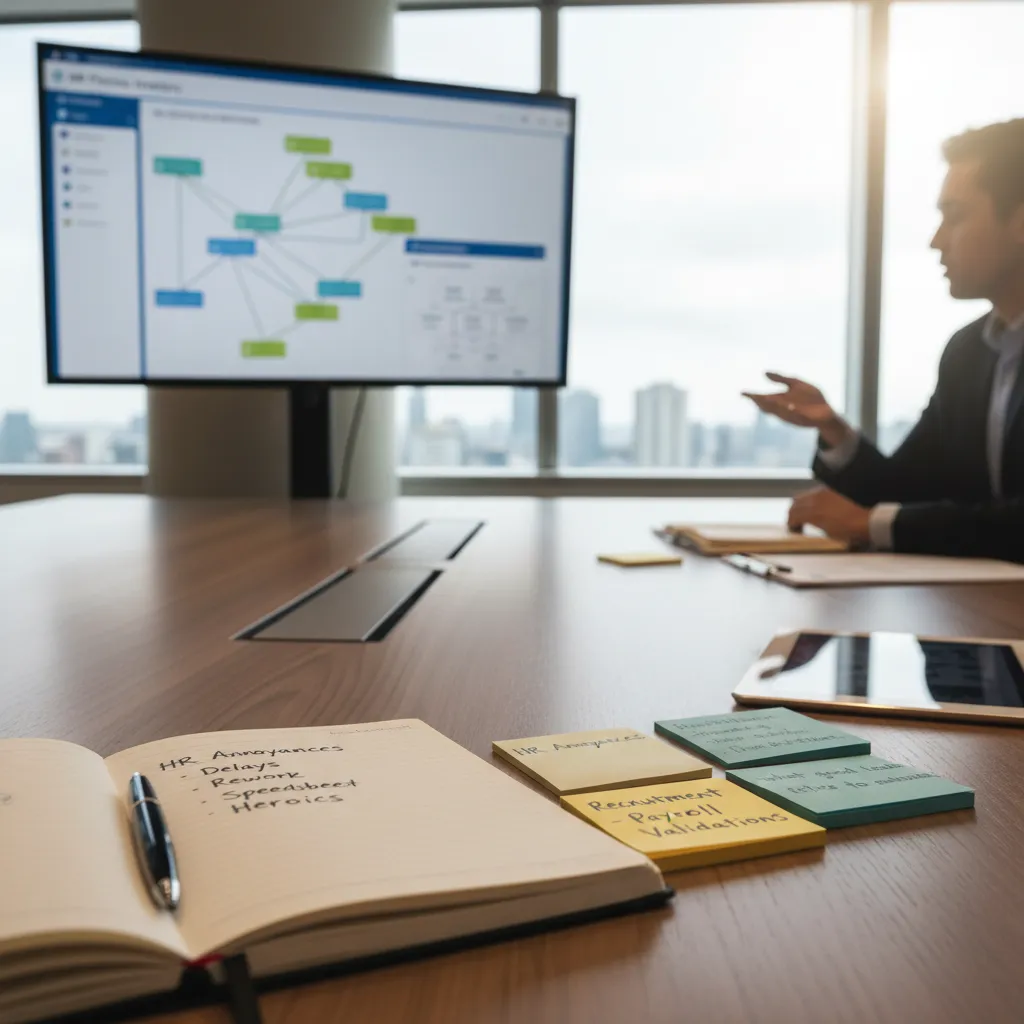
When I start thinking about AI in HR, I don’t begin with a shiny tool or a vendor demo. I begin with what I call my HR annoyances list. It’s simple: I inventory HR processes by friction. Where do I see delays? Where do we redo work? Where do we rely on “spreadsheet heroics” to keep things moving?
Inventory friction before you pick AI
I walk through the HR workflow like an employee would and note every point where time or trust gets lost. I look for patterns such as:
- Delays: approvals stuck in email, candidates waiting days for updates
- Rework: the same data entered in three systems, forms corrected after submission
- Manual checks: payroll validations done line-by-line, onboarding tasks tracked in personal files
- Hand-offs: “I thought you were doing it” moments between HR, managers, and finance
Pick one workflow with a clear owner and outcome
Next, I choose one workflow to improve—just one. This keeps an AI implementation in HR realistic and human-centered. I pick something with a clear owner, a clear outcome, and a measurable pain point. Good examples are recruitment onboarding (faster, smoother first week) or payroll validations (fewer errors, fewer late fixes).
To keep myself honest, I write down:
- Owner: Who is responsible end-to-end?
- Outcome: What does “better” mean in plain language?
- Inputs: What data or documents are involved?
- Risk: What could go wrong if AI gets it wrong?
Define “what good looks like” and what I refuse to automate
Before any tool selection, I write one paragraph describing what good looks like. Example: “New hires get the right access on day one, managers know their tasks, and HR doesn’t chase signatures.” Then I write one paragraph on what I refuse to automate—usually anything that needs empathy, judgment, or a sensitive conversation (like performance feedback wording, employee relations decisions, or layoffs).
My sticky-note method (the pile tells the truth)
Here’s my wild card: every complaint gets a sticky note. One issue per note. After two weeks, I sort them into piles (onboarding, payroll, benefits, recruiting). The biggest pile is my starting point—faster and more honest than any survey.
2) Map the Workflow Like a Detective (Where AI Agents Actually Fit)
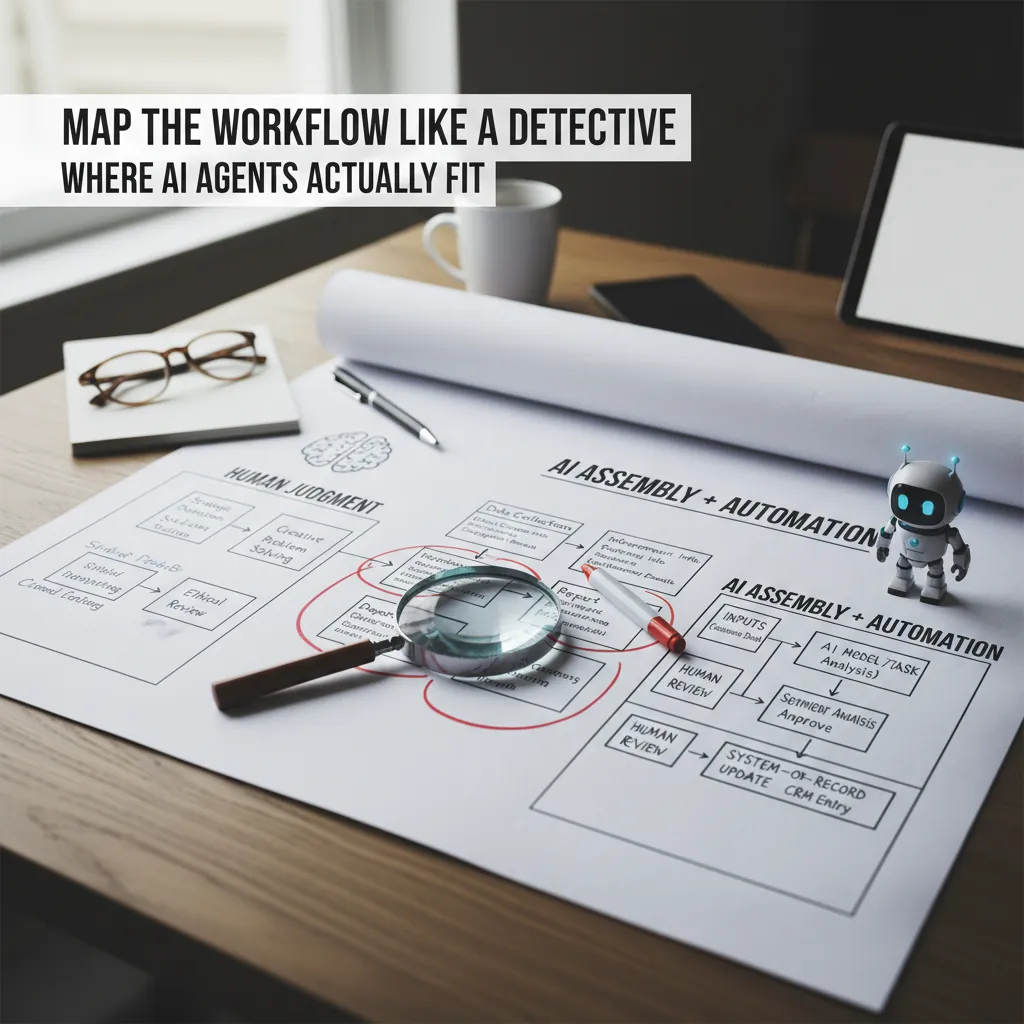
Before I add any AI to HR, I map the workflow end-to-end like a detective. I literally draw it: where the request starts, who touches it, what tools they use, what decisions get made, and where the final record lives (ATS, HRIS, payroll, LMS). This step sounds basic, but it’s where I usually find the real problem: not “lack of AI,” but unclear handoffs and repeated work.
Circle the steps AI can actually help with
Once the workflow is on paper, I circle the steps that are repetitive, rules-based, or text-heavy. These are the places where AI agents and automation fit best, because they can handle volume and consistency without getting tired.
- Repetitive: scheduling, reminders, status updates
- Rules-based: eligibility checks, policy lookups, routing by role/location
- Text-heavy: drafting job posts, summarizing interviews, tagging themes in feedback
Separate “judgment” from “assembly”
Then I split the workflow into two types of steps:
- Judgment steps (human): hiring decisions, performance ratings, employee relations calls, exceptions to policy
- Assembly steps (AI agents + automation): collecting inputs, formatting documents, summarizing notes, creating tickets, updating fields
This separation keeps the process human where it matters, while letting AI handle the busywork. It also reduces risk, because the highest-impact decisions stay with trained people.
Sketch a simple AI integration plan
I keep the integration plan simple and repeatable. For each “assembly” step, I write a mini flow:
- Inputs: what the agent reads (forms, emails, transcripts, policies)
- Model/task: what it does (classify, draft, summarize, extract fields)
- Review: who approves and what “good” looks like
- System-of-record update: where the final truth is saved (HRIS/ATS)
inputs → model/task → human review → HR system update
Tangent: if your process has 12 approvals, AI won’t save it. It’ll just move the bottleneck.
That’s why I map first: AI works best when the workflow is already clear, lean, and owned.
3) Get Your Data House in Order (Before You Scale AI Capabilities)
Before I let AI touch anything “important” in HR, I treat data like the foundation. If the foundation is messy, AI just scales the mess faster. In every how to implement AI in HR step-by-step guide I’ve used, this part is the quiet make-or-break moment: get your data ready before you expand AI use cases.
The HR data sources we actually rely on
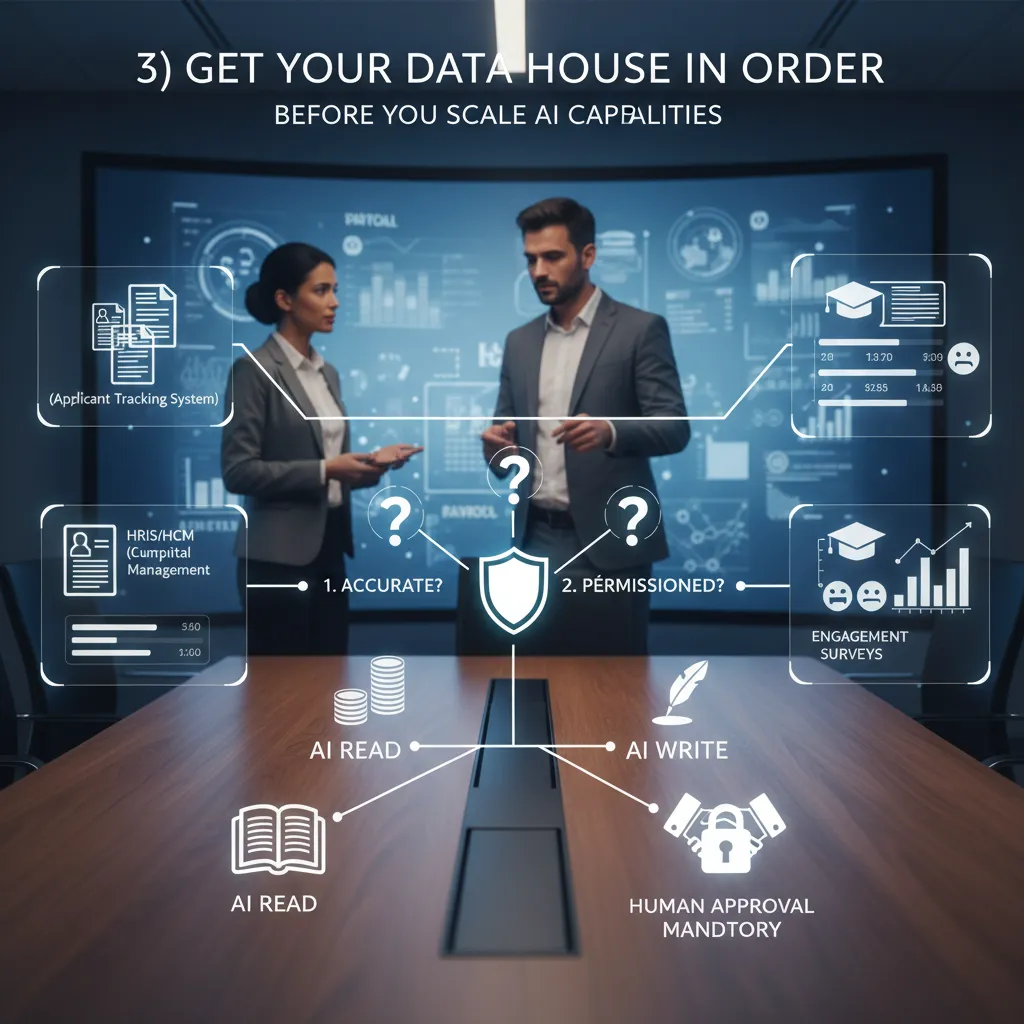
In real life, HR data is spread across systems that don’t always agree with each other. Here are the sources I usually map first:
- ATS (applicant tracking system): candidates, stages, interview notes
- HRIS/HCM: employee profiles, job titles, org structure, manager links
- Payroll: pay elements, hours, deductions (often the “most trusted” data)
- LMS: courses, completions, certifications, learning paths
- Engagement surveys: sentiment, themes, comments, participation rates
- Performance tools: goals, reviews, calibration notes
My three-question data audit
When I’m deciding if a dataset is ready for AI in HR, I run a simple audit. I ask:
- Is it accurate? Are job titles, manager fields, and locations correct—or full of “TBD” and duplicates?
- Is it current? When was it last updated? Is the org chart two reorganizations behind?
- Is it permissioned? Who is allowed to see it, export it, or use it for analysis?
If I can’t answer these quickly, I pause the AI rollout and fix the basics.
Decide what AI can read vs. write (and where humans must approve)
I also set clear boundaries. Most teams start safer with read-only access: AI can summarize policies, draft job posts, or surface trends. “Write” actions—like updating employee records, changing workflow statuses, or sending messages—need tighter controls.
| Action | Rule I use |
|---|---|
| Read data | Allowed if permissioned + logged |
| Write data | Human approval mandatory |
| Send employee-facing comms | Human review + template controls |
A quick story: job titles made “skills-first” click for me
The first time I saw a job title taxonomy, I finally understood why skills-first is a movement. We had “Customer Success Ninja,” “Client Partner II,” and “Account Manager” doing the same work. AI couldn’t match internal talent to roles because the labels were chaos. Once we cleaned titles and added skills, the insights got sharper—and the humans trusted the outputs more.
4) Pilot Like You Mean It: Guardrails, Bias Mitigation, and Ethical Governance
When I pilot AI in HR, I don’t start with a big rollout. I start with a small pilot tied to one real workflow (like resume screening support, interview scheduling, or drafting job posts), with real users and real deadlines. I pick a limited group of recruiters or HR partners, define what “good” looks like, and set an explicit stop button. If quality drops, if people don’t trust the tool, or if we see risk, I pause the pilot—no debate.
Run a small pilot with a real stop button
- Scope: one workflow, one team, one time window (2–6 weeks).
- Human-in-the-loop: AI suggests; people decide.
- Stop button: clear owner, clear trigger, clear process to revert.
Define fairness and quality checks (before day one)
I treat fairness like a measurable requirement, not a hope. Before the pilot starts, I write down the checks we will run and how often. I also keep explainability notes so we can describe, in plain language, what signals the AI used and what it ignored.
| Check | What I look for | How I respond |
|---|---|---|
| Bias mitigation tests | Different outcomes by gender, age, race, disability status (where legally allowed) | Adjust prompts, features, thresholds; add human review |
| Adverse impact monitoring | Selection rates that create unfair disadvantage | Pause use in that step; investigate root cause |
| Quality sampling | Accuracy, relevance, and consistency vs. human baseline | Retrain, reconfigure, or narrow the use case |
Create a plain-language AI policy employees can actually use
I publish a short policy that answers three questions: what the AI does, what it doesn’t do, and how to challenge outcomes. I include a simple escalation path (HR contact + response time) and document retention rules. If the tool supports hiring, I also state that final decisions are made by people.
Wild card: “Did a bot reject me?” (script it now)
Suggested response: “We use AI tools to help organize applications and support our recruiters, but hiring decisions are made by our team. If you’d like, we can share the main job requirements we used and confirm your application was reviewed through our process. You can also request a review by contacting [email/portal].”
5) Scale Toward Agentic AI: From Copilot to Co-Worker (Human AI Synergy)
Once I’ve proven one AI pilot in HR works, I don’t stop there. I scale it into a portfolio—a set of small, connected use cases that share the same data rules, security controls, and review process. This is where AI moves from a “copilot” that helps one task to a “co-worker” that supports many workflows, while I keep the human parts of HR fully intact.
From one pilot to a portfolio
I expand step by step across the HR lifecycle, choosing areas where AI can reduce admin work without weakening trust:
- Recruiting: draft job ads, screen for basic requirements, summarize interview notes, and suggest structured questions.
- Onboarding: answer common new-hire questions, generate checklists, and personalize learning plans.
- Payroll and HR ops: flag missing data, explain pay rules in plain language, and route tickets to the right team.
- Talent intelligence: map skills, identify internal mobility options, and surface workforce trends.
I treat each addition like a mini-implementation: clear scope, success metrics, and a defined “human review” step before anything impacts a person’s pay, job, or opportunity.
Training managers to “manage with AI”
Agentic AI only helps if managers know how to use it responsibly. I run simple training on three habits:
- Delegate clearly: give the AI agent a goal, context, and boundaries (what it can and cannot do).
- Review outputs: check for bias, missing context, and wrong assumptions—especially in hiring and performance topics.
- Keep accountability human: the manager owns the decision. AI can recommend, but it cannot be the decision-maker.
I also standardize prompts and templates so teams don’t reinvent the wheel. For example:
Summarize these interview notes into strengths, risks, and follow-up questions. Do not infer protected traits.
Redesigning roles: less “job box,” more “capability map”
As AI takes on repeatable tasks, I redesign work around skills. Instead of locking people into fixed job boxes, I build a capability map—what skills we need, who has them, and where they can be applied. This supports a more liquid workforce: short projects, internal gigs, and faster reskilling.
Informal aside: the best HR teams I know treat AI like a junior teammate—helpful, fast, occasionally wrong.
6) My ‘Done Enough’ Checklist (So AI Implementation Doesn’t Turn Into Theater)
I’ve learned that AI in HR can look “busy” without being useful. Dashboards get shared, pilots get praised, and then nothing really changes for recruiters, HRBPs, or employees. So before I call an AI implementation “live,” I run a simple done enough checklist based on the practical steps in a step-by-step guide to implementing AI in HR: governance first, process clarity second, and measurement always.
I confirm the basics before anyone celebrates
First, I check the unglamorous parts: audit logs are on and easy to access, data permissions match our privacy rules, and we can clearly see who touched what data and when. I also confirm we have escalation paths for when the tool gets it wrong—because it will. If a candidate flags bias, if a manager disputes a recommendation, or if an employee asks, “Why did I get this answer?”, I want a clear route from frontline HR to the right owner (HR ops, legal, IT, or the vendor).
Then I make sure we have a measurable KPI dashboard. Not vanity metrics like “number of prompts,” but outcomes tied to HR work: time-to-fill, screening time saved, candidate drop-off, case resolution time, employee satisfaction, and error rates. If we can’t measure it, we can’t manage it.
I document what changed in the HR process (because future me will forget)
I write down what the AI tool changed in our workflow: what steps were removed, what steps were added, and what decisions are still human-only. I include the new “rules of the road,” like when staff must review outputs, what can be copied into an email, and what must never be used for final decisions. I do this because future me will forget (I always do), and new team members deserve clarity, not tribal knowledge.
I schedule quarterly reviews so the system stays real
Every quarter, I review model drift (is performance slipping as roles, skills, or language changes?), policy updates (privacy, retention, DEI, and compliance), and any new AI technologies worth testing. This keeps the program from turning into theater—something we “have” but don’t actively manage.
The goal isn’t “more AI”—it’s calmer Mondays for HR and better moments for employees.
TL;DR: Implement AI in HR by picking one painful workflow, fixing your data pipes, piloting safely, adding governance, and scaling toward AI agents that handle multi-step HR processes—while training managers for human AI synergy.


Comments
Post a Comment