AI-Driven HR Ops: Real Results, Messy Lessons
The first time I watched an “AI assistant” triage HR tickets, I didn’t feel awe—I felt suspicion. It was 4:47 p.m., payroll questions were piling up, and our shared inbox looked like a junk drawer. The bot calmly sorted requests, flagged a payroll validation edge case, and somehow didn’t gaslight anyone. That was my uncomfortable moment of clarity: AI transformation in HR operations isn’t magic. It’s a set of trade-offs you can measure—if you’re willing to look at the messy parts too.
1) The day my HR inbox stopped yelling (HR Operations)
My before/after snapshot: from chaos to a queue
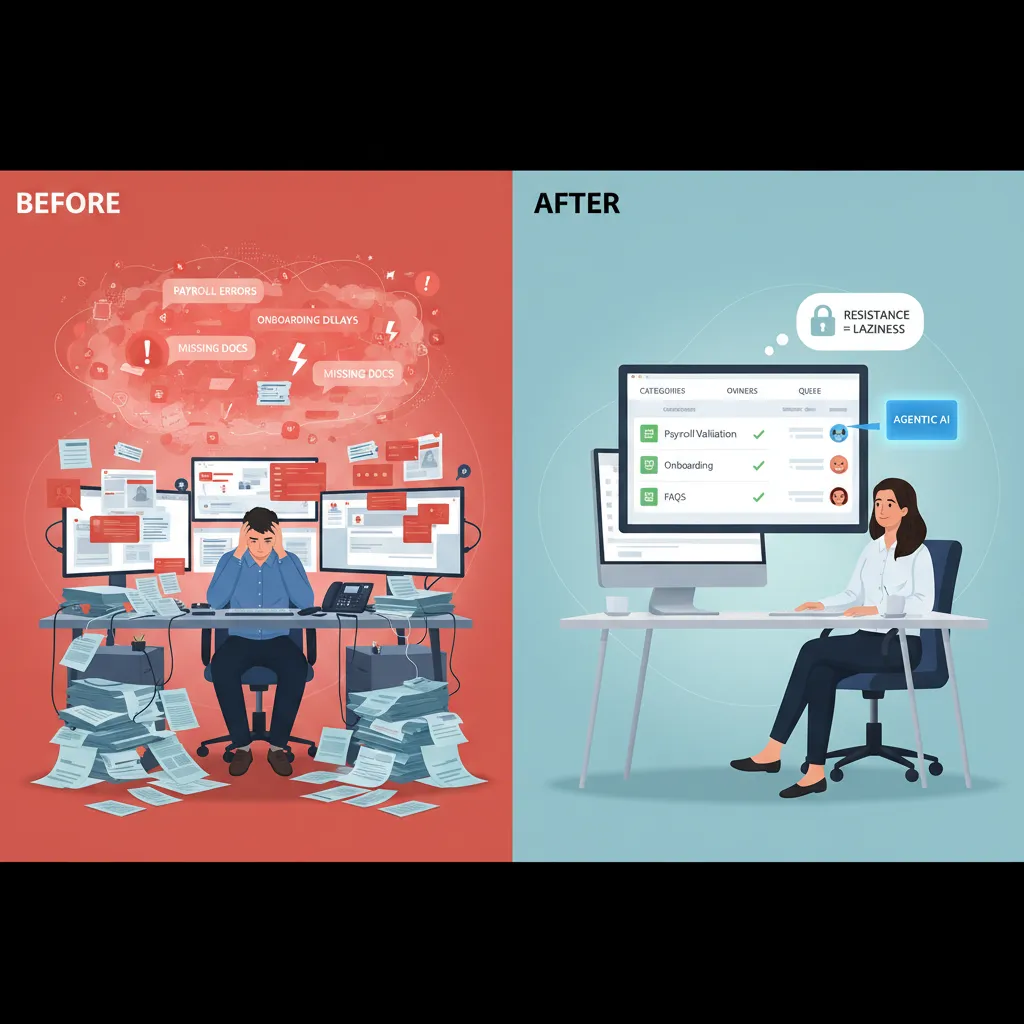
Before AI-driven HR ops, my HR inbox felt like a fire alarm that never turned off. Payroll questions, onboarding nudges, policy “quick checks,” and random manager requests all landed in the same place. Nothing had a clear owner. Everything was “urgent.” I was reactive all day, and still felt behind.
After we applied a simple HR operations workflow, the change was not magic—it was structure. We moved requests into one queue with clear categories (Payroll, Onboarding, Benefits, HRIS, Policy) and assigned owners. The inbox stopped yelling because it stopped being the system.
Where Agentic AI fit first (and why it worked)
From the source material, the biggest wins came when we used Agentic AI to handle repeatable checks and guided steps—not sensitive judgment calls. Three areas paid off fast:
- Payroll validation: The AI agent flagged missing time entries, mismatched pay codes, and unusual changes before payroll closed. It didn’t “run payroll,” it validated it.
- Onboarding processes: The agent nudged new hires and managers for forms, equipment requests, and training tasks, then updated the ticket status automatically.
- FAQs that drain admin time: The AI answered common questions (“When is payday?” “How do I update my address?”) and linked to the right policy or HR portal page.
That’s when I saw real results: fewer pings, fewer follow-ups, and faster response times—without adding headcount.
Why HR teams resist automation (it’s not laziness)
Here’s the messy lesson: HR teams often resist automation because they’re protecting people, not protecting manual work. We worry about wrong answers, privacy, and losing the “human” part of HR. Also, many of us have been burned by tools that promised efficiency but created more cleanup.
“If the system makes one mistake, HR is the one who has to explain it.”
Mini-playbook: one workflow, one metric, one month
- Pick one workflow: Start with FAQs or onboarding reminders (low risk, high volume).
- Pick one metric: For example, average time to first response or tickets resolved in 48 hours.
- Run it for one month: Keep a human review step, log errors, and fix the knowledge base weekly.
- Expand carefully: Add payroll validation next, but keep approvals human.
The goal is simple: improve HR operations without breaking trust. When people see the AI agent helping—not hiding—adoption gets easier.
2) Talent Acquisition got faster… and weirdly quieter
When we added AI to talent acquisition, the first change was speed. The second change was silence. The inbox stopped filling with “just checking in” emails, and my calendar stopped looking like a game of Tetris. It wasn’t that hiring became less human—it became less noisy.
AI recruitment in practice (what actually changed)
- Resume screening: AI handled the first pass by matching skills, titles, and must-have requirements. I still reviewed shortlists, but I wasn’t drowning in 300 PDFs.
- Passive candidate sourcing: Instead of waiting for applicants, AI helped surface people who already had the right background, even if they weren’t actively applying.
- Scheduling: The biggest “quiet” win. Automated scheduling removed the back-and-forth and reduced drop-offs caused by slow replies.
That “quieter” feeling came from fewer manual touchpoints. The work didn’t disappear; it moved into systems that run in the background.
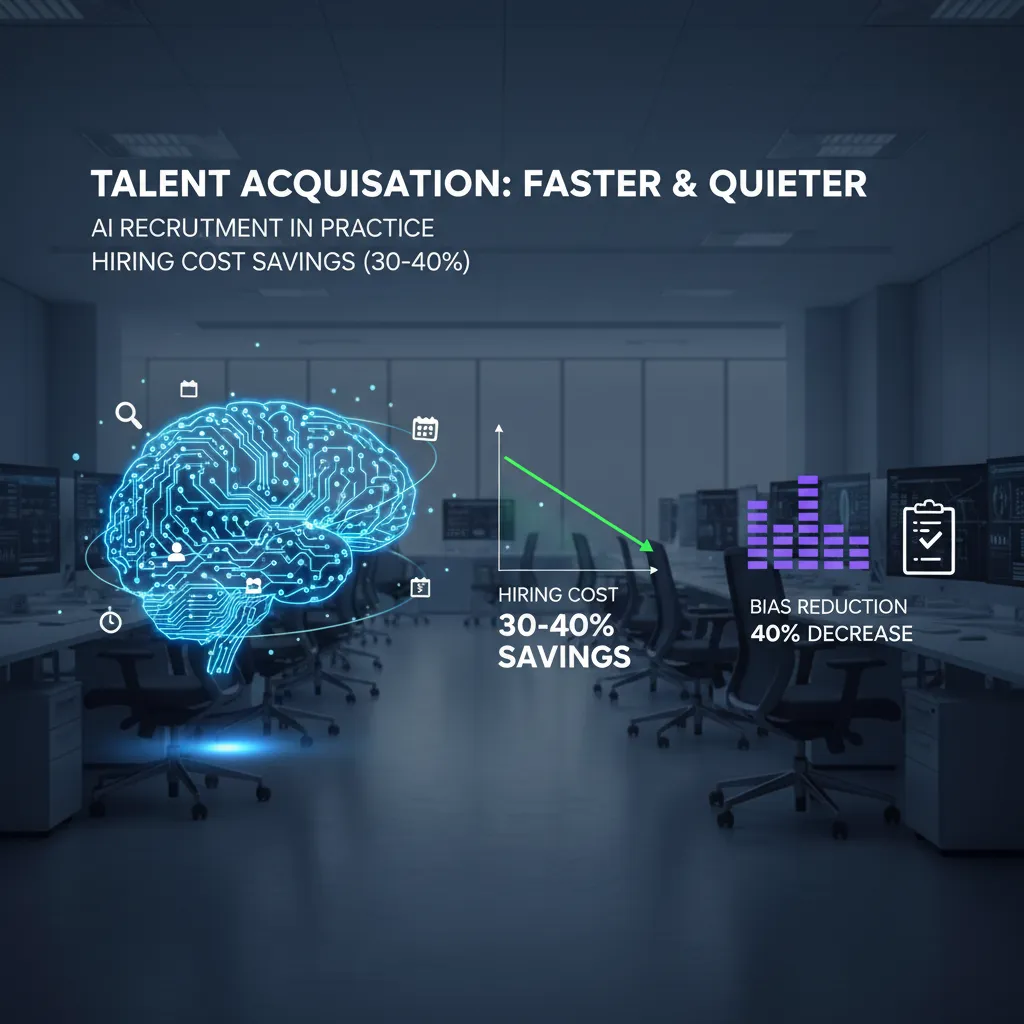
The metric that changed my mind: 30–40% hiring cost savings
I used to think AI recruiting savings were mostly about replacing recruiters. That’s not where we saw the real impact. The 30–40% hiring cost savings showed up in more practical places:
- Less time spent on early-stage screening and coordination
- Fewer paid job ads because sourcing improved
- Shorter time-to-fill, which reduced productivity gaps on teams
- Lower agency spend for roles we could now fill directly
In other words, AI didn’t “cut people.” It cut friction.
Bias reduction isn’t a vibe—treat it like a test you rerun
We also saw a 40% decrease in bias indicators—but only after we treated fairness like a repeatable check, not a one-time promise. If you don’t measure outcomes, AI can quietly scale the same old patterns.
Bias reduction only counts if you can show it in the data, rerun the test, and get the same result.
What helped was tracking pass-through rates by stage and auditing why candidates were rejected. When results drifted, we adjusted inputs and rules.
Wild-card scenario: if 94% of hiring uses AI by 2030
If 94% of hiring procedures include AI by 2030, candidates will adapt fast. I expect more resumes written for machines, more keyword targeting, and more proof-of-skill formats. A simple shift I’d recommend to candidates is to include a skills section that mirrors the job requirements and to back it up with evidence (projects, portfolios, certifications), not just claims.
3) Predictive People: when HR Analytics starts arguing with me
The first time I used predictive HR analytics in operations, it felt like the dashboard was talking back. My gut would say, “This team is fine,” and the model would quietly disagree with a turnover risk signal. That tension is the real work: using AI-driven HR ops to spot patterns early, without turning people into probabilities.
Predictive analytics meets gut feel (and neither wins alone)
I learned to treat predictions as signals, not verdicts. If the model flags risk, I don’t label someone a “flight risk.” I ask better questions: workload, manager changes, pay compression, growth paths, schedule stability. In practice, the best results came when I used the model to challenge my assumptions, then validated with human context.
Turnover Risks dashboard: what I’d show (and what I’d hide)
Managers want a simple list of names. That’s exactly what I try not to give them. Here’s what I’d actually share:
- Team-level risk trend (up/down over 4–8 weeks)
- Top drivers in plain language (e.g., “overtime spike,” “internal mobility stalled”)
- Action prompts (stay interviews, workload reset, career check-ins)
And here’s what I hide or restrict:
- Individual “risk scores” as a single number
- Any sensitive features that could bias decisions
- Raw model confidence that invites false certainty
“If a dashboard makes it easier to stereotype people, it’s not an HR tool—it’s a liability.”
Workforce simulation and “digital twins” as a thought experiment
One of the most useful ideas from AI in HR operations was workforce simulation—sometimes called digital twins. I don’t treat it as a crystal ball. I treat it like a sandbox: stress-test policy changes before rollout.
| Policy change | What I simulate | What I look for |
|---|---|---|
| Return-to-office shift | Commute impact + attrition sensitivity | Hotspot teams, hiring gaps |
| New shift rules | Coverage vs. fatigue | Overtime spikes, absence risk |
The imperfection that almost made me quit
Early on, the model flagged the “wrong” person—someone engaged, high-performing, vocal about staying. I felt embarrassed, and I nearly scrapped the whole approach. Then we reviewed the drivers: their manager had changed twice, their internal applications stalled, and their workload had quietly doubled. The person wasn’t leaving—but the conditions were real. That’s when I stopped asking, “Is the model right?” and started asking, “What is it noticing that I’m missing?”
4) Employee Retention isn’t just comp: it’s load, stress, and (yes) AI wellness programs
When I look at employee retention, I still care about pay and benefits. But in day-to-day HR operations, I’ve learned retention is often decided in smaller moments: the extra form, the unclear policy, the “quick question” ping that turns into ten. In the source story, the biggest gains came from removing friction, not adding perks.
Employee engagement through friction removal
What moved the needle most was making work feel smoother. AI-driven HR ops helped us cut the tiny blockers that drain energy. Think fewer steps, fewer interruptions, and clearer next actions.
- Fewer forms: auto-filled fields, smarter routing, and fewer duplicate requests.
- Fewer pings: one place to ask HR questions, with consistent answers.
- Clearer next steps: “Here’s what to do now” instead of “Someone will get back to you.”
What surprised me: satisfaction went up 33% when the “small annoyances” disappeared. Not when we launched a flashy new program. Not when we posted a big internal announcement. Just when people stopped wasting time on avoidable HR friction.
The burnout math I can’t ignore
Here’s the part I can’t pretend is soft or vague. The data showed stress down 25% and burnout down 30%—but only when workloads truly changed. If AI simply makes it easier to assign more tasks, people don’t feel supported. They feel monitored and squeezed.
“Automation doesn’t reduce burnout if it only speeds up the treadmill.”
So I now treat AI as a lever for load management, not just efficiency. If we automate scheduling, triage, or ticketing, we also need to remove work, rebalance teams, or shorten cycles. Otherwise, retention won’t improve.
A quick sketch: an AI wellness program that doesn’t feel creepy
I’m not against AI wellness programs. I’m against the creepy versions. The “boring-on-purpose” model works best:
- Opt-in: no default enrollment, no pressure.
- Transparent: plain language on what’s collected and why.
- Minimal data: use aggregates, not individual surveillance.
- Actionable outputs: workload flags for managers, not personal diagnoses.
In practice, this looks like AI spotting team-level overload patterns (after-hours spikes, meeting creep) and recommending simple fixes—protected focus blocks, fewer handoffs, clearer escalation paths—so retention improves because work gets better, not because we asked people to “be more resilient.”
5) The part nobody claps for: headcount reduction, entry-level jobs, and the Agentic AI Era
Headcount reduction: the “efficiency” talk that lands like a brick
In the source story on how AI transformed HR operations, the wins are real: faster case resolution, cleaner data, fewer manual steps. But when leaders say “efficiency,” HR hears something else: headcount. I’ve sat in meetings where a dashboard shows time saved, and the next slide is a hiring freeze. That’s why these conversations land like a brick in HR—because we’re the ones who have to explain the human impact, protect trust, and still deliver the savings.
“We automated the work” quickly turns into “we don’t need the people.”
Entry-level jobs: 38% reduced them due to AI—what I’d change
One stat I can’t ignore: 38% of employers reduced entry-level roles because of AI. That’s not just a labor market shift; it’s a broken career ladder. Entry-level work used to be where people learned the basics: tickets, scheduling, reporting, first-line support. Agentic AI can now do a lot of that. If I could redesign the ladder, I’d do three things:
- Keep “learning roles” on purpose: smaller cohorts, but protected headcount tied to skill outcomes.
- Turn entry-level into apprenticeship: rotate through HR ops, analytics, and employee support with clear milestones.
- Measure readiness, not tenure: promote when someone can run a workflow, audit AI outputs, and handle exceptions.
Why mid-level demand spikes in the Agentic AI Era
As AI takes routine tasks, the work that remains is often judgment-heavy: policy interpretation, complex employee cases, vendor management, and process design. That’s mid-level territory. I’ve seen teams need more HR ops leads who can supervise AI-driven workflows, spot risk, and coach managers through messy situations. Workforce management has to adapt by planning for:
- Exception handling capacity (the “AI couldn’t solve this” queue)
- AI governance roles (quality checks, bias review, audit trails)
- Manager enablement (because self-service only works with good managers)
My take: publish a “reinvestment receipt”
If AI is saving money, I want leaders to publish a simple reinvestment receipt—where the savings went:
- Training budgets and paid learning time
- Internal mobility programs and rotations
- Better manager coaching and support capacity

6) My slightly chaotic HR Tech Matrix (so you don’t buy shiny tools twice)
I didn’t start with a “framework.” I started with a messy page in my notebook after we almost bought two tools that did the same thing. That scribble became my HR Tech Matrix: impact vs effort vs risk. It sounds basic, but it stopped us from chasing demos and helped us focus on what actually improved HR operations with AI.
The matrix I wish I had from day one
I turned the scribble into a simple table and forced every idea—chatbots, AI screening, ticket automation, knowledge search—to sit inside it. If something had high impact but also high risk, it didn’t mean “no.” It meant “not yet,” or “only with guardrails.”
| Question | What I look for |
|---|---|
| Impact | Will it cut cycle time, reduce errors, or improve employee experience in a measurable way? |
| Effort | Data cleanup, integrations, change management, training time |
| Risk | Privacy, bias, compliance, wrong answers at scale, vendor lock-in |
Where AI implementation fails (and it’s rarely the model)
Most “AI transformed HR operations” stories skip the boring parts. In my experience, AI projects fail because of dirty data (job titles, locations, and manager fields that don’t match), unclear owners (no one accountable for the knowledge base or workflows), and the classic “we’ll govern later” optimism. Governance later turns into rework later. I now require an owner, a data source of truth, and a review cadence before anything goes live.
My AI agent adoption roadmap (and when to stop)
I treat adoption like steps, not a leap. First, copilots that help humans draft, summarize, and search. Then agents that can complete bounded tasks like routing HR tickets or generating offer letters with approvals. Only after that do I consider workforce simulation for planning scenarios. And sometimes the right move is to stop at copilots—if the risk is high, the data is messy, or the process itself is broken.
Closing the loop: real results in 90 days
In 90 days, I look for fewer reopened tickets, faster response times, fewer manual handoffs, and clearer audit trails. I also want proof that employees can self-serve without getting wrong answers. What I refuse to measure is “AI usage” as a vanity metric. If people use it a lot but outcomes don’t improve, it’s just shiny tech—twice.
TL;DR: AI in HR is already delivering measurable wins (70% lower admin task load, 30–40% hiring cost savings, better satisfaction), but the real unlock comes from pairing agentic AI with HR analytics, clear governance, and honest communication about headcount shifts.


Comments
Post a Comment