AI Operations Priority 2026: Notes From Ops Leaders
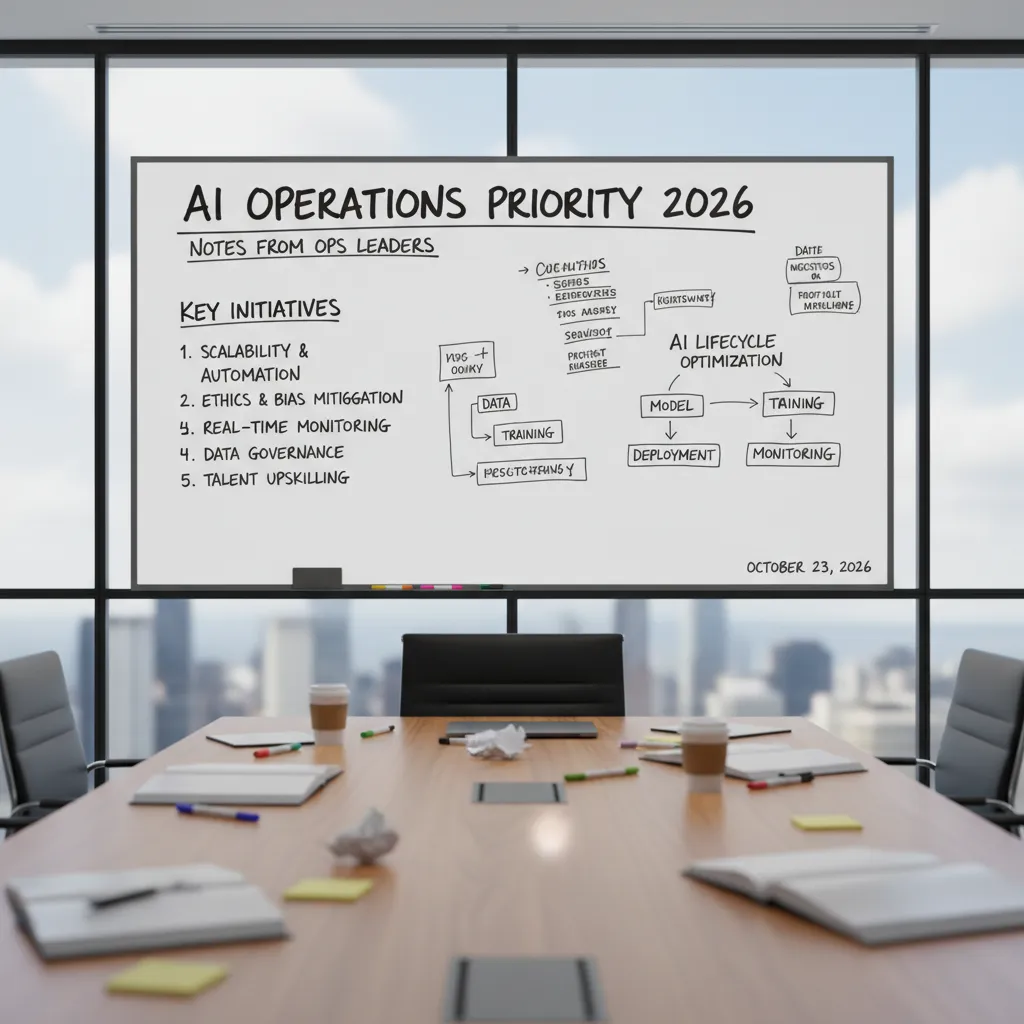
I used to think “AI in operations” meant a fancy dashboard and a few auto-generated emails. Then I sat in on a roundtable with a handful of operations leaders (the kind who still carry a notebook and can tell you the cost of a delayed shipment down to the hour). One of them slid a crumpled sticky note across the table that read: “Stop piloting. Start plumbing.” That line stuck with me—because it’s not about model magic, it’s about execution discipline, connected systems, and the unglamorous work of making AI-backed workflows survive Monday morning.
1) Why AI is the new Operations Priority 2026 (and why I finally bought in)
I didn’t “buy in” to AI because of demos or big promises. I bought in because operations has a way of exposing what’s real. In the Expert Interview: Operations Leaders Discuss AI, the theme was clear: AI is no longer a side project. It’s becoming an operations priority for 2026 because it helps teams deliver work faster, with fewer surprises.
My Monday morning failure test
I have a simple filter I use now: if the AI can’t handle a surprise outage + a cranky VP, it’s not operational. That doesn’t mean the AI “solves” the outage. It means it can support the messy parts of the job:
- Summarize what changed, what broke, and what we know so far
- Pull the right runbooks, dashboards, and recent incidents
- Draft clear updates for leadership without drama
- Track action items so nothing gets lost after the fire is out
AI adoption growth isn’t a vibe
One ops leader put it plainly: adoption only matters if it shows up in the numbers. AI adoption growth isn’t a vibe—it’s tied to throughput, cycle times, and service delivery reliability. That’s what made me pay attention. When AI reduces time spent on status chasing, ticket triage, and repeat questions, teams ship more work and recover faster.
| Ops metric | Where AI helps |
|---|---|
| Throughput | Less manual coordination, faster handoffs |
| Cycle time | Quicker analysis, fewer back-and-forth updates |
| Reliability | Better incident notes, consistent procedures, fewer missed steps |
What I heard from ops leaders: AI went core… quietly
The most interesting part of the interview wasn’t flashy. It was how often leaders said AI moved from experimental to core workflows… quietly. Not “AI labs.” Not hackathons. Just small wins inside daily operations: incident response, service desk routing, change review, and reporting.
A small tangent: ops people are allergic to hype
The best ops people I know are allergic to hype. So AI had to earn a seat at the table by being boring in the best way: consistent, auditable, and helpful under pressure.
“If it doesn’t make Monday easier, it doesn’t belong in ops.”
2) Productivity Gains Priorities: where leaders actually aim the AI
In the Expert Interview: Operations Leaders Discuss AI, the most common “productivity” goal was not headcount reduction. When I asked leaders where they actually point AI in day-to-day operations, they kept coming back to the same idea: remove the paper cuts. The small frictions—handoffs, rework, waiting for approvals, hunting for the right file—are what slow teams down and create errors. AI becomes useful when it shortens those loops and makes work flow.
Workforce productivity AI: fix the friction, not the people
Leaders described workforce productivity AI as a set of tools that reduce admin load and make decisions easier. In practice, that means AI that drafts updates, routes requests, checks completeness, and flags missing info before work moves forward. The goal is simple: fewer back-and-forth messages and fewer “we can’t start yet” moments.
- Handoffs: AI can auto-summarize context so the next person doesn’t restart from scratch.
- Rework: AI can validate inputs and catch common mistakes early.
- Waiting: AI can route approvals to the right owner and escalate when stuck.
Anecdote: timing the bottleneck, then building around it
One moment from the interviews stuck with me. I watched an ops manager time how long it took to approve a change request. Not the “work” time—the elapsed time. It was mostly waiting: unclear fields, missing attachments, and approvals bouncing between inboxes. Instead of blaming the team, we mapped the steps and built an AI-backed workflow around the bottleneck: it checked the request for required details, suggested risk notes based on similar past changes, and routed it to the right approver with a clean summary.
“We didn’t automate the decision. We automated the confusion around the decision.”
Resource allocation optimization: less guesswork in staffing and scheduling
Another priority was resource allocation optimization. Leaders want scheduling to feel less like intuition and more like a repeatable process. AI helps by combining demand signals, skill coverage, and constraints (like shift rules or maintenance windows) into recommendations that planners can accept, adjust, and learn from.
Closing the performance gap across sites and teams
Finally, ops leaders emphasized closing the performance gap. A single “lighthouse” site can look great in a slide deck, but 2026 priorities are about consistent outcomes across locations and shifts. AI is aimed at standard work: shared playbooks, consistent quality checks, and early warnings when one team drifts from the baseline.
3) Execution Discipline Success: the unsexy part nobody clips for LinkedIn
In the interview with ops leaders, the most useful lesson was also the least exciting: execution discipline is what makes AI work in real operations. Not a new model. Not a new prompt library. The leaders kept coming back to the same idea—Execution Discipline Success = process integration, not model shopping. If AI is not wired into how work already moves, it stays a demo.
Process integration beats “which model are we on?”
I heard a clear pattern: teams get stuck comparing tools, but the real wins come from fitting AI into existing workflows—tickets, approvals, audits, and handoffs. In other words, AI operations priority for 2026 is less about “smarter” and more about “connected.” When AI is part of the process, it becomes repeatable. When it’s separate, it becomes optional.
AI advice vs AI action is usually an API and a policy decision
One ops leader put it plainly: the gap between AI recommendations and real outcomes is often just an API and a policy decision. AI can suggest “refund this customer” or “reroute this shipment,” but unless it can trigger the right system change—or route to the right approver—it’s still just advice.
In practice, “connected systems” means:
- APIs that let AI write back into the system of record (not just read data)
- Policy rules that define what AI can do automatically vs what needs human approval
- Audit trails so you can explain what happened later
My execution checklist from the interview
I wrote down a simple checklist that came up again and again. It’s not glamorous, but it’s what keeps AI operations stable when things get busy.
- Named owners: one accountable person per AI workflow (not “the AI team”)
- Runbooks: steps for normal ops, edge cases, and escalation paths
- Rollback plans: how to shut off automation safely and revert changes
- Single source of truth for metrics: one dashboard everyone trusts for quality, cost, latency, and business impact
If your AI needs a hero to babysit it, it’s not ready for production.
That line stuck with me because it’s easy to confuse “we shipped” with “we can run this every day.” Execution discipline is what turns AI from a project into a system.

4) AI-backed workflows in the wild: Predictive Maintenance AI to compliance (plus one hybrid-work curveball)
In the expert interview, what stood out to me was how practical the best AI operations wins looked. No one talked about “AI for everything.” They talked about AI-backed workflows that remove friction from daily ops: fewer surprises, faster decisions, and clearer numbers for finance.
Predictive Maintenance AI: drift detection before failure
Leaders kept coming back to Predictive Maintenance AI powered by IIoT sensors. The goal is simple: detect drift (vibration, temperature, pressure, cycle time) before it becomes a breakdown. One leader summed it up in a way every ops team understands:
“Less drama, fewer midnight calls.”
Instead of waiting for a machine to fail, the model flags early signals and routes a work order to the right tech. In practice, this changes the rhythm of maintenance from reactive to planned.
Compliance risk reduction: flag exceptions early
Another strong theme was compliance risk reduction. The leaders described AI that scans transactions, logs, or process steps and flags exceptions early—while there is still time to fix them. That’s a very different mindset than traditional compliance, where teams often audit late and then scramble.
- Early detection of missing steps, unusual approvals, or out-of-policy activity
- Faster triage so humans review the highest-risk items first
- Cleaner evidence trails because issues are corrected closer to when they happen
Occupancy analytics in hybrid work: the curveball use case
The “curveball” was occupancy analytics for hybrid work patterns. It’s not the first thing people think of when they hear “AI operations,” but it came up as a real lever for space, energy, and staffing. With badge data, room booking signals, and basic sensor inputs, teams can forecast which days and zones will be busy.
That helps ops answer practical questions like: Do we open one floor or three? Do we staff security and facilities the same on Tuesdays as Thursdays? Where are we over-cooling empty rooms?
Energy efficiency savings: not glamorous, CFO-friendly
Energy efficiency was described as “not glamorous,” but leaders liked it because it’s measurable. When AI tunes HVAC schedules, detects waste, or aligns lighting to real occupancy, the savings show up in bills. It’s one of the few AI workflow wins that can be tracked with simple before/after comparisons—and that makes it easier to defend in budget reviews.
5) Agentic Operating System: when tools start acting like teammates (and why HR Data Critical)
In the interview, several ops leaders kept coming back to the same idea: an Agentic Operating System is not “automation everywhere.” They described it as
“delegation with guardrails,”meaning I can hand work to agents, but I still control scope, approvals, and risk. That framing matters, because it shifts the goal from replacing people to building reliable teammates that follow our operating rules.
Delegation with guardrails (not automation chaos)
What I heard most clearly: agentic systems work when they behave like a good junior operator. They can do the busywork, gather context, and propose actions, but they don’t get to “freestyle” in production. Guardrails show up as:
- Clear permissions (what the agent can touch, and what it can’t)
- Approval steps for high-impact actions (spend, access, policy changes)
- Audit trails so every action is traceable
Agent swarms: one request, many coordinated tasks
Ops leaders also talked about agentic AI platforms and agent swarms orchestration: multiple agents coordinating across IT, facilities, and service desks. Instead of one bot answering tickets, I can run a workflow where agents split work and hand off cleanly.
Example: a “new site opening” request triggers agents to coordinate network setup (IT), badge access (security), desk layout (facilities), and onboarding tickets (service desk). The value is not just speed—it’s fewer dropped steps and fewer “who owns this?” loops.
Why HR data becomes critical infrastructure
The surprise theme was how often HR data workflows determine whether agents are safe and useful. Skills, roles, and permissions are not “back office” details anymore—they are the control layer. If the agent doesn’t know who is qualified, who is on-call, or who can approve spend, it either stalls or takes unsafe actions.
- Skills: route work to the right human when escalation is needed
- Roles: enforce policy (manager approval, segregation of duties)
- Permissions: limit access to systems, data, and actions
Wild card: a 2026 day in license optimization
One leader imagined a near-future day where an agent reviews software usage, flags underused seats, and renegotiates the renewal with a vendor portal. It then triggers a license reduction request, routes it to the right approver based on HR role data, and updates the asset register—without breaking compliance. The key is that the agent isn’t “saving money at all costs”; it’s operating inside guardrails defined by HR-linked authority and policy.

6) Key Takeaways AI (a postcard to my future self)
Dear future me: when the next AI wave hits and everyone wants a fast rollout, remember what the ops leaders said in the interview—AI only helps when it is tied to clear outcomes, owned by real people, and run like any other critical system. This is the heart of AI operations going into 2026.
Strategic Objectives Outcomes: pick two metrics, then build backwards
If I have to defend budget, I will not lead with model names or “innovation.” I will lead with two metrics I can explain in one breath: cycle time (how fast work moves from request to done) and error rate (how often we create rework, customer pain, or compliance risk). Everything else is supporting evidence.
Then I build backwards: what data is needed, what approvals are required, what handoffs must be removed, and what “human in the loop” checks are non-negotiable. If an AI workflow cannot show a path to improving those two numbers, it is not a priority—it is a demo.
Preparing operations teams: training, role clarity, and permission to pause
The interview reminded me that readiness is not a single training session. It is ongoing practice: how to review AI outputs, how to spot drift, and how to document decisions. I need role clarity too—who owns prompts and workflow design, who monitors quality, who handles incidents, and who signs off on changes.
Most important: I must protect the team’s permission to pause. If an AI step feels off—wrong tone, missing context, strange numbers—anyone should be able to stop the workflow without fear. That pause is not resistance; it is operational safety.
Closing reflection: reliability everywhere
My north star for operational excellence 2026 is less “AI everywhere” and more reliability everywhere. Stable inputs, clear controls, audit trails, and predictable outcomes beat flashy pilots. The best AI program will feel boring because it works.
Tiny confession: I still keep that sticky note on my monitor—“plumbing beats piloting.” Future me, don’t forget it. The winners will be the teams who make AI dependable, measurable, and safe enough to trust on a Monday morning.
TL;DR: In 2026, operations leads AI adoption growth by focusing on throughput, reliability, and near-term ROI. The winners pair AI-backed workflows (predictive maintenance, compliance, service delivery) with execution discipline, connected ecosystems, observability, and governance—while preparing teams and fixing HR/data plumbing for agentic AI platforms.


Comments
Post a Comment