AI Proposal Automation That Actually Wins Deals

I used to treat proposals like late-night homework: copy last quarter’s deck, swap a logo, pray. Then a prospect forwarded my “custom” PDF… to another vendor—because I forgot to change their company name on page three. That little gut-punch is what pushed me into proposal automation. In this post, I’m mapping out how I now use an AI proposal generator as a draft partner (not a replacement brain) to create interactive proposals, tighten the sales process, and follow up at the exact moment buyers are actually reading.
1) The “proposal problem” I kept ignoring
My old workflow: Frankenstein docs and “final_FINAL” files
For a long time, I treated proposals like a necessary evil. I’d grab a paragraph from one doc, a pricing table from another, and a case study from a third. The result was a Frankenstein proposal: mismatched tone, repeated ideas, and sections that didn’t even fit the buyer’s situation. My folder was full of versions like proposal_v7_final_FINAL_reallyfinal.docx, and I still wasn’t confident it was the right message.
The worst part? I spent hours polishing formatting while the real problem stayed untouched: the proposal didn’t make the decision easier.
Why proposals stall (even when the buyer likes you)
I used to blame “slow procurement” or “internal approvals.” Sometimes that’s true, but often the proposal itself creates the stall. I noticed three common issues:
- Unclear next step: I’d end with “Let me know your thoughts,” which gives the buyer no safe path forward.
- Generic value: I wrote benefits that could apply to anyone, so the buyer couldn’t connect it to their exact goal.
- No proof they even opened it: I’d send a PDF and wait. If they didn’t respond, I had no signal—no opens, no clicks, no idea what they cared about.
That’s when I realized the proposal wasn’t just a document. It was a decision tool. And mine wasn’t doing the job.
What winning proposals do differently
When I started studying proposals that actually win deals, a pattern showed up. They make the decision feel safe, specific, and almost inevitable. Not pushy—clear. They reflect the buyer’s words, show proof, and remove uncertainty.
“A great proposal doesn’t convince someone you’re smart. It helps them feel confident saying yes.”
This is also where AI started to help me—not by auto-writing fluff, but by helping me stay consistent, buyer-focused, and fast.
My quick gut-check list before I hit send
- Does the first page restate the buyer’s goal in plain language?
- Is the next step specific (date, call, signature, or payment)?
- Did I include proof (results, case study, testimonial, or numbers)?
- Is pricing tied to outcomes, not just tasks?
- Can the buyer forward it internally without extra explanation?
- Do I have a way to track engagement (open/click) and follow up based on it?

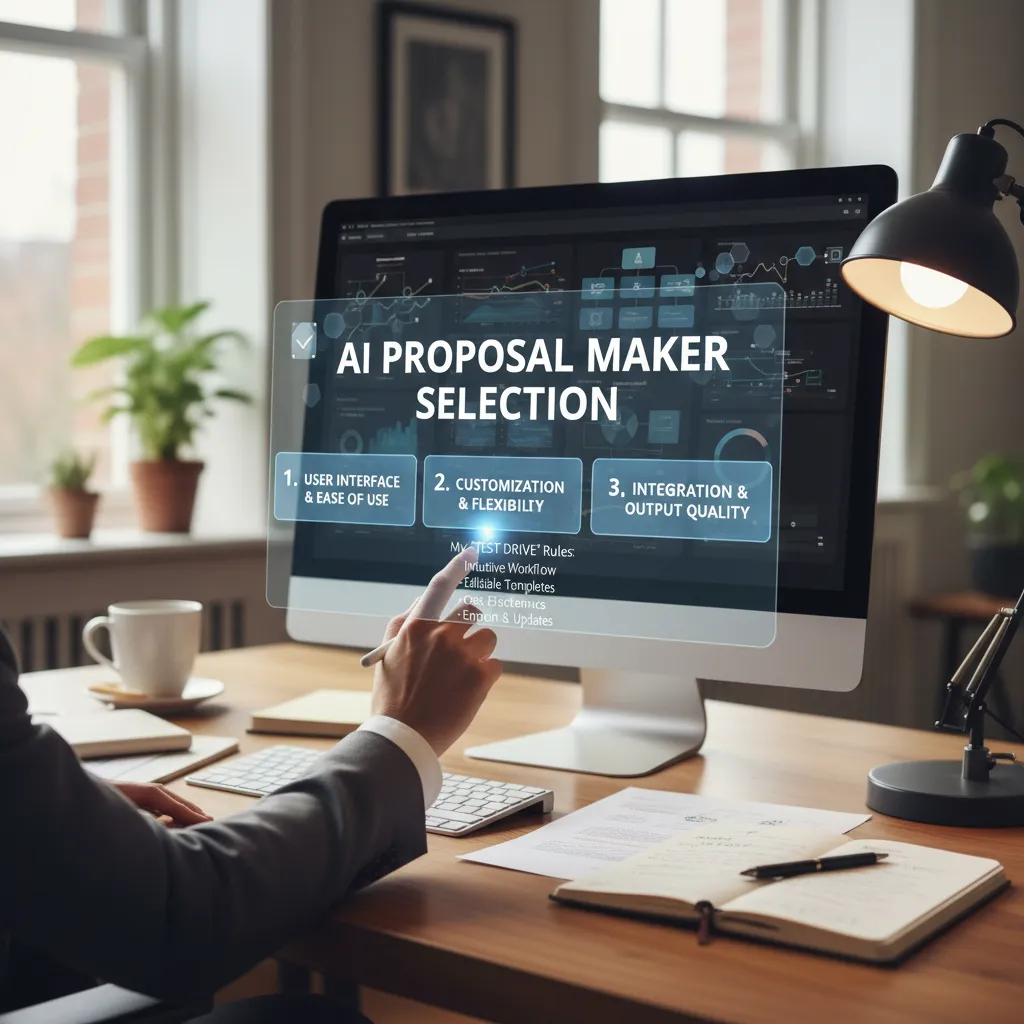
2) Picking an AI Proposal Maker: my ‘test drive’ rules
I’ve tried enough AI tools to learn one thing fast: speed is nice, but control is everything. An AI proposal maker can draft a proposal in minutes, but if I can’t shape the story, match my brand, and keep pricing accurate, it’s not helping me win deals.
My “test drive” checklist (what I look for)
- Editable structure: I want AI to suggest sections, not lock me into them.
- Strong templates: Clear layouts for different offers (retainer, project, audit, etc.).
- Brand control: Fonts, colors, logo, and reusable blocks that stay consistent.
- Pricing tables that don’t break: Clean options, add-ons, and totals I can trust.
- Sharing + tracking: View notifications and time-on-page are deal signals.
- CRM integration: At minimum, easy copy/paste. Ideally, HubSpot/Salesforce links.
- E-signature: Built-in or a smooth handoff to signing tools.
What I don’t care about (or actively avoid)
- “One-click proposal” hype: It usually creates generic text that sounds like everyone else.
- Over-designed pages: If it looks pretty but reads unclear, it slows decisions.
- AI that overwrites my voice: I need help drafting, not a robot replacing my tone.
The short list I’d actually demo
If I’m serious about AI proposal automation, these are the tools I’d put in a real trial: Storydoc, Bookipi, Qwilr, Proposify, and Venngage AI. They each cover the basics, but they shine in different areas—especially templates, interactivity, and how much control I get after the AI draft.
If the AI writes fast but I can’t customize fast, I lose the time I “saved.”
When a free AI proposal generator is enough (and when it costs you deals)
Free tools are fine when I’m sending a simple scope, a rough estimate, or a one-time small project. But they quietly cost deals when I need branding consistency, pricing options, tracking, and e-signature. That’s where prospects feel the difference between “quick doc” and “real proposal.”
A messy but real comparison
| What I test | Why it matters |
|---|---|
| Templates | Faster setup without sounding generic |
| Branding | Trust signal; reduces “who are you?” friction |
| CRM integration | Keeps follow-ups and deal stages clean |
| Interactive elements | Helps buyers engage (tabs, toggles, embeds) |
| E-signature modules | Removes the final “paperwork delay” |
3) The inputs that make an AI Proposal Generator feel ‘handwritten’
When people say AI proposals feel “generic,” it’s usually not the AI. It’s the inputs. If I want AI-generated sales proposals that win deals, I have to feed the model the same context I’d use if I were writing from scratch. My goal is simple: the draft should read like I listened, not like I scraped a website.
My pre-flight doc: the 12 lines I paste into the AI prompt every time
I keep a tiny “pre-flight” doc and paste it into my AI Proposal Generator before anything else. It forces clarity on client needs, stakes, and constraints.
- Client name + buyer role
- What triggered the project now
- Top 2 business goals (in their words)
- Current pain (what’s breaking)
- Cost of doing nothing
- Hard deadline + why it matters
- Budget range (if known)
- Must-have requirements
- Non-negotiable constraints (tools, legal, security)
- Decision process + stakeholders
- Main competitor or alternative
- One sentence: “This will be a win if…”
How I pull signal from CRM integration without sounding creepy
CRM data can make proposals sharper, but it can also feel invasive. I use it for direction, not for “gotcha” personalization. Helpful signals: industry, company size band, products discussed, stage, last call notes, and the top objections logged.
What I never mention in the proposal: page visits, email opens, exact timestamps, or “I saw you looked at pricing.” Even if it’s true, it breaks trust. Instead, I translate it into neutral language like:
“Based on what you shared on our call, speed to launch and risk control are the priorities.”
Personalized proposals at scale: swapping industry fluff for three proof points
To avoid vague “industry trends,” I add three specific proof points the AI must use:
- A relevant mini case study (same problem, not just same industry)
- A measurable outcome (time saved, revenue lift, error reduction)
- A concrete method (audit checklist, rollout plan, QA steps)
A weird trick: I add a “things we should NOT promise” section
I literally paste this into the prompt:
Things we should NOT promise: [list 3-5 items]
This keeps the AI honest, reduces overpromising, and makes the final proposal feel more human—because real experts are clear about limits.
4) Turning proposal templates into interactive proposals buyers actually use
Why I stopped sending PDFs (most of the time): scrolling ≠ reading
I used to send polished PDF proposals and wonder why deals stalled. Then I watched how buyers behave: they scroll, they don’t read. A PDF is easy to ignore, hard to act on, and almost impossible to personalize in real time. With AI proposal automation, I can start from a strong template, but I deliver it in a format that invites clicks, choices, and quick approval. The goal isn’t “a prettier document.” The goal is a proposal that works like a guided buying experience.
My interactive proposals checklist
When I turn a template into an interactive proposal, I keep the structure simple and repeatable. Here’s what I include most often:
- Video intro (30–60 seconds): I restate their problem, the outcome, and what to review.
- Pricing cards: clear tiers (Good/Better/Best) so buyers can compare without hunting.
- Optional add-ons: checkboxes for extras, so scope changes don’t require a new proposal.
- Service items: a short list of what’s included, what’s not, and key dates.
I also add small “micro-answers” where buyers get stuck: security notes, implementation steps, and who owns what. AI helps me draft these sections fast, but I always edit for accuracy and plain language.
Where ROI calculators help—and where they backfire
ROI calculators can speed up decisions when the buyer needs internal approval. They backfire when they feel like a sales trick. My rule is simple:
Show assumptions, not miracles.
I list inputs (hours saved, conversion lift, cost per hour) and let the buyer adjust them. If the numbers only work with perfect conditions, I remove the calculator and focus on outcomes and proof instead.
Dynamic pricing without chaos
Interactive pricing can turn into endless discounting if you don’t set guardrails. I use AI to generate options, but I lock the rules:
- Pre-set discount limits (e.g., max 10% without approval).
- Trade-offs: discounts require scope changes or longer terms.
- One “recommended” package so the proposal doesn’t become a negotiation menu.
This keeps the focus on value, while still giving buyers control and clarity.
5) Real-time analytics: the follow-up timing that feels like mind-reading (but isn’t)
When I use AI proposal automation, the biggest win is not just faster writing. It’s knowing when to follow up without guessing. Real-time analytics don’t “read minds.” They simply show me buyer behavior so my timing feels natural, not pushy.
What I watch in real-time analytics
I keep my dashboard simple and focus on three signals that help me create AI-generated sales proposals that win deals:
- Open time: If they open it within minutes, I assume it’s top of mind. If it’s days later, I reset my tone and context.
- Section dwell: I look for where they spend time (pricing, scope, timeline, security). That tells me what they care about or what worries them.
- Return visits: One visit can be curiosity. Multiple visits usually means internal review, comparison, or approval steps.
Engagement alerts that changed my follow-up
The best change I made was stopping the “just bumping this” message. When analytics show engagement, I follow up with a question tied to what they viewed.
“I saw you spent time on the rollout plan—do you want option A (faster) or option B (lower risk)?”
That kind of follow-up works because it’s helpful. It also fits the promise of AI proposal automation: less noise, more relevance.
My lightweight workflow management
I don’t run a complex system. I use a small set of rules so the right person follows up with the right asset:
| Signal | Owner | Follow-up | Asset |
|---|---|---|---|
| Pricing dwell > 60s | Account exec | Same day | 1-page ROI summary |
| Security section viewed | Sales engineer | Within 24 hours | Security FAQ |
| Return visit (2+) | Account exec | Next morning | Implementation timeline |
A quick ethics note
Tracking is useful; being weird about it is optional. I never say, “I saw you looked at page 7 at 9:12 PM.” I keep it human: “Happy to clarify pricing or timeline if helpful.” Real-time analytics should improve the buyer experience, not make it feel watched.

6) My ‘human-in-the-loop’ proposal automation system (wild cards included)
When I talk about AI proposal automation that actually wins deals, I’m not talking about pressing a button and sending whatever comes out. My system is “human-in-the-loop” on purpose. AI gives me speed, but I keep control of the message, the promises, and the tone. That’s how I use AI to create AI-generated sales proposals that win deals without sounding like a template.
The workflow I use from draft to paid
I run a simple chain: content generation → proposal editing → approvals → e-signature → automated payments (optional). First, I feed the AI the call notes, the client’s goals, and the scope. It generates a structured draft: problem, approach, timeline, pricing, and next steps. Then I edit like a real salesperson, not like an editor. I remove vague claims, add specifics from the discovery call, and make sure the offer matches what we can deliver.
Next comes approvals. If I’m working with a team, I route the proposal to the right person for a quick check: delivery lead confirms scope, finance confirms pricing, and legal confirms terms. After that, the proposal goes out with e-signature so the client can accept immediately. If the deal supports it, I add automated payments so the “yes” turns into revenue without extra emails.
My two-sentence truth test before I send
Before any proposal leaves my hands, I run a small test. I pick the two most important sentences—the core promise and the key result—and ask: would I say this out loud? If it feels awkward, too bold, or too generic, I rewrite it. This keeps the proposal honest, clear, and human.
Wild card: what if your competitor uses AI too?
If your competitor also uses an AI proposal generator, the differentiator is not the tool. It’s your insight, your proof, and your fit. AI can draft words, but it can’t replace your real examples, your process, your constraints, and the way you reduce risk for the buyer. I win by making the proposal feel like it was built from their situation, not from a prompt.
The mindset shift that ties it all together is simple: proposals are a product experience, not paperwork. When the proposal is fast, clear, and easy to accept, the client feels what it’s like to work with you—before they even sign.
TL;DR: Use an AI proposal maker to draft fast, then earn trust with human details: pull CRM facts, choose the right proposal templates, add ROI calculators, and watch real-time analytics to time follow-ups. Automation wins speed; personalization wins deals.


Comments
Post a Comment