Stripe vs PayPal vs Square: AI Payments Face-Off

The first time I watched a “perfectly normal” order get flagged at 2:07 a.m., I didn’t think “machine learning fraud.” I thought, “Great—someone’s about to email me in all caps.” That little adrenaline spike is why I’m writing this. Payment processing isn’t just fees and logos; it’s whether your checkout stays calm when life gets messy. In this comparison, I’m putting Stripe, PayPal, and Square in the same spotlight—specifically on how their AI-ish tooling (fraud detection, risk signals, smart routing, automation) changes the experience for real businesses. I’ll admit my bias up front: I like tools that don’t fight me at midnight.
1) My “AI payments” reality check (and what I’m actually measuring)
When people say AI payment processing, I don’t picture a robot running my checkout. In plain English, it’s automation + pattern recognition: software that learns what “normal” payments look like, flags weird behavior, and helps route decisions faster. It’s not magic, and it doesn’t remove responsibility. It just reduces the number of manual checks I have to do when I’m busy.
My wake-up call happened after a midnight fraud alert. I saw a burst of small charges, then quick refunds, then another burst. I wasn’t thinking about “AI” at all—I was thinking, “How fast can I stop this without breaking real customer payments?” That’s when risk tools stopped being a nice-to-have and became part of my baseline.
My scoreboard for Stripe vs PayPal vs Square
For this Stripe vs PayPal vs Square face-off, I’m measuring practical outcomes, not marketing claims. Here’s what I track:
- Fraud Detection: How well the platform spots risky patterns and how easy it is to review/act.
- Recurring Payments: Subscriptions, retries, dunning, and how much control I get.
- Integration Capabilities: APIs, plugins, webhooks, and how quickly I can connect tools.
- Transparent Pricing: Clear fees, dispute costs, and any “surprise” add-ons.
- Ease of setup: Time to first successful payment, plus how smooth onboarding feels.
The wild-card lens: pop-up shop + subscription box
I also test a messy real-world scenario: imagine I run a pop-up shop on Saturday and launch a subscription box on Monday. One week, two payment styles, different risk profiles. The best AI payments setup is the one that keeps up without me babysitting it.
One more reality check: time spent troubleshooting is a fee too. If I lose hours to failed webhooks, unclear declines, or dashboard confusion, that cost is as real as any percentage rate.

2) Stripe vs PayPal vs Square on Key Features (the stuff you feel daily)
Key features rundown (what I touch every day)
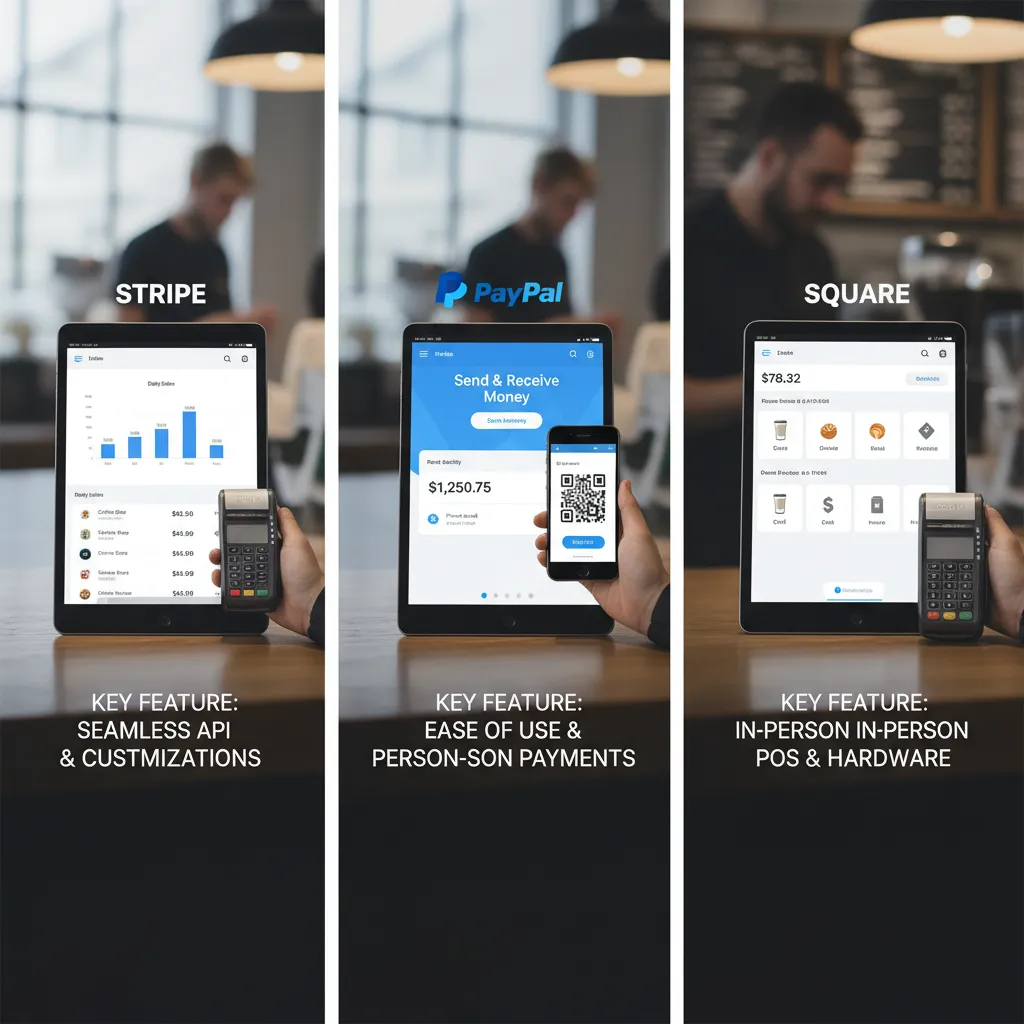
When I compare Stripe vs PayPal vs Square, I start with the daily workflow: checkout, dashboards, refunds, disputes, and reporting. Stripe feels like a “build what you want” toolkit, PayPal feels like “turn it on fast,” and Square feels like “run the whole counter,” especially if you sell in person.
- Checkout: Stripe gives me more control over the flow; PayPal is familiar to customers; Square is smooth when POS is part of the story.
- Dashboards: Stripe is detailed for online metrics; PayPal is straightforward for transactions; Square is great for sales + inventory views.
- Refunds & disputes: All handle the basics, but Stripe’s tooling feels more configurable, while PayPal’s dispute process is something I watch closely because it can be buyer-friendly.
- Reporting: Stripe’s exports and filters help when I’m doing deeper analysis; Square shines for daily ops; PayPal is fine for quick checks.
Developer friendliness (why API quality changes speed)
If I’m using AI to detect fraud patterns or automate support, a developer-friendly API matters. Stripe usually lets me ship fixes faster because the docs, webhooks, and test mode are built for iteration. PayPal works, but I often spend more time aligning settings. Square is strong when I’m tying payments to POS and bookings.
Integration capabilities (store, CRM, booking, analytics)
I look for clean connections to my store platform, CRM, scheduling/booking, and analytics. Stripe integrates widely and plays well with data pipelines. PayPal is everywhere as a button and wallet. Square’s ecosystem is tight for retail and appointments.
Payment options (what customers expect)
Customers expect cards plus wallets. Stripe supports cards and popular wallets; PayPal is itself a wallet customers trust; Square covers cards, wallets, and in-person tap.
My tiny tangent: customizable checkout = branding
“The day I matched my checkout colors to my site, drop-off fell—and I realized customization isn’t cosmetic, it’s trust.”
3) AI-style Fraud Detection: Stripe Radar vs the rest
When people say Advanced Fraud Protection, I translate it into two simple jobs: spot patterns and block suspicious payments. The “AI” part is mostly about learning from signals (device, card behavior, location, past outcomes) so the system can flag weird activity faster than I can.
Stripe Radar: rules + signals that calm the panic
Stripe Radar stands out because it mixes AI scoring with rules I can control. If a payment looks risky, Radar can push it into review or block it, which reduces those panic moments where I’m guessing: “Is this a real customer or a test card?” I also like that I can tune decisions with simple logic, not just a black-box score.
How I’d set a basic risk posture (any platform)
Whether I’m using Stripe, PayPal, or Square, I start with a baseline setup that’s easy to maintain:
- Allowlist trusted customers (repeat buyers, known domains).
- Denylist obvious bad actors (emails, IP ranges, BINs when available).
- Velocity checks: too many attempts in a short time = pause.
- Review queue for “maybe” payments instead of auto-declines.
Example rule logic I’d use:
if attempts_per_card_10min > 3 then review
Chargebacks: the emotional tax nobody budgets for
Fraud detection is only half the story. The dispute flow matters just as much: how fast I can respond, what evidence is requested, and whether the dashboard makes it clear what happened. PayPal and Square can feel simpler for some sellers, while Stripe gives me more knobs—great if I want control, stressful if I don’t.
Fraud tools are the bouncer, not the bartender—different job, same night.
4) Recurring Billing & Subscription Management (where tools either sing or squeak)
Recurring billing realities (the messy parts)
When I compare Stripe vs PayPal vs Square for AI-driven products, recurring billing is where the real work shows up. It’s not just “charge monthly.” It’s:
- Trials that convert cleanly (or don’t)
- Upgrades/downgrades mid-cycle
- Proration that customers understand
- Failed payments and what happens next
If your pricing changes based on usage, seats, or AI credits, these edge cases become daily life.
Stripe: built for subscriptions (and it shows)
Stripe’s native recurring billing and subscription management matters most for SaaS. I like that it’s designed for plan changes, proration rules, and lifecycle events without feeling bolted on. For AI SaaS, that usually means fewer custom scripts and fewer “why did this invoice do that?” moments. Stripe also tends to fit teams that want deeper control over billing logic and automation.
PayPal: solid for simple subscriptions, tricky at the edges
PayPal recurring payments can be a good fit when you sell straightforward monthly plans and want customers to use their PayPal balance. But I watch the edge cases: upgrades, partial refunds, and how failed payments are handled. If your AI product has multiple tiers and frequent changes, you may spend more time testing billing paths.
Square: great for POS-first, evaluate for subscription-first
Square shines when your business starts at the counter (POS) and subscriptions are an add-on. If subscriptions are core to your AI offering, I’d evaluate whether the recurring tools match your needs for proration, retries, and reporting.
Personal aside: I once underestimated dunning emails for a week, and my revenue graph tattled—failed payments piled up, and “recoverable” churn became real churn fast.
5) Transparent Pricing, Transaction Fees, and the sneaky math
When I compare Stripe vs PayPal vs Square for AI-powered checkout flows, I start where most people Google first: transaction fees. The headline numbers look simple, but the real cost shows up when you run a few everyday orders through the math.
What the “2.9% + 30¢” fee looks like in practice
For typical online card payments, Stripe and PayPal often anchor around 2.9% + 30¢ per transaction. That “+ 30¢” is the part many of us forget, especially when we’re building AI pricing tests, one-click upsells, or micro-purchase offers.
| Order size | Fee math (2.9% + 30¢) | Total fee |
|---|---|---|
| $100 | $2.90 + $0.30 | $3.20 |
| $10 | $0.29 + $0.30 | $0.59 |
Emotionally, paying 59¢ on a $10 sale feels worse than $3.20 on a $100 sale. Financially, it’s also bigger: 5.9% vs 3.2%. That difference can change how I design AI-driven bundles and minimum order thresholds.
Square’s “flat-rate” framing
Square is often positioned around transparent flat-rate pricing, and (per the source) it highlights no monthly fees and no chargeback fees. For small teams, that kind of predictability can matter as much as the percentage itself.
Cross-border and international payments
If I sell globally, the “sneaky math” gets louder. Multi-currency support is great, but extra fees add up. One key note: Stripe can add a 1.5% cross-border fee, which can quietly eat margin on international orders.

6) In-Person Payments & POS Solution life: Square’s home turf, Stripe catching up
In-Person Payments: speed matters when there’s a line
When I’m running a booth or a busy counter, tap-to-pay speed is not a “nice to have.” If one payment takes even 10 extra seconds, the line grows, people get annoyed, and I feel it in my stress level. In an AI payments world, the basics still win: fast reads, quick tips, and a clean receipt flow.
Square’s POS solution: all-in-one simplicity
Square is still the home turf for in-person selling because the POS setup feels like one system: register, inventory, receipts, and staff tools in one place. For many sellers, next-day deposits are a real advantage for cash flow, especially if I’m restocking weekly. Square also makes it easy to start small and scale up without rebuilding my checkout process.
Stripe Terminal Readers: best for online + physical
Stripe catches up with Stripe Terminal when I want one payments brain for both channels. If I’m already using Stripe online, Terminal helps me keep customer data, refunds, and reporting in one dashboard. It’s a strong fit for brands doing pop-ups, showrooms, or “buy online, pick up in store,” where AI-driven insights can actually connect online behavior to in-person sales.
Hardware costs: what I’d ask before buying
- Replacement: How fast can I get a backup reader shipped?
- Durability: Will it survive drops, heat, and long event days?
- Returns: What’s the return window and restocking fee?
- Offline mode: Can I take payments if Wi‑Fi fails?
Small confession: I once chose a reader based on vibes; I regretted it by day two.
7) Global Availability & Multi-Currency Support (where growth gets real)
When I compare Stripe vs PayPal vs Square for AI-driven payment flows, global support is where the “nice-to-have” features turn into real revenue. Multi-currency support is not just a checkbox. It affects your pricing page, how customers trust your checkout, and how clean your reporting is when you start selling abroad.
Why multi-currency matters beyond checkout
If I list prices in USD only, European buyers may see surprise conversion fees, or they may not know the final cost until their bank converts it. That friction can kill a sale. With true multi-currency, I can show local prices, reduce confusion, and let my AI tools optimize offers by region.
Stripe: 135+ currencies and flexible international pricing
Stripe supports 135+ currencies, which unlocks localized pricing pages and smoother cross-border payments. For me, that means I can run experiments like “€29 vs €31” without forcing customers to do mental math. It also helps when I’m building AI-based routing rules or smart retries, because the payment data stays consistent across markets.
PayPal: global reach and the comfort factor
PayPal’s strength is familiarity. Many international customers already have accounts, saved funding sources, and trust in the PayPal button. In practice, I’ve seen this reduce hesitation, especially for first-time buyers who don’t want to type card details on a new site.
Square: solid, but region limits can box you in
Square can be great, but its global availability is more limited. If the countries you want are not supported, you may hit walls around onboarding, payouts, or even which payment methods you can offer.
Hypothetical: a US brand goes viral in Europe overnight
- First break: pricing and currency display (customers abandon at checkout).
- Next: payout and settlement complexity (cash flow gets messy).
- Then: support for local payment expectations (trust drops fast).
8) My pick-by-scenario: which payment platform is best for you?
When I compare Stripe vs. PayPal vs. Square for AI-driven payment processing, I don’t look for one “winner.” I match the tool to the job, because your product, customers, and risk profile matter more than any feature list.
Scenario A (SaaS): subscriptions, invoices, and fraud control
If I’m building a SaaS product, I pick Stripe most often. The developer-friendly API makes it easier to connect billing to my app logic, and recurring billing is built for trials, upgrades, proration, and failed-payment retries. For AI-style fraud prevention, Stripe Radar is a strong fit because it learns from patterns and helps reduce chargebacks without me writing my own rules from scratch.
Scenario B (eCommerce brand scaling globally): currencies and checkout flexibility
For a growing eCommerce brand selling across borders, I lean toward Stripe again, mainly for multi-currency support and a checkout experience I can customize to match the brand. That said, I always compare fees and payout rules carefully. At this stage, “transparent pricing clarity” matters, because small differences add up when volume grows.
Scenario C (café / salon / pop-up): in-person speed and simple operations
If I’m running a physical business, Square is usually my pick. The POS setup is straightforward, next-day payouts can help cash flow, and refunds are easy to handle when a customer changes their mind. Square feels designed for real-world lines, tips, and quick receipts.
Scenario D (side project): fast setup and familiar trust
For a small side project, I often start with PayPal. It’s quick to add, and those recognizable “trust badges” can reduce hesitation at checkout, especially with new customers.
Before you migrate everything, I recommend a simple weekend test: run a small batch of real transactions, review disputes/refunds, and confirm reporting. Then commit with confidence.
TL;DR: Stripe wins for developer-friendly API, customizable checkout, and AI-style fraud controls (Stripe Radar). PayPal wins for fast setup and familiar global reach. Square wins for in-person payments, POS solution simplicity, and next-day deposits—especially for retail.


Comments
Post a Comment