Gusto vs ADP vs Paychex: AI Payroll Face-Off
The first time I ran payroll for a five-person team, I did it with a spreadsheet, a calendar reminder, and pure optimism. It worked… until it didn’t. One new state, one late PTO update, and suddenly I was spending Sunday night reading tax agency notices like they were mystery novels. That’s when I started paying attention to “AI payroll” promises—less manual cleanup, more guardrails. In this post, I’m putting three of the most-talked-about options—Gusto, ADP, and Paychex—on the same table and calling out where they shine, where they quietly sting, and which one I’d pick depending on what your next 12 months look like.
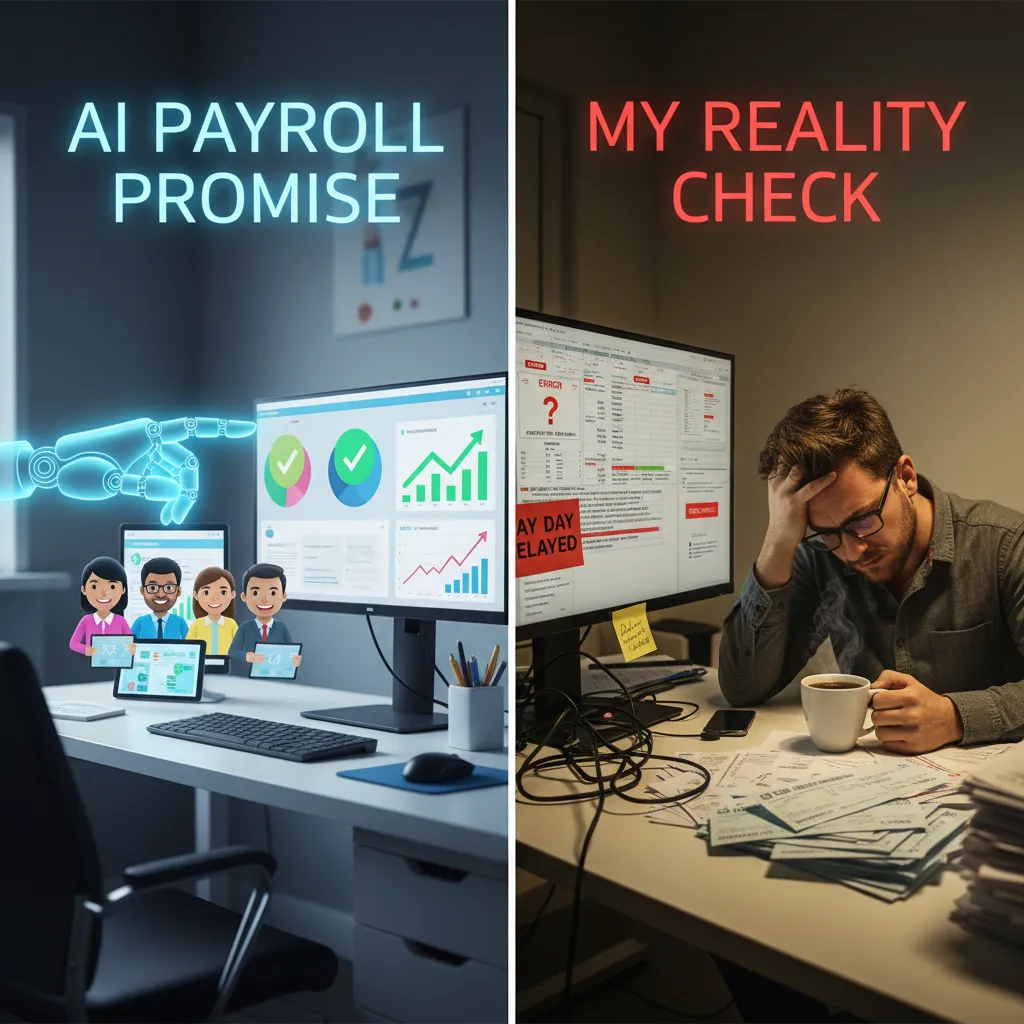
The AI payroll promise (and my reality check)
When I see “AI payroll” on a pricing page, my first reaction is skepticism. Payroll is rules, deadlines, and compliance—so the word AI can feel like a shiny label on top of basic automation. Still, I do want smarter workflows. I just don’t want marketing to distract me from what actually reduces errors and saves time.
Why I’m skeptical (but still want automation)
In my experience, most “AI” features in payroll software are really better prompts, templates, and checks. That’s not a bad thing. It’s just not magic. The real promise is fewer manual steps and fewer “surprise” payroll problems—like missed tax notices or a new hire set up wrong.
Where AI actually shows up in Gusto vs ADP vs Paychex
- Alerts that nudge me before a deadline or when a setting looks off.
- Anomaly flags (example: hours spike, duplicate reimbursements, unusual net pay).
- Guided setup that asks the right questions in the right order.
- Fewer processing surprises through smarter review screens and “did you mean…?” checks.
That’s the practical side of AI: not replacing payroll, but catching issues early.
The boring stuff that matters more than buzzwords
I always come back to fundamentals:
- Tax filing cadence: how often filings happen, how notices are handled, and what’s included.
- Direct deposit reliability: cutoff times, funding methods, and failure handling.
- Employee self-service adoption: if people won’t use it, I’m stuck answering basic questions.
My gut-check before demos: complexity score vs. headcount
I do a quick mental formula:
Complexity score (states + pay types + benefits + contractors + hourly rules) vs. headcount.
If complexity is high, I lean toward deeper controls and support. If headcount is small and complexity is low, I value speed and clean workflows.
Wild card: payroll as a kitchen
If payroll were a kitchen: Gusto is the tidy prep station, ADP is the industrial dishwasher, and Paychex is the versatile line cook—ready for a lot, but dependent on how you run the shift.
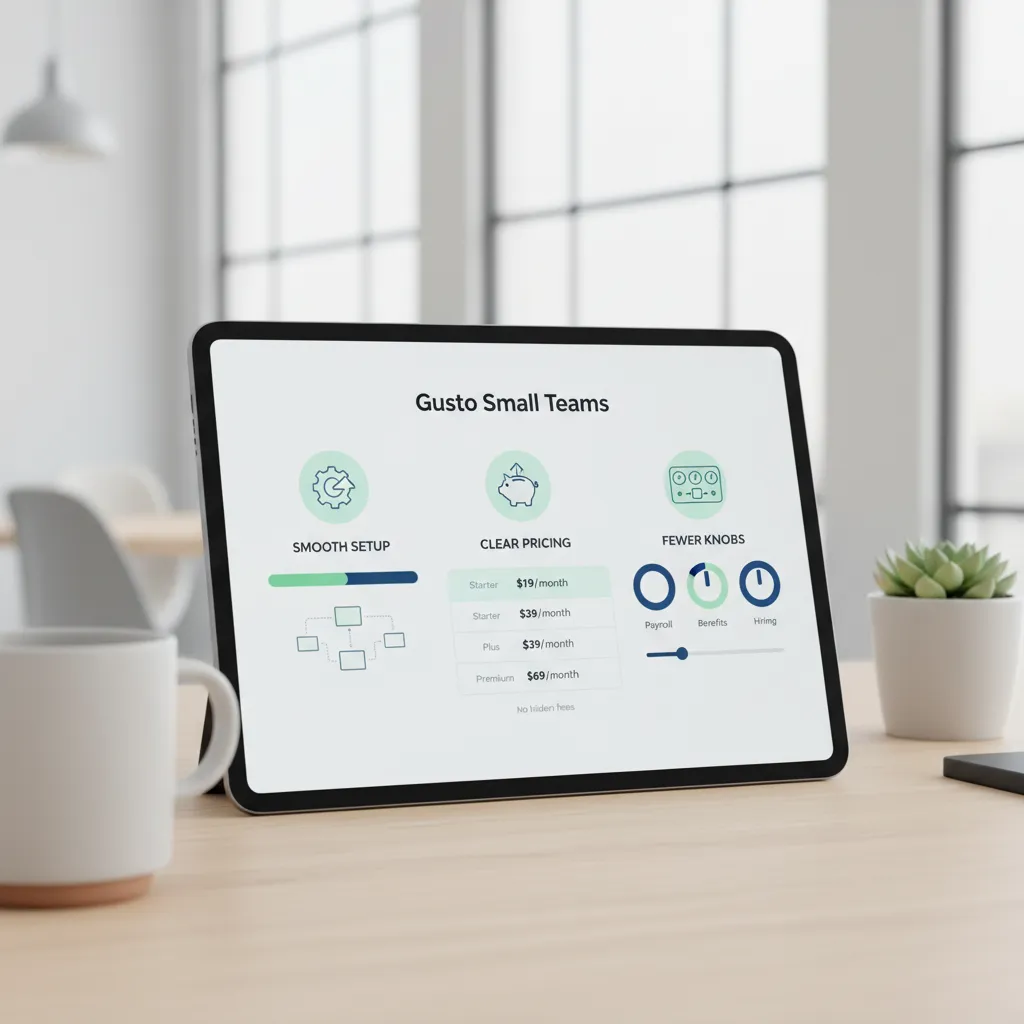
Gusto Small Teams: smooth setup, clear pricing, fewer knobs
My “tiny team test”: can I run payroll in one sitting?
When I compare AI payroll systems, I start with a simple test: can I set up a tiny team and run payroll processing in one sitting without falling into a tutorial rabbit hole? With Gusto, the answer is usually yes. The flow feels guided, the screens are clean, and I don’t have to hunt through endless settings. For a small business, that “fewer knobs” approach matters because it reduces decision fatigue and helps me move fast.
Transparent pricing reality (and why it feels friendly at first)
Gusto’s pricing is easy to understand compared with many enterprise-style payroll tools. A common starting point is $50/month + $6/employee. For a 5-person team, that’s predictable enough to budget without spreadsheets. It also makes it simpler to compare against ADP and Paychex, where quotes and add-ons can blur the real monthly cost.
| Example | Base | Per employee | 5 employees total |
|---|---|---|---|
| Starter math | $50 | $6 | $80/month |
Where simplicity is a feature
I like that Gusto keeps the interface focused. Onboarding support can feel light compared with bigger providers, but the UI is straightforward enough that I can self-serve. For teams that want clear steps more than deep customization, this is a win. The “AI” angle here is less about flashy automation and more about smart defaults, reminders, and fewer chances to misclick.
Where it can feel thin
- Advanced compliance coverage: if I need heavy guidance, I may want a provider with deeper compliance services.
- Multi-state payroll depth: it works, but complexity grows fast as states, local taxes, and policies stack up.
- Support gaps: if I expect 24/7 help, I may feel the limits.
Who I’d recommend it to (and who I wouldn’t)
I’d recommend Gusto to small teams with steady payroll, simple benefits needs, and a “keep it clean” mindset. I wouldn’t pick it for a fast-scaling company adding states every quarter, or for teams that need high-touch compliance and always-on support.
ADP Compliance: the ‘sleep at night’ option for scaling payroll
When I crossed 25+ employees, my mindset changed. Payroll stopped being a weekly task I could “just handle,” and became a system that had to work every time—across pay types, benefits, taxes, and deadlines. In an AI payroll comparison like Gusto vs ADP vs Paychex, this is where ADP starts to feel like the “sleep at night” choice.
My mental shift: payroll becomes a system, not a task
At smaller headcount, I can forgive a little manual work. But once hiring speeds up, the risk isn’t just time—it’s mistakes. One wrong tax setup or missed filing can turn into a long, stressful cleanup. ADP’s strength is that it’s built for repeatable processes, approvals, and controls that don’t depend on one person remembering everything.
Why ADP vs Gusto often comes down to multi-state + compliance confidence
The real split I see between ADP vs Gusto shows up when you add multi-state payroll. Different states mean different rules, notices, and tax details. Gusto can work well for simpler setups, but ADP tends to win when I want deeper compliance coverage and fewer “are we sure this is right?” moments.
- Multi-state registrations and tax handling feel more supported
- Compliance tools are designed for complexity, not just convenience
- Audit trails and admin controls matter more as teams grow
24/7 support as a feature (not marketing)
During tax filing season, support isn’t a nice-to-have. It changes how fast I can resolve issues when something looks off at 9 PM or before a holiday deadline. With ADP, 24/7 support can be the difference between a short fix and a week of waiting.
Scalable payroll: from growing businesses to thousands
ADP is built for the moment you stop DIY-ing payroll. Whether you’re at 30 employees or 3,000, the platform is meant to scale without forcing a full reset of your payroll process.
Tangent: quote-based pricing is annoying, but sometimes safer
Quote-based pricing can feel slow, but it can also prevent surprise fees when your payroll setup gets complicated.
Paychex Mid-Sized: the balanced pick (with surprisingly good mobility)
Why Paychex vs Gusto is the debate I hear once you’re “not tiny anymore”
When I talk to teams that have outgrown the “startup spreadsheet” stage, the comparison I hear most is Paychex vs Gusto. It usually happens right after a company adds a second location, starts tracking hourly crews, or needs approvals that don’t live in someone’s inbox. In that phase, AI payroll isn’t just about running payroll faster—it’s about reducing mistakes, keeping data in one place, and making sure managers can actually use the tools.
Pricing starting point: $39/month + $5/employee (and why it can look cheaper)
Paychex often starts around $39/month + $5 per employee. On paper, that can undercut Gusto for certain headcounts, especially if you’re comparing entry tiers. The catch (like with any payroll vendor) is that add-ons can change the math—time tracking, HR features, and support levels can shift the real monthly cost. Still, I’ve seen Paychex land as the “balanced” option when a team wants more structure without jumping straight into enterprise pricing.
Time tracking that feels modern: geofencing and job costing
Where Paychex can surprise people is time tracking. For hourly teams, geofencing clock-ins help confirm employees are on-site when they punch in. And if you bill work by project, job costing options can make payroll data more useful for budgeting. That’s the kind of practical automation that makes AI-assisted workflows feel real, not just marketing.
- Geofencing to reduce “I forgot to clock in” disputes
- Job-based tracking to connect labor hours to projects
Mobile app strength: fewer “forgot my password” moments
I also notice Paychex’s mobile experience gets used by both admins and employees. That matters because adoption is half the battle. When people can check pay stubs, update info, or clock time without friction, I see fewer support tickets and less “can you reset my login?” drama.
Extra credit: learning modules and PEO options
If your HR tools need to grow up, Paychex has paths forward: learning modules for training and PEO options if you want deeper HR support. For mid-sized teams, that flexibility can be the difference between switching platforms every two years and staying put.
Key Features that actually change my week (not the sales deck)
Payroll Anywhere: what I expect from a mobile app in 2026
If an AI payroll system says “mobile,” I expect more than viewing paystubs. In my week, the app has to handle approvals (pay runs, reimbursements, time edits), alerts (missing hours, failed bank info, tax notices), and real employee self-service (update W-4, address, direct deposit, download forms). Gusto is usually the simplest for employees to use fast. ADP and Paychex can feel heavier, but they often give more admin controls and role-based permissions.
HR tools and integrations: where ADP/Paychex tend to feel broader than Gusto
When I’m connecting payroll to time tracking, accounting, and hiring, breadth matters. ADP and Paychex tend to offer a wider menu of HR modules and partner integrations—useful if I need scheduling, advanced reporting, or multiple HR workflows. Gusto’s integrations are solid for many small teams, but I notice the ceiling sooner when the org gets more complex.
The compliance trio I can’t “wing”
- Tax filing: automated federal, state, and local filings with clear status tracking.
- Tax agencies: fast handling of notices, rate changes, and new account setup.
- Multi-state payroll rules: registrations, reciprocity, local taxes, and remote-worker edge cases.
This is where “AI” should mean fewer surprises: smart prompts, clean checklists, and warnings before I hit submit.
Background checks, onboarding, and benefits: who tends to offer what
| Need | Gusto | ADP | Paychex |
|---|---|---|---|
| Onboarding | Simple, guided | Deep, configurable | Strong, service-led |
| Background checks | Often via partners | Broader options | Common add-on |
| Benefits | Great for SMB basics | Wide carrier/admin tools | Robust, advisor feel |
Mini-scenario: two new hires + one termination + PTO update—what breaks first?
In one week, I add two hires, terminate one employee, and update PTO rules. What breaks first is usually permissions (who can approve what), then state tax setup for a remote hire, then benefits timing (effective dates and deductions). If the system can’t surface these as alerts, I’m stuck doing manual checks instead of letting the AI payroll tools do the work.

Flexible Pricing (and the part nobody admits): your ‘future cost’
Pricing for AI payroll tools is weirdly emotional. I’m not just buying software—I’m buying predictability (same bill every month), scalability (cost that grows fairly as I hire), and support (help when payroll breaks at 4:55 p.m.). In a Gusto vs ADP vs Paychex comparison, the “best” price is the one that stays true after my team doubles and my needs get messy.
ADP pricing: quote-based, so I force an apples-to-apples view
ADP often uses quote-based pricing, which can be great—or confusing. When I evaluate ADP, I ask for a written quote that mirrors the same setup I’m pricing elsewhere. I also ask what changes the quote later (new states, contractors, benefits, HR add-ons).
- Number of employees + contractors
- Pay frequency and direct deposit fees (if any)
- Tax filing, W-2/1099, and multi-state support
- Support level: chat vs phone vs dedicated rep
Gusto’s transparent plans: when “simple” stays simple (and when it doesn’t)
Gusto is usually the easiest to price upfront. I like seeing the base fee and per-employee cost without a sales call. But I still watch for add-ons that creep in: time tracking, next-day direct deposit, benefits admin, and advanced HR features. With AI features, I also check whether automation is included or locked behind a higher tier.
Paychex entry pricing: what I clarify before signing
Paychex can look affordable at entry level, but I clarify what’s included in the “starting at” number. Specifically, I ask about:
- Time tracking and scheduling
- Mobile app access for admins and employees
- HR tools (handbooks, onboarding, document storage)
- Integrations and any setup fees
Wild card: my “penalty avoidance” budget line
My future cost isn’t just software—it’s the cost of getting payroll wrong.
I set aside a small monthly “penalty avoidance” budget for compliance coverage: tax notices, filing errors, wage-and-hour rules, and multi-state complexity. If an AI payroll system reduces those risks with better alerts, audits, and support, I count that as real savings.
So…which is the Best Payroll Service for your next year?
When I compare Gusto vs ADP vs Paychex in an AI payroll face-off, I don’t start with features. I start with my decision tree: team size today, states tomorrow, and my tolerance for compliance risk. If I’m paying a small team in one state and I want a clean, guided workflow, I lean toward the simplest system that still files taxes correctly. If I’m adding locations, job types, or multiple states, I prioritize the platform that treats compliance like a core product, not an add-on.
If you’re choosing among Gusto alternatives
I use a “don’t overbuy / don’t underbuy” checklist. I don’t overbuy when I’m paying for enterprise tools I won’t touch for 12 months, like complex org controls or heavy HR suites. I don’t underbuy when I’m ignoring real risk: multi-state tax rules, local filings, garnishments, and the time cost of fixing mistakes. AI can help with reminders, anomaly flags, and faster setup, but it won’t magically make penalties disappear if the system can’t support my growth.
Three honest recommendations I’d give a friend
If you want a simple start, I’d pick Gusto for a smaller team that values ease, automation, and a friendly experience. If you need a scaling engine, I’d choose ADP when compliance depth, reporting, and multi-state complexity are the main story of next year. If you want a balanced middle, I’d look at Paychex when you want strong payroll support with room to grow, without jumping straight to the most complex setup.
My bottom line
AI won’t “do payroll for you,” but the right system will stop payroll from doing you.
Before I book a demo, I ask three questions: “Do you handle all tax filing and notices end-to-end?”, “What’s the real direct deposit timing cutoff and funding method?”, and “If something breaks on payday, what is the support escalation path—and how fast is it?”
TL;DR: If you’re a tiny team that wants clean UX and transparent pricing, Gusto is the calmest start. If you’re scaling fast or juggling multi-state payroll and compliance coverage, ADP’s 24/7 support and depth usually win. If you’re mid-sized and want a balance (plus strong mobile + time tracking features like geofencing clockins), Paychex is the practical middle lane.


Comments
Post a Comment