Data Science Tools Pros Actually Use in 2026
The first time I shipped a “perfect” model, it failed in the least glamorous way possible: a quiet schema change upstream turned my features into nonsense. That day I learned data science isn’t just algorithms—it’s habits, tooling, and a stubborn respect for messy reality. In this post I’m collecting the essential data science tips I wish someone had handed me earlier: which Data Science Tools to learn, when to reach for Apache Spark vs. DuckDB Analytics, why MLOps Tools like MLflow Tracking matter, and how Gen AI Tools (Hugging Face, LangChain LlamaIndex, OpenAI API) fit into an AI Data Strategy that doesn’t collapse under pressure.
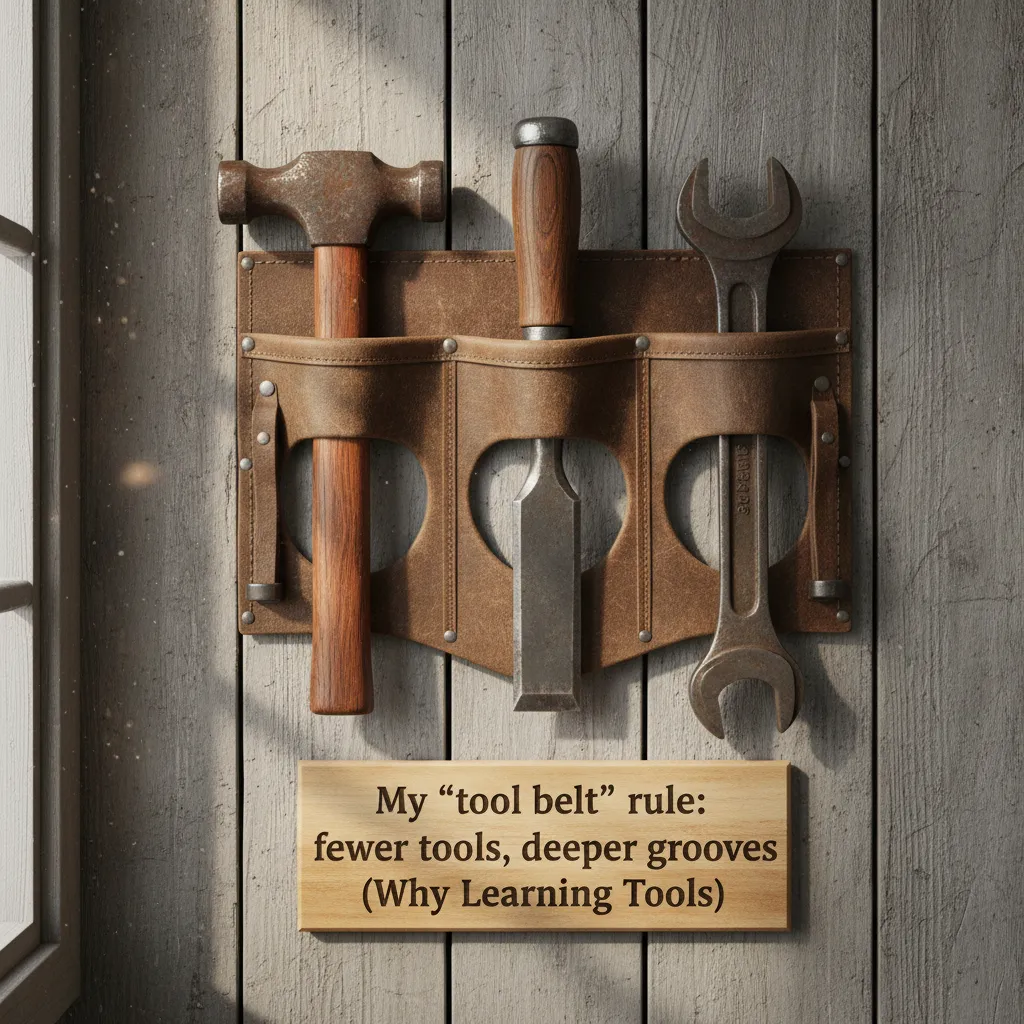
1) My “tool belt” rule: fewer tools, deeper grooves (Why Learning Tools)
In 2026, I don’t try to learn every new data science tool that trends on social media. I used to collect shiny libraries like souvenirs. It felt productive, but it wasn’t. What actually helped my work was building a Right Tools Framework: a default stack I use all the time, plus a small set of “break glass tools” for rare emergencies.
My Right Tools Framework
- Default stack: the tools I trust weekly (my real “tool belt”).
- Break glass tools: the tools I only touch when something is on fire—odd file formats, weird APIs, legacy systems.
Here’s the self-audit that changed everything: what do I use weekly vs. once a quarter? That split is your learning roadmap. If I use something weekly, I go deep: shortcuts, edge cases, debugging, performance. If I use it quarterly, I learn “just enough” and keep notes.
Foundations are the stress test
Programming foundations aren’t boring—they’re your stress test when everything else breaks. When a pipeline fails at midnight, it’s not the fancy model that saves you. It’s knowing how to reason about data types, errors, and basic logic. I still practice the boring stuff because it keeps me calm under pressure.
When tools fail, fundamentals don’t.
Tiny confession: I keep a note called “things I only remember at 2 a.m.” It’s mostly joins, nulls, and time zones. I also keep small reminders like:
LEFT JOIN+ unexpected duplicates = check keys- null handling before metrics
- always store timestamps in UTC
My wild card analogy: tools are kitchen knives. Owning 20 doesn’t make dinner faster; sharpening 3 does.
2) Programming Foundations that pay rent: Python Core Language + R Stats Workflows
In 2026, the tools change fast, but the foundations that pay rent are still Python and R. From my notes on “Essential Data Science Tips Every Professional Should Know,” I’ve learned that pros win by being boring: clear code, repeatable runs, and honest stats.
Python Core Language: make it readable before you make it fast
I try to write small, readable functions, handle edge cases up front, and profile before “optimizing”. Most “slow code” is really “I didn’t measure it.”
- Prefer clear names and pure functions where possible.
- Guard rails: empty inputs, weird dates, unexpected nulls.
- Use profiling to find the real bottleneck.
import cProfile; cProfile.run("pipeline(df)")
Pandas habits that save hours
Pandas is where time disappears. My three habits: explicit dtypes, vectorization when it’s clear, and sane missing-value rules.
- Set dtypes early (strings, ints, categories) to avoid silent coercion.
- Vectorize when it improves clarity; don’t force it for every step.
- Decide NA rules once: drop, fill, or flag—then stick to it.
R stats workflows for fast, honest inference
When I need quick inference and sharp plots—especially for stakeholder-friendly narratives—I reach for R. I can fit a model, check assumptions, and produce clean visuals without fighting the tooling.
I keep one rule: if it can’t be rerun from scratch, it isn’t analysis—it’s a screenshot.
Mini scenario: CSV to Parquet breaks “string numbers”
A teammate swaps a CSV for Parquet, and suddenly your “numbers” stored as strings become real numeric types (or vice versa). Your joins fail, your filters act weird, and your metrics shift. Explicit dtypes and rerunnable scripts prevent that surprise.
3) Data Manipulation without regret: DuckDB Analytics, SQL, and the moment you outgrow your laptop
When I’m prototyping, DuckDB Analytics is my go-to for fast local analytics on “too-big-for-Excel” data. I can point it at a CSV or Parquet folder, run real SQL, and iterate without waiting on a warehouse ticket. It feels like the sweet spot between a notebook hack and a real pipeline.
DuckDB for local speed (and fewer regrets)
I use DuckDB when the dataset is big enough to hurt, but not big enough to justify spinning up cloud jobs. A common pattern for me is:
SELECT * FROM read_parquet('data/*.parquet') LIMIT 100;
That one line lets me validate columns, spot nulls, and test joins before I commit anything.
SQL fluency is still the quiet superpower
In 2026, the tools change, but SQL stays. Joins, window functions, and grouping are the basics. The real skill is explaining a query plan like a human: “This join explodes rows,” “This filter should happen earlier,” “This sort is the expensive part.” That mindset saves hours.
Warehouses: choices matter less than conventions
When data lives in a warehouse, Snowflake vs BigQuery matters less than consistent conventions and cost awareness. I try to standardize:
- naming rules for tables and columns
- date handling (UTC, partitions, and time zones)
- cost controls (limits, clustering, and avoiding full scans)
My imperfect habit (and a practical fix)
I name intermediate tables like _scratch_do_not_ship and… sometimes I ship them anyway. To reduce that risk, I treat data manipulation as a product:
- define schemas up front
- document assumptions next to the SQL
- version transformations (even simple ones)

4) Apache Spark in 2026: ETL Pipelines, Real Time Processing, and not melting prod
Apache Spark is the tool I reach for when the dataset laughs at my laptop. In 2026, I still use it for distributed processing, big data analytics, and streaming ETL pipelines where a single machine just can’t keep up. Spark lets me scale the same idea—transform, join, aggregate—across a cluster without rewriting everything from scratch.
ETL that scales (without drama)
Most of my Spark work is “boring” ETL: cleaning events, building features, and writing curated tables. The trick is keeping it boring in production. I aim for predictable runtimes, stable costs, and outputs that downstream teams can trust.
Real-time vs near real-time
Real-time processing sounds great, but I’ve learned that near real-time is often enough (and cheaper) than true real-time. If the business SLA is “updates every 5 minutes,” then chasing sub-second latency is just personal pride. Spark Structured Streaming plus micro-batches usually hits the sweet spot.
“Fast enough for the decision” beats “fastest possible.”
Anecdote: the week I lost to partitions
I once tuned partitions for a week—changing spark.sql.shuffle.partitions, testing file sizes, caching everything. The real bottleneck was a single skewed join key that sent most rows to one executor. Fixing skew (salting, broadcast join, or pre-aggregating) beat every partition tweak.
Practical checklist I follow
- Cache only reused DataFrames; unpersist when done.
- Choose sane partitioning (by date/customer) and avoid tiny files.
- Watch shuffle: spill, skew, and long stages in the Spark UI.
- Use broadcast joins when one side is small.
- Know when to drop to simpler SQL (or a warehouse query) instead of Spark.
- Align jobs with business SLAs, not ego-driven latency goals.
5) MLOps Deployment that doesn’t feel like punishment: MLflow MLOps + Model Deployment basics
The day I adopted MLflow Tracking, I stopped arguing with myself about “which run was the good one.” I used to keep notes in random docs, then lose the exact params, data slice, or metric that made a model look great. With MLflow, every experiment run gets logged, searchable, and repeatable.
MLflow MLOps essentials I actually use
- Experiment tracking: log metrics, params, artifacts, and plots so results are not “vibes-based.”
- Model versioning: register models and promote them through stages (like Staging to Production) with a clear history.
- Clean handoff to deployment: package the model with its environment so ops doesn’t have to guess dependencies.
Here’s the tiny habit that changed my workflow:
“If it isn’t in MLflow, it didn’t happen.”
I’ll often log a run like this:
mlflow.log_param("model", "xgboost")

mlflow.log_metric("auc", auc_score)

mlflow.sklearn.log_model(model, "artifact")
Model deployment tip: start boring
My best model deployment wins started with a boring baseline: batch scoring. It’s easier to monitor, cheaper, and forces me to define inputs/outputs clearly. Only after that works do I chase real-time endpoints.
AutoML is helpful, but I still verify
AutoML tools are great for baselines and sanity checks—but I still audit features and leakage manually. A fast leaderboard score can hide a broken data join.
My deployment pre-flight checklist
- Inputs: schema, null handling, and feature freshness
- Outputs: prediction format, thresholds, and explanations
- Latency budget: what “fast enough” means
- Rollback plan: how to revert safely
- Ownership: who gets paged when it breaks

6) Gen AI Tools in a grown-up workflow: Hugging Face, LangChain LlamaIndex, and a pinch of skepticism
In 2026, generative AI is moving from a party trick to an organizational resource. That shift changes everything: I now plan for guardrails, budgets, access control, and the boring reliability work (logging, rate limits, fallbacks). The goal is not “wow,” it’s “works on Tuesday at 9 a.m.”
Hugging Face: where I start
When I’m exploring a new idea, Hugging Face is my favorite starting point. I can compare pre-trained models, check licenses, and reuse open-source workflows without reinventing the wheel. It’s also a practical way to keep experiments honest: if a baseline model already solves 80% of the problem, I don’t overbuild.
LangChain + LlamaIndex for RAG (with evals)
For real products, I reach for LangChain and LlamaIndex when I need retrieval-augmented generation (RAG), tool calling, and retrieval pipelines. They help me wire together:
- document loaders and chunking
- vector search + filters
- prompt templates and tool routing
- evaluations (so I can measure quality, not guess)
I treat evals like unit tests: if I can’t track regressions, I don’t trust the system.
Agentic AI: I treat agents like interns
Agents are exciting, but I treat them like interns—helpful, fast, and in need of supervision. I keep permissions tight, require confirmations for risky actions, and log every tool call.
My rule: autonomy is earned, not assumed.
Hypothetical scenario: an agent books a meeting with the wrong client because your vector store mixed tenants. Oops. That’s why I enforce tenant-aware retrieval, add metadata filters, and test with “nasty” cases before shipping.
7) Data Reliability, Observability, and the politics of being right (AI Data Strategy)
In 2026, the most “pro” data science tool I use is still data reliability. It’s the unsexy tip that makes everything else possible—especially when leadership suddenly wants “AI yesterday.” If the pipeline is flaky, the model will look wrong, and I’ll spend my time defending numbers instead of improving outcomes.
One story of what broke, where, and why
Data observability is converging with quality, governance, and lineage. I don’t want five dashboards that disagree. I want one narrative: what changed, which tables and features were hit, which downstream reports or models are affected, and who owns the fix.
- Freshness: did the data arrive on time?
- Volume: did row counts spike or drop?
- Schema: did a column type or name change?
- Distribution: did key metrics drift?
Anomaly detection + automated lineage (still imperfect)
Anomaly detection and automated lineage are becoming table stakes. They catch issues early, but yes, they still false-alarm sometimes. I treat alerts like smoke detectors: I tune them, group them, and route them to the right owner so people don’t learn to ignore them.
“Being right isn’t enough if nobody trusts the data.”
Chief Data Officer reality check
I’ve learned the politics: exec support matters. Without it, governance tools and observability dashboards become expensive wall art. Clear ownership, escalation paths, and time to fix root causes are what make reliability real.
AI Factories: shipping faster, not just smarter
I’m seeing teams build AI Factories—bundling platforms + trusted data + reusable algorithms—so projects ship faster. The win is repeatable delivery: the same reliability checks, lineage, and monitoring applied to every new model and use case.
Conclusion: My 2026 checklist for staying employable (and sane)
When I look at what actually keeps me effective in 2026, it’s not a magic model or a trendy library. It’s a simple flow I repeat most weeks: foundations → manipulation → scale → deployment → GenAI → reliability. Foundations means I can explain the problem, the metric, and the data shape. Manipulation means I can clean, join, and validate fast. Scale means I know when to move from local work to Spark or a warehouse. Deployment means the work leaves my laptop. GenAI means I use tools like Hugging Face with clear boundaries and tests. Reliability means monitoring, alerts, and boring checks that prevent silent failure.
“The best compliment I get is: your pipeline just… runs.”
That compliment is my north star because it signals trust. Anyone can get a notebook to look good for one day. Pros build systems that keep working when data drifts, APIs change, or a teammate reruns the job at 2 a.m. This is also why the “Essential Data Science Tips Every Professional Should Know” mindset matters: strong habits beat clever hacks.
My one-week upgrade plan is simple: pick one tool gap—Spark, MLflow, DuckDB, or Hugging Face—and ship a tiny internal project. Not a demo. Something real: a small ETL job in DuckDB, an MLflow-tracked experiment, a Spark pipeline that handles one big table, or a Hugging Face evaluation script with a clear pass/fail test. Keep the scope tight, finish it, and document it.
Before you close this tab, I dare you to write your own Right Tools Framework—the few tools you trust for each step—and then delete one tool you don’t actually use. Less clutter, more skill.
And a final call back to the opening story: models fail quietly; processes keep you honest. If you want to stay employable (and sane), build for repeatability, not applause.
TL;DR: If I had to keep only a few professional data science tips: master Python Core Language + Python Pandas, learn Data Manipulation patterns, use DuckDB for fast local analytics, use Apache Spark for scale and real-time processing, standardize with MLflow MLOps for deployment, and treat Data Reliability + observability as non-negotiable—especially when adding Generative AI and Agentic AI into production.


Comments
Post a Comment