AI Leadership Tools: A Practical Comparison
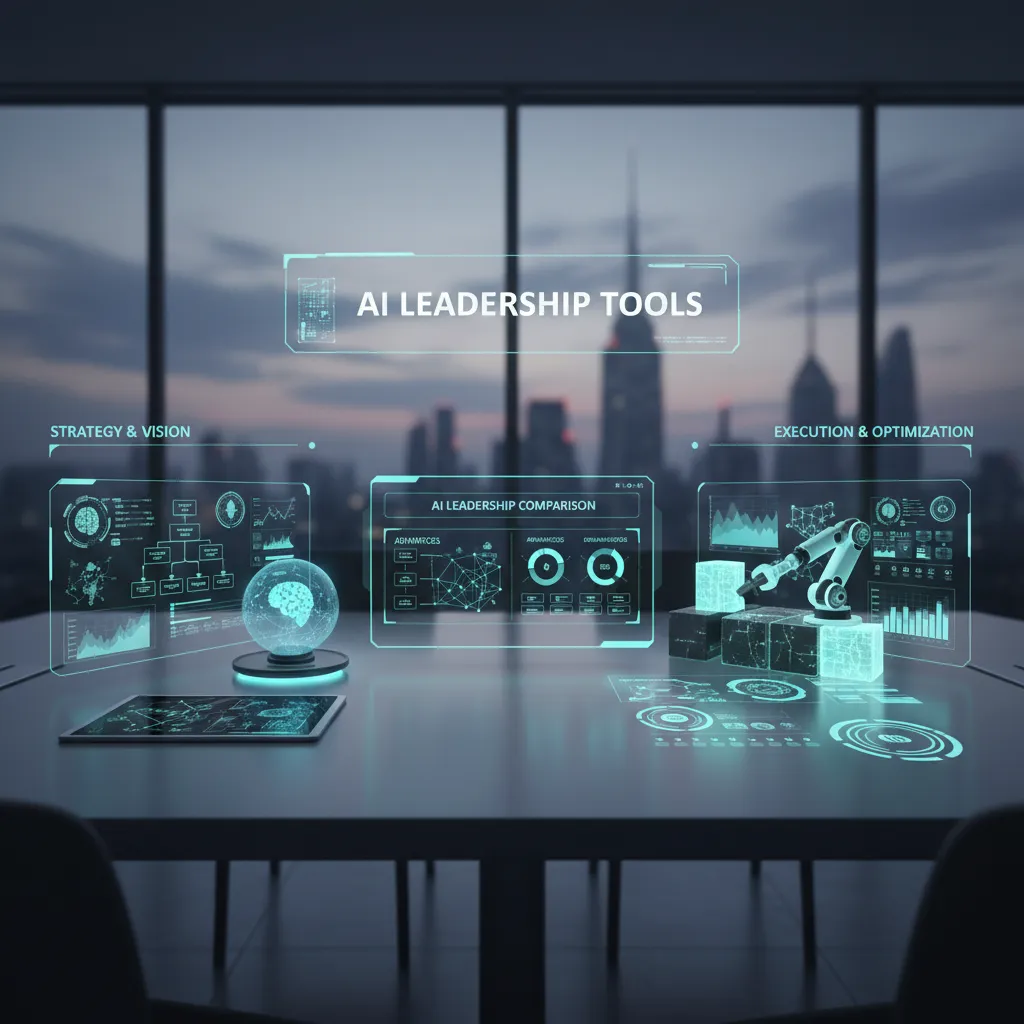
Last quarter I watched a brilliant new manager freeze in a tough 1:1—then spend the next hour writing “perfect” follow-up notes that nobody read. That’s the moment I started testing AI leadership tools like I test headphones: in messy, real life. Some tools genuinely deliver personalized coaching and real-time feedback; others are basically a shiny to-do list with opinions. In this post, I’m comparing AI-powered leadership solutions through the lens of what I’d trust for my own Leadership Development: practice, accountability, and evidence.
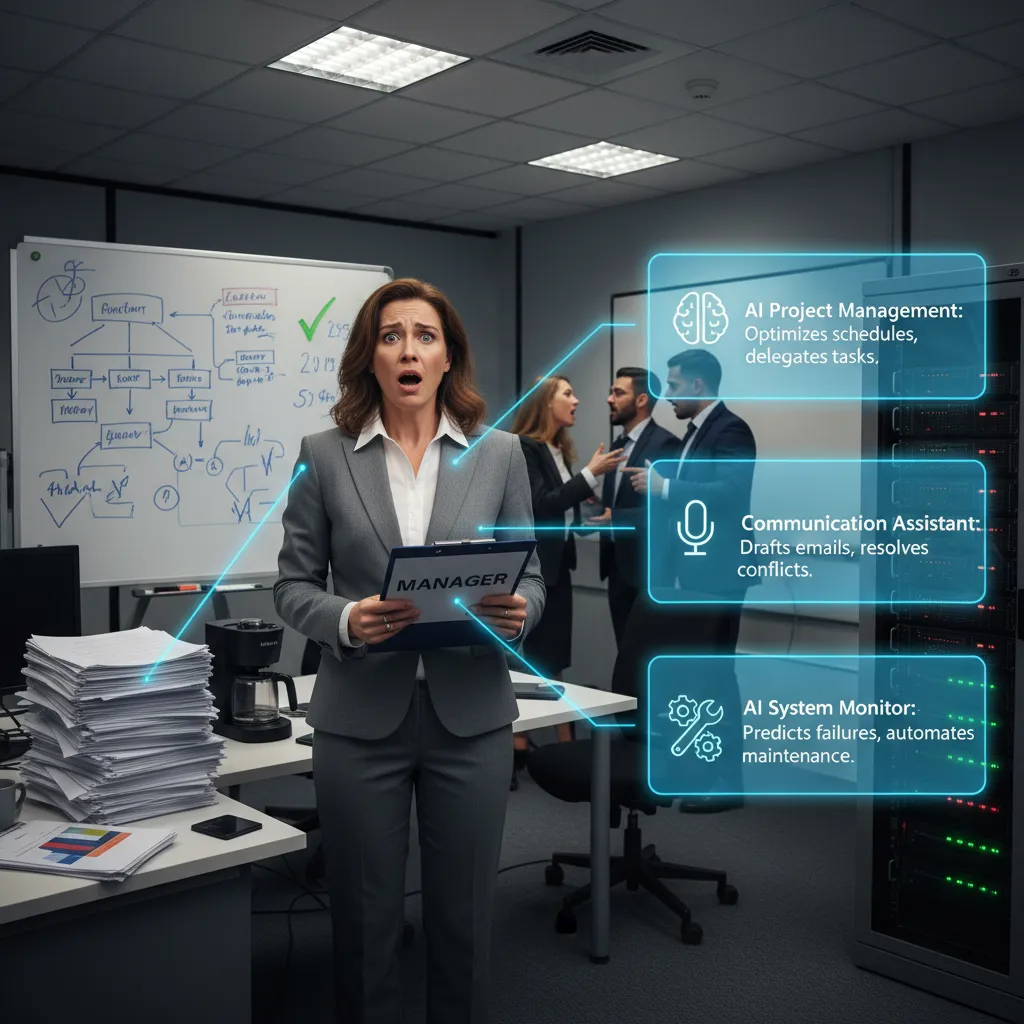
1) The “Oh no, I’m the manager” moment (and what AI Tools can fix)
My first week managing, I did what I thought “good leaders” do: I over-prepped, under-listened, and still missed the real issue. I walked into 1:1s with a neat agenda, a status doc, and a plan to “be helpful.” The team nodded… and then kept struggling. Later I realized I’d been solving the wrong problem because I wasn’t catching the signals in real time. (Also, yes, I once tried to manage by spreadsheet. It did not go well.)
"Leadership isn’t learned in a slide deck; it’s learned in small moments with fast feedback." — Kim Scott
Why Leadership Development fails when it’s only theory
A lot of Leadership Development is still built like a lecture: concepts, frameworks, and a “culture deck” that pretends reading equals skill. But leadership is reps. It’s conflict, feedback, presentations, and Decision Making under pressure. Without practice and a feedback loop, I forget the lesson the moment my calendar fills up.
What “AI Leadership Tools” actually means (in plain buckets)
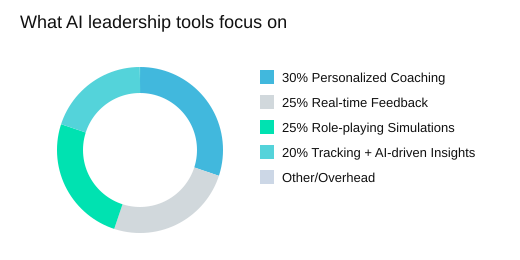
In Critical Leadership Tools Compared: AI-Powered Solutions, the most useful AI Tools fall into a few clear categories:
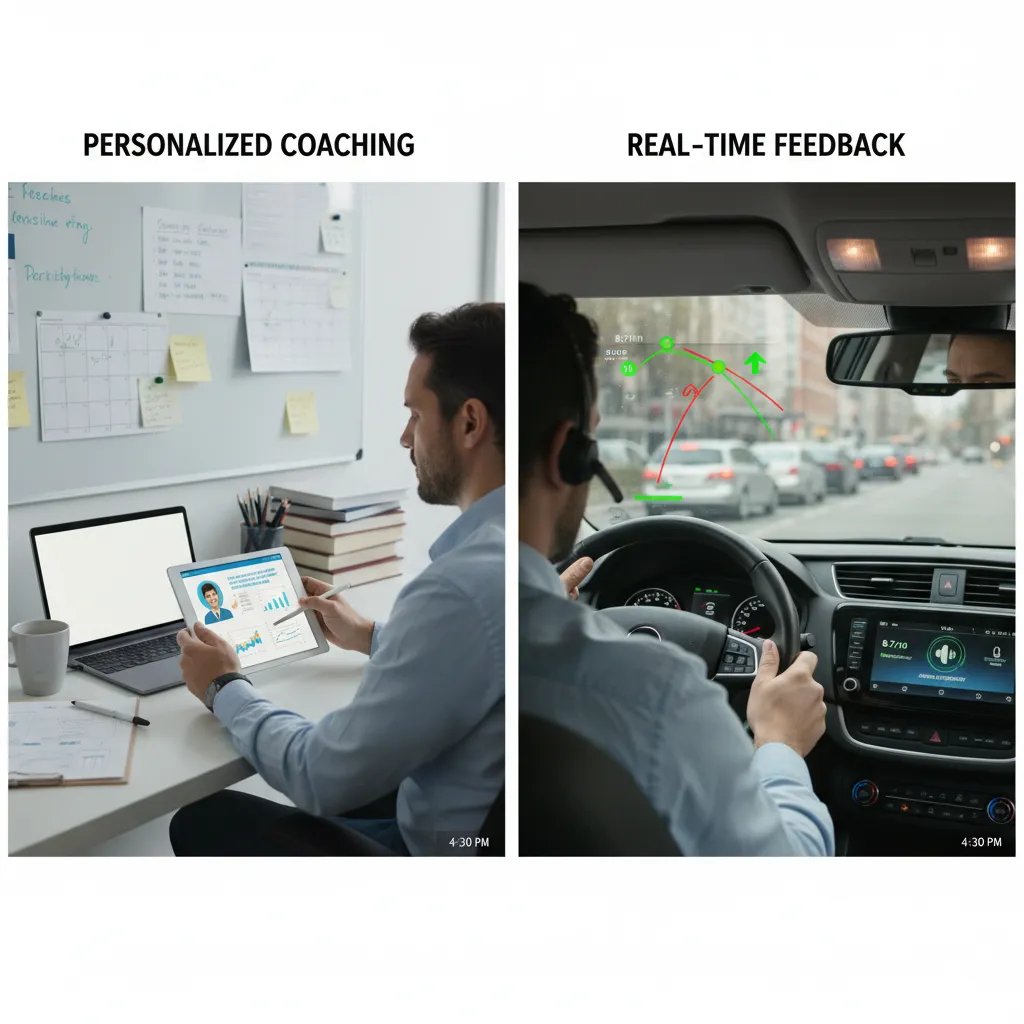
- Personalized coaching: prompts and guidance based on my context and goals.
- Real-time feedback: quick notes on tone, clarity, or meeting habits while it’s still fixable.
- Performance tracking: lightweight ways to see patterns (1:1 frequency, feedback cadence, follow-through).
- AI-driven insights: summaries that point to risks, blockers, or recurring issues.
- Meeting automation (Productivity Tools): notes, action items, and follow-ups so I stop being the bottleneck.
For example, tools like Spinach.io can automate meeting notes and action items, and integrate with Jira/Slack—saving managers time on follow-ups and reducing the “managerial drag” that kills momentum.
Choosing tools is like choosing a gym
The machines matter less than whether I’ll show up. The best AI Leadership Tools are the ones that fit my workflow—Project Leaders, Talent Managers, and L&D/People Ops teams all need different “default habits.”
What I’ll compare (and what I refuse to)
I’m comparing outcomes over hype: better conversations, clearer Decision Making, fewer dropped balls. I’m not ranking tools by buzzwords—or pretending a culture deck is training.
| Common AI leadership tool feature buckets | Manager time sinks AI productivity tools reduce |
|---|---|
| Personalized Coaching | Meeting Notes |
| Real-time Feedback | Action Items |
| Performance Tracking | Follow-ups |
| AI-driven Insights | “Did we actually do the thing?” chasing |
2) Personalized Coaching vs. Real-time Feedback: the daily-driver test
When I compare AI leadership tools, I treat them like a “daily driver.” I don’t care if the dashboard looks great in a quarterly review. I care if Personalized Coaching gives me nudges I’d actually take on a Tuesday. The best tools blend AI-driven Insights, performance tracking, and soft-skill practice (think conflict resolution and presentations) into small actions I can try right away.
How I define Personalized Coaching: Tuesday nudges, not reports
Personalized Coaching works when it turns my context into Personalized Feedback, not generic tips. Generic sounds like “communicate more.” Personalized sounds like: “In your 1:1 with Sam, ask one open question before offering solutions.” That’s where Adaptive Learning matters—tools should learn from my choices and offer skill drills that match my gaps, not a one-size program.
Candid aside: I once ignored a coaching prompt because it sounded like a fortune cookie. If it isn’t specific, I won’t use it.
Real-time Feedback that doesn’t feel creepy
Real-time Feedback can be powerful, but it needs guardrails. I’m fine measuring patterns like meeting load, response time, or how often I interrupt. I’m not fine with tools that feel like surveillance. The best Real-time Coaching is actionable, not invasive, and it explains the “why” behind the AI-driven Insights.
"Feedback is a gift—until it’s weaponized or vague. Specificity is kindness." — Brené Brown
Mini-scenario: tough feedback to a high performer
If I need to correct a high performer who’s becoming sharp in meetings, an AI coach can help me draft a clear opener, suggest a structure (impact → example → request), and remind me to ask for their view. That’s useful AI-driven Insights. But it can’t read the room, handle emotion, or replace trust. I still have to deliver the message with care.
Customizable Paths for different leadership styles
Customizable Paths prevent backfire. A direct leader may need tone practice; a consensus leader may need decision clarity. Add Multi-language Support (many platforms offer 20+ languages) and coaching becomes more personal for global teams.
- My litmus test: does it change what I do in my next conversation?
- Real-time Feedback should guide, not judge.
| What I check | Example |
|---|---|
| Multi-language support | Many tools offer 20+ languages for global teams |
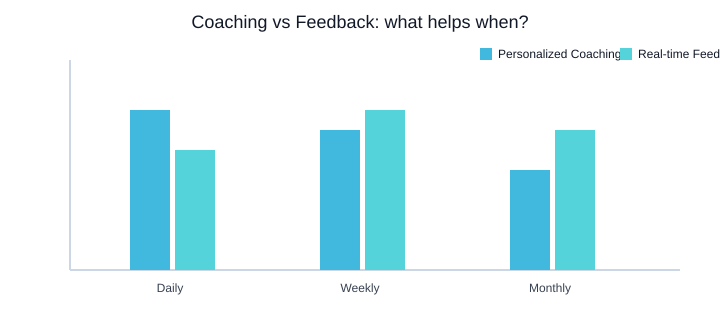
| Feedback loop cadence | Daily nudges; Weekly check-ins; Monthly review |
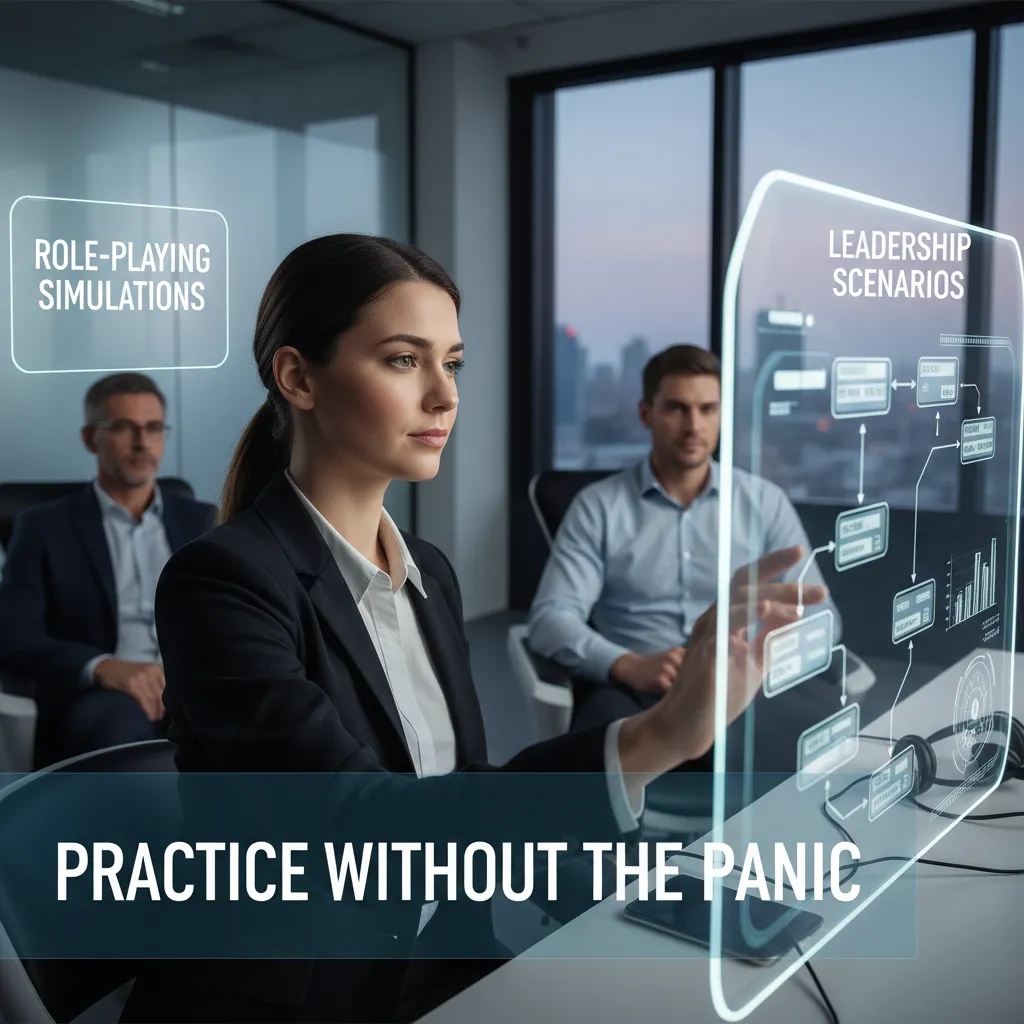
3) Role-playing Simulations & Leadership Scenarios: practice without the panic
When I compare AI leadership tools, I look for Role-playing Simulations that feel real. Reading a module tells me what to do, but Interactive Training shows me what I actually do under pressure. That’s why Role-playing Simulations beat “read this module” for leadership development: I can repeat the moment, try a new approach, and learn fast—without risking trust on my team.
"The best training creates a safe place to fail—so you don’t fail on people." — Amy Edmondson
Leadership Scenarios: Careertrainer.ai vs Tenor (library size + speed)
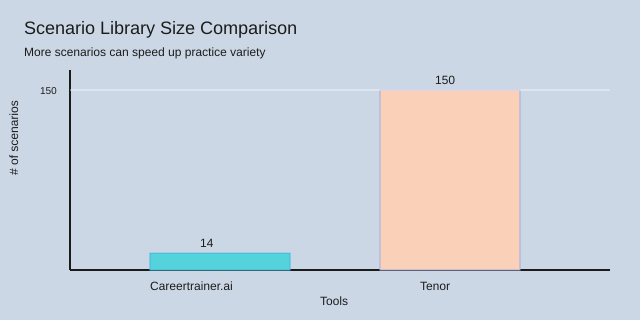
Careertrainer.ai offers 14+ predefined Leadership Scenarios with AI Characters inspired by the Myers-Briggs Model, plus full customization for corporate culture—tone, values, and how “good leadership” sounds in your company.[1] Tenor goes bigger with 150+ pre-built Leadership Scenarios and a situational AI coach trained on company philosophy, with seamless HR/LMS integration.[1] In plain terms: Tenor’s library gives 136 more scenarios, which can speed up onboarding and practice variety.
| Tool | Scenario library | Notes |
|---|---|---|
| Careertrainer.ai | 14+ predefined | Myers-Briggs Model flavor; full customization for corporate culture[1] |
| Tenor | 150+ pre-built | Situational AI coach; HR/LMS integration[1] |
| Difference | 136 more in Tenor | 150 - 14 = 136 |
AI Characters + Custom Scenarios (how I’d practice)
I’ll admit it: the first time I talked to AI Characters, I felt silly. Then I realized it’s safer than practicing on a real teammate. With Custom Scenarios, I’d rehearse:
- Conflict resolution with a defensive peer
- Presentation nerves before a leadership update
- A messy performance conversation where emotions run high
Video Role-playing as a bridge for camera-shy managers
Video Role-playing helps me practice eye contact, pace, and pauses—especially for presentations and tough talks. It’s a practical bridge between text practice and real meetings, and it keeps Role-playing Simulations grounded in how I actually show up.
Wild-card: what if your AI Characters disagree with you?
I want pushback. If an AI coach challenges my wording or values, I treat it as a feature: I can test different responses, learn what escalates tension, and build calm habits through repeated Role-playing Simulations and Leadership Scenarios.
4) Behavioral Analysis, Performance Tracking, and the ‘Do we trust this score?’ question
Behavioral Analysis
In the source comparison, Retorio stands out for Behavioral Analysis that is multimodal: it reads facial expressions, tone, and body language. In practice, I see this as useful for coaching moments that are hard to name—like “you sounded unsure” or “your pace felt rushed.” It can also help leaders practice difficult conversations in a repeatable way.
But it can miss what matters most: context. A leader might look tense because they’re tired, not because they’re defensive. Culture, neurodiversity, and camera setup can also change signals. That’s why I treat the model output as Behavioral Intelligence, not a final judgment.
Behavioral Intelligence (not vibe checks)
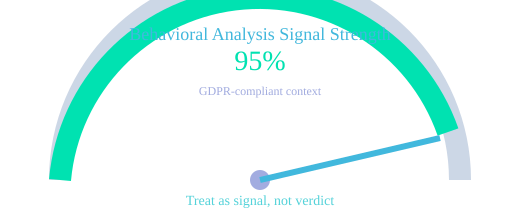
Retorio reports 95%+ accuracy and is GDPR Compliant according to the source. As a manager, I’d interpret “95%” as a signal, not a verdict. I’d ask vendors for model cards, bias testing results, and what “accuracy” means (on which population, in which setting, and against what ground truth). Otherwise, analytics can become a new bias machine—just with nicer charts.
"Not everything that can be measured matters—and not everything that matters can be measured." — Peter Drucker
Performance Tracking
Good Performance Tracking is the kind people will actually open: skill gap analysis, a single 360-degree assessments view, and simple Analytics Dashboards. The source notes that platforms push ROI proof through HR Analytics dashboards and measurable leadership development results—useful when I’m linking coaching to Organizational Health and Predictive Enablement (who needs support before performance drops).
GDPR Compliance safeguards I insist on
- Opt-ins and clear consent language (no surprise monitoring).
- Retention limits, access control, and audit logs for GDPR Compliance.
- Calibration sessions: align scores with human review and role context.
- No decisions from one metric (scores inform coaching, not hiring/firing).
| Item | Data |
|---|---|
| Retorio behavioral analysis accuracy | 95%+ |
| Assessment type referenced | 360-degree assessments (1) |
| Assessment type referenced | Skill gap analysis (1) |
5) HR Integration, pricing reality, and my ‘two-budget’ framework
HR Integration that saves my sanity (LMS, HRIS, Slack/Jira)
When I compare AI Tools for leaders, I start with HR Integration. If a tool can’t connect to our HRIS and LMS, it becomes “yet another login” and adoption drops. Tenor stands out here because it’s built for seamless HR/LMS integration, which matters when I want coaching to show up in the same place as learning plans and manager routines. I also have a hard requirement: please talk to Slack/Jira. If action tracking lives outside the tools my team already uses, it won’t stick.
Spinach.io-style productivity: Meeting Notes + Action Items
For day-to-day management, I love the “Spinach.io-style” approach: automated Meeting Notes and clear Action Items that flow into Jira and Slack. That’s the difference between coaching that feels inspiring in the moment and coaching that actually changes behavior. As Patty McCord put it:
"Culture is what happens when the meeting ends—and the follow-up does or doesn’t." — Patty McCord
In practice, the cheapest tool is the one your team uses twice a week.
Pricing reality check (and why Enterprise Solutions jump)
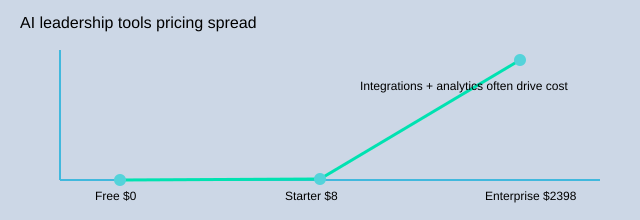
Pricing across leadership Productivity Tools is all over the map: from free plans to enterprise pricing around $8–$2,398/user/month. The jump usually comes from Enterprise Solutions needs: advanced analytics, Performance Dashboards, deeper integrations, and procurement requirements like security review, SSO, data processing addendums, and GDPR Compliance.
| Item | Details |
|---|---|
| Pricing range | $0 to $2,398/user/month |
| Entry tier example | $8/user/month |
| Integration examples | Jira; Slack; HR/LMS |
My two-budget framework + AI Trends 2026 watchlist
- Team experiment budget: fast pilots with a baseline, target behaviors, adoption rate, manager satisfaction, and time saved.
- Enterprise proof budget: funds for SSO, legal/security, and validated dashboards that leadership trusts.
For AI Trends 2026, I’m watching Disco, Sana Labs, Docebo, Synthesia, and ChatGPT as strong alternatives for AI leadership development—especially when I need scalable learning plus measurable outcomes.
6) My pick-by-scenario cheat sheet (plus one contrarian conclusion)
When I compare Best AI Tools for Leadership Development, I start with the outcome I need in real Leadership Scenarios: conflict, coaching, presentations, or decision making. Most modern AI Tools now bundle the same core features—personalized coaching, real-time feedback, performance tracking, and AI-driven insights—but the “best” choice depends on what you’re trying to change this week, not what looks impressive in a demo.
A tiny decision tree I actually use
If I need practice, I pick tools built for Role-playing Simulations (Practice-first tools=2). If I need evidence, I pick tools that emphasize Performance Tracking and analytics dashboards (Evidence-first tools=2). If I need time, I pick meeting automation that turns notes into action items (Time-saver tools=1). That’s it. The rest is tuning.
| Decision path | Example count |
|---|---|
| Practice-first tools | 2 |
| Evidence-first tools | 2 |
| Time-saver tools | 1 |
| Trend marker (year) | 2026 |
How I match features to scenarios
For conflict, I want guided scripts, tone checks, and replayable simulations so I can test hard conversations safely. For coaching, I want personalized prompts and real-time feedback that helps me ask better questions, not talk more. For presentations, I want structured rehearsal plus clear delivery notes. For decision making, I want AI-driven insights that show trade-offs and risks, with sources I can audit—because ethics matter, and “black box” advice can create unfair outcomes.
"The task of leadership is not to put greatness into people, but to elicit it." — John Buchan
My contrarian conclusion (and the 2026 AI Trends I’m watching)
My contrarian take: the best AI leadership tool might be the one you use for six weeks, then graduate from. I’d rather have 3 consistent behaviors improved than 30 dashboard metrics. In AI Trends for 2026, I’m watching the shift to sophisticated AI agents that handle complex tasks beyond basic streamlining—so managers can delegate admin work and focus on people. I think of Leadership Development like a garden: AI Tools are drip irrigation, not plastic flowers. Choose, test, learn, repeat.
<!-- SVG mind map below -->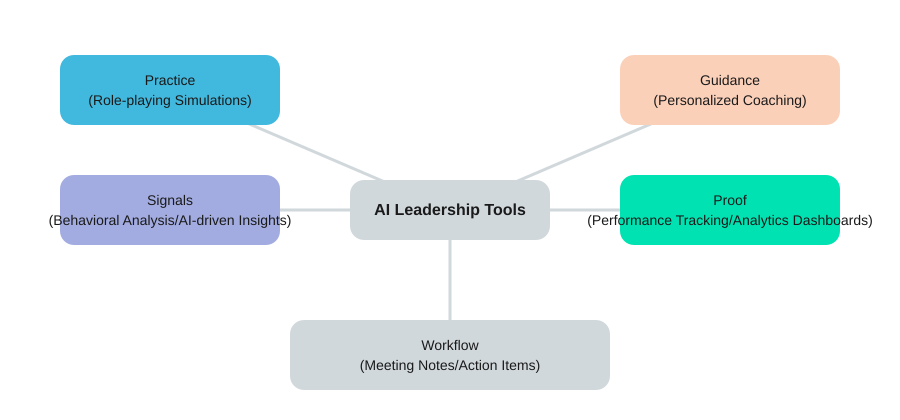
TL;DR: If you want fast skill growth, prioritize AI leadership tools with role-playing simulations, personalized coaching, and real-time feedback—then validate with performance tracking and HR analytics. Watch GDPR compliance, integrations, and pricing (free to $2,398/user/month).


Comments
Post a Comment