AI in L&D: A Complete Learning Guide
The first time I let a generative AI tool help me build a workshop agenda, I felt two things at once: relief (because the blank page finally blinked first) and suspicion (because the outline sounded like every training I’ve ever slept through). That little moment turned into my rule for AI in Learning and Development: if it doesn’t make learning more human—more relevant, timely, and coach-like—it’s just automation with a nicer font. In this guide, I’m sharing how I think about Artificial Intelligence in L&D today, what’s likely to become baseline by 2026, and the messy, practical choices you’ll face: metadata, skills ontologies, LMS readiness, learner trust, and yes… the occasional “my bot wrote that?” cringe.
1) Brains, Bots & Breakthroughs in L&D (Why now?)
My “two feelings” moment
I had a real two feelings moment the first time I used GenAI for L&D work. On one hand, it saved me hours: outlines, quiz drafts, even role-play prompts appeared in minutes. On the other hand, the learning felt… generic. It sounded correct, but not like us. That’s when I changed my quality bar: AI can help me move faster, but it can’t be the reason the learning loses its voice, context, or standards.
What AI in L&D actually means (no sci-fi)
In simple terms, AI in Learning and Development is software that helps us spot patterns, generate content, and support decisions. I think of it as three practical parts:
- Pattern-finding (Data Analytics): finding trends in completion, skills gaps, or where learners drop off.
- Content generation (Generative AI): drafting examples, scenarios, summaries, microlearning, and question banks.
- Decision support: suggesting next lessons, practice paths, or resources based on role and behavior.
Learning technology trends heading into 2026 (my bets)
As we move toward 2026, I’m personally betting on a few trends becoming “normal” in modern L&D:
- AI-powered practice (simulations, role-plays, coaching prompts) over passive courses.
- Skills-based learning tied to real tasks, not just content libraries.
- Personalized recommendations inside the flow of work (search, chat, and nudges).
- Smaller, faster updates to learning content as policies and tools change.
Wild-card analogy: AI as a sous-chef
AI is my sous-chef: it preps fast, but I still taste the sauce.
It can chop, measure, and draft—but I decide what “good” looks like for my learners.
Scope check: where AI helps vs. where it backfires
- Belongs: practice, feedback, spaced repetition, recommendations, content drafts, translation support.
- Backfires: performance reviews, sensitive coaching, high-stakes decisions, or anything needing deep human trust.
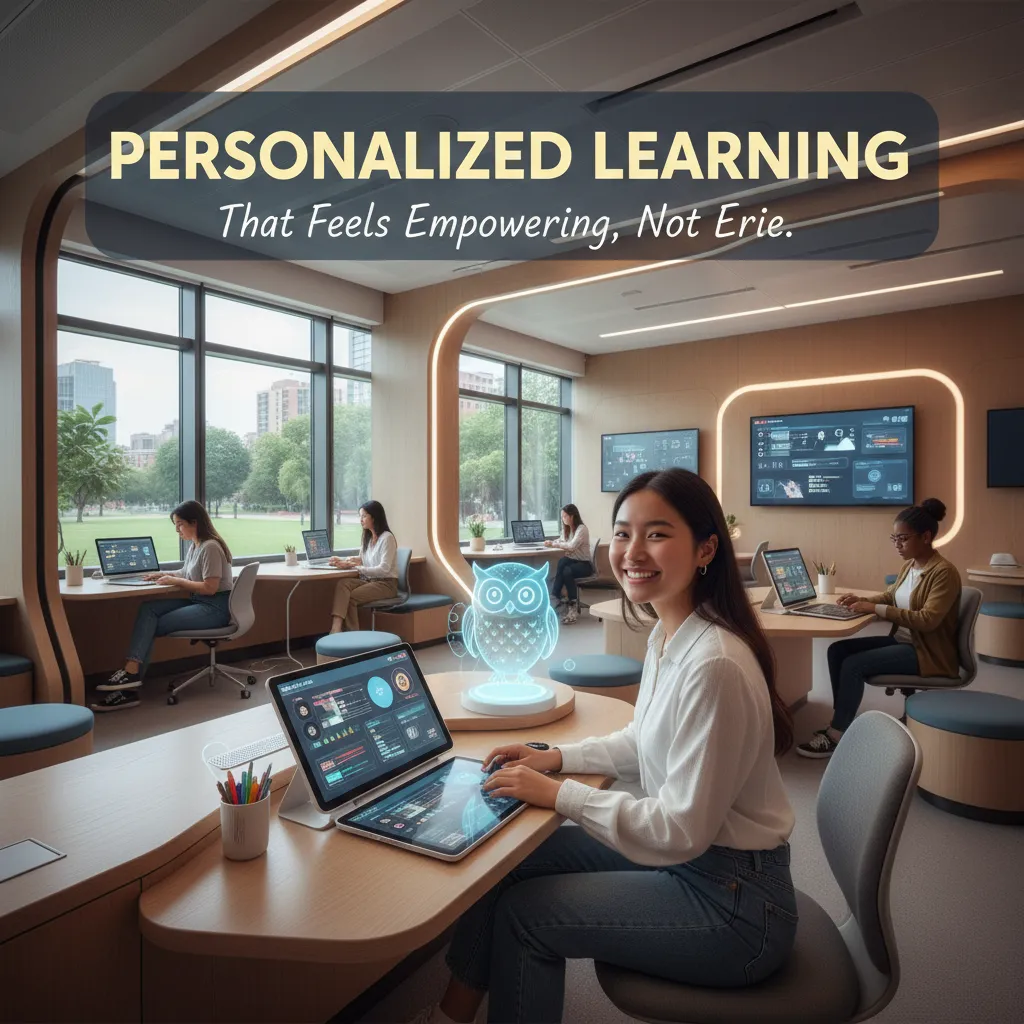
2) Personalized Learning That Doesn’t Feel Creepy
When people hear AI and “personalization,” they often picture surveillance. In real L&D work, it should feel more like a helpful GPS: it suggests routes, but I still choose where to go.
What AI-powered personalization looks like on a normal Tuesday
- Smarter recommendations: the platform suggests a 6-minute refresher because I struggled on a quiz item, not because it “watched” me.
- Dynamic difficulty: practice questions get easier or harder based on my answers, so I’m not bored or overwhelmed.
- Fewer “mandatory” dead ends: if I already show mastery, I can skip ahead instead of clicking through slides.
My rule: personalization must increase learner agency
If personalization removes control, it stops being supportive and starts feeling creepy. I push for three basics:
- Opt-outs (or at least “less personalization” settings)
- Transparency about what data is used (and what is not)
- A clear “Why am I seeing this?” link on recommendations
Personalization should feel like a choice, not a judgment.
The boring-but-critical backbone: skills ontology + content metadata
I learned this the hard way: adaptive platforms can’t adapt well if our content is a messy folder of PDFs. We need a simple skills ontology (a shared map of skills) and solid content metadata (tags like skill, level, format, time, and prerequisites). Without that, AI recommendations become random.
Mini scenario: same role, different gaps
Two customer support reps start the same program. Sam is strong in product knowledge but weak in de-escalation. Priya is the opposite. An adaptive platform gives Sam more role-play practice and shorter product refreshers, while Priya gets deeper product scenarios and fewer conflict modules. Both reach the same goal, but pacing and practice differ.
What I measure beyond completion
- Skill mastery signals: quiz patterns, scenario scores, time-to-proficiency
- Confidence checks: quick self-ratings before/after practice
- Manager observations: fewer escalations, better call notes, stronger QA reviews
3) Predictive Analytics in the Enterprise LMS: From reactive to proactive
When I explain predictive analytics in an enterprise LMS to a skeptical manager, I keep it simple: it’s early-warning signals, not mind-reading. AI doesn’t “know” who will fail. It spots patterns that often show up before someone drops off, misses a deadline, or completes training with low confidence. That shift—from reacting after the fact to acting earlier—is where the value lives.
What “at-risk” signals I actually trust
In AI in L&D, the best signals are usually boring and practical. I look for:
- Stalled progress (no movement after starting a module)
- Repeat attempts on the same quiz or simulation
- Time gaps (long pauses between sessions, especially mid-path)
- Late starts on required learning (compliance, onboarding)
What I ignore: vanity clicks. High page views, random scrolling, or “opened the course” events can look active but tell me nothing about learning.
How analytics changes my interventions
Once the LMS flags risk, I stop guessing and start targeting. My playbook usually includes:
- Nudges: short reminders with a direct link to the next step
- Manager prompts: a note that says what’s stuck and what to ask
- Cohort regrouping: moving learners into a better-paced group
- Tutor escalation: human support for repeated failures or anxiety signals
I also use simple rules in the LMS, like:
IF gap_days > 7 AND progress < 30% THEN send_nudge()
Business metrics I tie it to
- Fewer onboarding slip-ups (missed steps, wrong process use)
- Faster time-to-competency (quicker ramp to baseline performance)
- Cleaner compliance follow-through (fewer overdue completions)
Tiny tangent: the simplest “prediction”
Sometimes the best predictive signal is just asking, “What’s blocking you right now?”
A one-question pulse survey can explain what AI can’t: workload, unclear instructions, or missing manager support.
4) Generative AI for Content Creation (and the Microlearning 2.0 twist)
When I use AI for Learning and Development (L&D), I treat it like a fast assistant, not a final author. It helps me move from a blank page to a workable structure, then I reshape everything with my voice and my learners in mind.
How I use Generative AI in content creation
- First drafts: I ask for outlines, learning objectives, and a rough script, then I rewrite for clarity and tone.
- Scenario variations: I generate multiple versions of the same situation (new hire vs. manager, customer call vs. email) to match different roles.
- Quiz banks: I create question pools at different difficulty levels, then I edit to remove trick questions and add real workplace detail.
The key is that AI speeds up the start, but I own the finish.
Microlearning 2.0: context-aware learning in the flow of work
Microlearning used to mean “short lessons.” Microlearning 2.0 is more useful: the right lesson shows up when the job demands it. For example, if someone is about to run a performance review, they get a 3-minute checklist, a sample script, and one practice question—right inside the tool they already use.
“The best learning is the learning you can use in the next five minutes.”
My quality control checklist (where AI can fail)
- Hallucination traps: I verify facts and remove made-up sources.
- Policy accuracy: I cross-check with current internal rules and legal guidance.
- Inclusivity: I scan for biased examples, stereotypes, and narrow assumptions.
- “Sounds right but is wrong”: I test steps against real workflows, not just nice wording.
Cohort-based learning + AI agents
In cohort programs, I use AI to balance groups so peer learning isn’t lopsided—mixing experience levels, roles, and confidence. I also draft discussion prompts that help quieter learners contribute.
My unpopular opinion
I think we need fewer courses and more microlearning modules with spaced practice. I’d rather ship ten small, job-linked lessons with quick refreshers than one long course people forget.
5) Intelligent Tutoring Systems: The “always-on coach” that still needs boundaries
In AI-driven L&D, Intelligent Tutoring Systems (ITS) and AI tutors can feel like an “always-on coach.” I like them most when the goal is practice, clear explanations, and fast feedback loops. A good AI tutor can ask a learner to try again, point out what was missed, and adapt the next question based on the last answer.
Where AI tutors shine (and where they shouldn’t pretend)
- Best use cases: role-play practice, product knowledge drills, scenario questions, step-by-step problem solving, and “explain it another way” support.
- Not appropriate: therapy, crisis support, or acting like a manager. It also should not make performance judgments like “you’re not leadership material.” That crosses a line and can create legal and trust issues.
Design for trust: coaching tone + guardrails
When I design an AI tutor, I focus on a calm coaching voice and clear boundaries. I also ask it to show its work so learners can trust the feedback.
“I can coach you on the skill. I can’t replace your manager, HR, or a mental health professional.”
Example prompt guardrail:
You are an L&D tutor. Give supportive, specific feedback. If asked for therapy, medical, legal, or performance rating advice, refuse and suggest a human contact. Always explain the reasoning behind corrections.
Escalation paths: when AI hands off to a human
I build simple handoffs so the tutor knows when to stop and route the learner to a facilitator or mentor.
- Repeated confusion after 3 attempts
- High-stakes topics (compliance, safety, customer risk)
- Emotional distress or personal disclosures
A quick story (and the ethics question)
I once watched a learner open up more to a bot than to their manager. It helped them practice a tough conversation, but it raised ethics questions fast: privacy, data retention, and whether the learner thought the bot was “safe” in ways it wasn’t.
How I pilot an ITS in L&D
I start small: one role, one skill, one month. Then I review chat logs (with consent), measure skill checks, and iterate the prompts, guardrails, and escalation rules.

6) Immersive Learning + Data-Driven Gamification (Yes, it can be serious)
When people hear immersive learning, they often think “cool tech.” I think “safe practice.” In Learning and Development, AI-powered immersive learning lets me put learners into high-stakes moments—without real-world risk. That includes customer calls, safety checks, and leadership conversations where one wrong move can cost time, trust, or money.
Immersive learning is practice for real pressure
In a good scenario, learners can try, fail, and try again. AI helps by making the practice feel more real: the customer pushes back, the situation changes, and the learner must respond in the moment. That repetition builds confidence faster than reading a policy once.
AR, VR, XR: what’s getting affordable (and scalable)
AR/VR/XR used to feel expensive and hard to build. Now AI can generate simulations, dialogue, and branching paths faster. I’m seeing more “good enough” builds that scale: lighter VR modules, browser-based 3D, and AR overlays that guide tasks on the job. The win is not the headset—it’s the quality of practice and the speed of updates.
Data-driven gamification that adapts (not just points)
Gamification gets serious when it uses data. With AI, challenges can change based on behavior: where learners hesitate, what they repeat, and what they skip. Instead of one-size-fits-all badges, the system can adjust difficulty, timing, and feedback.
“The best game mechanics don’t distract from learning—they shape learning.”
A playful aside: I used to hate badges—until I saw a well-designed streak drive daily practice. Not because people loved the badge, but because the streak made progress visible and routine.
Choosing the right modality (VR isn’t always the answer)
- Scenario: best for conversations, judgment calls, and decision-making.
- Simulator: best for repeatable steps (equipment, safety, process).
- Job aid: best when speed matters more than immersion (checklists, prompts).
My rule: if a simple job aid solves it, I don’t force a full VR build. AI in L&D works best when the modality matches the risk, the task, and the time learners actually have.
7) My 2026-ready rollout plan (plus the mistakes I’d avoid)
When I roll out AI in Learning and Development, I start small on purpose. My step-by-step plan begins with one clear business problem, not a long wish list. For example: “Reduce time-to-proficiency for new hires” or “Cut repeat safety errors.” Then I map the skill gaps behind that problem, so I know what people must do differently, not just what they should “learn.” Next, I clean my learning metadata—titles, tags, roles, skills, and levels—because AI recommendations are only as good as the labels and structure underneath. After that, I pilot one AI workflow, like an AI coach for practice questions, an AI search layer for the knowledge base, or AI-assisted content drafts with human review.
Governance matters, but I keep it light so it doesn’t kill momentum. I set up simple human review lanes: what AI can publish automatically, what needs a quick check, and what needs expert approval. I also cover privacy basics early: what data is allowed, what is not, and how we handle prompts that might include personal or sensitive details. Finally, I run a simple AI literacy program for the L&D team and key managers, focused on how AI works, where it fails, and how to write safe, useful prompts.
When I talk to vendors, I ask practical questions. Can the tool integrate with our LMS and HR systems without custom work? Can we export our data if we leave? How often do models update, and what changes when they do? And how do they handle sensitive prompts—do they store them, train on them, or allow us to control retention?
I’ve made mistakes I won’t repeat. I’ve launched without manager buy-in and watched adoption stall. I’ve measured only completions instead of performance, time saved, or error reduction. And I’ve skipped change communications, assuming people would “just try it.” They didn’t.
My closing thought for this complete L&D guide is simple: if learning is a garden, AI is the irrigation—powerful, but only if you’ve planted the right things.
TL;DR: AI in L&D works best when it’s invisible: personalization that respects learner agency, predictive analytics that triggers support early, GenAI that speeds content creation, and immersive practice that feels safe to fail in. Start with clean skills/metadata, pilot in one workflow, measure business metrics, and keep humans in the coaching loop.


Comments
Post a Comment