30 AI Tasks to Automate This Week (No Regrets)
Last month I caught myself rewriting the same email for the fifth time—same polite opener, same three bullet points, same “let me know if you have questions.” I was tired, a little annoyed at my own habits, and (honestly) slightly offended that I was spending my one wild human life doing copy‑paste theater. That night I set a rule: if I do it twice, I try to automate it on the third. What surprised me wasn’t that AI could draft text. It was how quickly “tiny automations” stacked into real time and money. The best part: you don’t need a sci‑fi agent that runs your whole company. You just need a handful of dependable mini-systems that handle the boring parts while you keep the steering wheel.
Why I’m Automating Now (and Not “Later”)
My personal trigger: the “just quick” trap
I didn’t start using AI because I wanted to be trendy. I started because I kept lying to myself about time. The same small tasks showed up every day: rewriting the same email, cleaning notes, naming files, copying data between tools, summarizing calls, and drafting “first versions” of things I already knew how to write.
Each one felt just quick. But “just quick” happened 20 times a week, and it quietly stole my best focus. That was my trigger: recurring tasks that looked harmless, but added up like a slow leak.
A reality check: automation isn’t only for big companies
For years, I thought automation was for giant teams with IT departments and big budgets. Now, AI tools make it normal for one person to automate real work in an afternoon. I can connect a few apps, set a rule, and let AI handle the boring parts: sorting, drafting, tagging, and summarizing.
- Speed: I get a usable draft in minutes, not hours.
- Consistency: AI follows the same steps every time.
- Energy: I save my attention for decisions, not busywork.
Agentic workflows feel different than old-school RPA
Old-school automation (like classic RPA) often breaks when something changes. A button moves, a format shifts, or a weird exception shows up—and the whole flow fails. With agentic AI workflows, I can describe the goal, give examples, and let the system handle variations.
Exceptions matter. Real work is messy, and AI can adapt when the input isn’t perfect.
Instead of “click here, then there,” I can use instructions like:
Summarize this meeting, list action items, assign owners, and draft a follow-up email.
A simple promise: automate the task, not my whole personality
I’m not trying to turn my life into a robot script. My promise is simple: automate the task, not my voice, values, or judgment. AI can handle the repeatable steps, while I stay responsible for the final call, the tone, and the relationships.
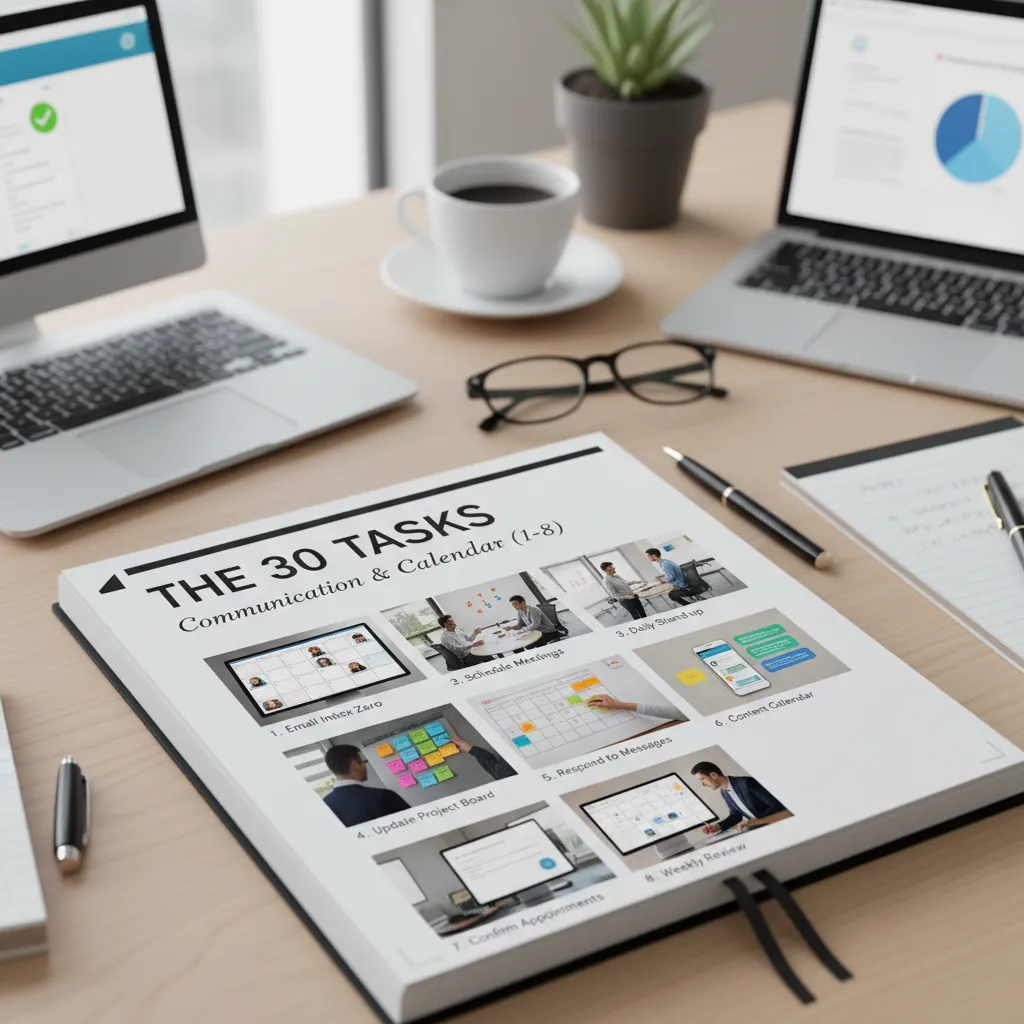
The 30 Tasks: Communication & Calendar (1–8)
When I started using AI for communication, I stopped treating my inbox and calendar like a daily emergency. These eight automations help me respond faster, stay polite, and keep meetings useful.
1) Email triage
I ask AI to summarize long threads, suggest labels, and draft replies in my voice. I paste a few past emails as examples, then review the draft before sending.
2) Follow-up nudges
Instead of overthinking, I let AI write short check-ins that don’t sound needy. I include context (date, ask, deadline) and request 2–3 tone options: friendly, direct, and formal.
3) Meeting scheduling from messy threads
When a thread turns chaotic, AI proposes times, confirms time zones, and creates a simple agenda. I also ask it to list what decisions we need by the end of the call.
4) Call/Zoom notes that become actions
I run the transcript through AI to extract decisions, risks, and action items with owners and due dates. This turns “we talked” into “we shipped.”
5) Weekly status update for Slack
AI pulls highlights from my task list and docs, then formats a clean update. I like a consistent template: wins, in progress, blockers, next week.
6) Social post repurposing
I give AI one idea and ask for three versions: LinkedIn (helpful), X (short), and Instagram (story). Same message, different length and style.
7) Proposal first draft in 20 minutes
I feed AI the client goal and constraints, then request an outline with scope, timeline, assumptions, and what’s out of scope. I edit for accuracy and pricing.
8) FAQ builder
I paste recurring questions from emails and chats, and AI turns them into a living FAQ doc. I ask for clear answers, examples, and links to my policies.
- Email triage: summarize, label, draft replies in my voice
- Follow-ups: polite nudges that feel human
- Scheduling: times + agenda from a messy thread
- Notes: transcript → decisions → assigned actions
- Status: tasks/docs → Slack-ready update
- Repurpose: one idea → 3 platforms
- Proposal: outline + scope + assumptions fast
- FAQ: recurring questions → living doc
Meetings, Docs, and “Where Did That File Go?” (9–15)
When my week gets messy, it’s usually not the work—it’s the documents. Notes live in five places, meetings blur together, and someone asks, “Where’s the latest version?” These are the AI tasks I automate right now to keep meetings and docs under control.
- (9) Document search: I drop a folder into an AI tool and ask questions across it like it’s a coworker. Instead of hunting, I ask:
“What did we decide about pricing?”or“List all deadlines mentioned.” - (10) Draft SOPs: I paste messy process notes and have AI convert them into a step-by-step checklist. Then I edit for reality (tools, owners, and timing).
- (11) Policy clean-up: I rewrite policies in plain English without losing meaning. I keep key terms, but remove long sentences and vague “shall” language.
- (12) Contract review pre-pass: Before legal review, I ask AI to highlight risky clauses (auto-renewal, liability caps, data use, termination). It’s not final advice—it’s a faster first scan.
- (13) Slide decks: I give AI an outline and it turns it into slides. Then I add the taste: better examples, cleaner charts, and a story that fits the room.
- (14) Training mini-lessons: I generate microlearning from SOPs—5-minute lessons, quick quizzes, and “common mistakes” sections for new hires.
- (15) Translation/localization: I adapt docs for regions and teams, not just word-for-word translation. I ask for local terms, date formats, and tone changes (formal vs. casual).
My rule: AI drafts and organizes; I approve and own the final version.
If you want a simple starting prompt, I use: “Summarize this doc, list action items, owners, dates, and open questions.” It saves me time every single week.
Ops & Admin: The Boring Money Leaks (16–22)
Ops and admin work is where small mistakes turn into real costs. When I use AI here, I’m not chasing “innovation”—I’m stopping leaks: missed receipts, slow approvals, messy vendor files, and travel that breaks policy.
(16) Expense categorization
I snap receipts, then AI turns them into receipts → categories → draft report. It reads the merchant, date, tax, and currency, then suggests the right GL category and flags missing info.
(17) Invoice processing
I feed invoices (PDFs or scans) into an AI extractor to pull key fields: vendor, invoice #, line items, totals, due date. Then I ask it to flag anomalies like duplicate invoice numbers, odd tax rates, or totals that don’t match line items.
(18) Payroll/HR inbox routing
Instead of letting payroll questions pile up, I use AI to route messages to the right policy/SOP. It labels requests (benefits, PTO, reimbursements, onboarding) and drafts a reply with the correct link or form.
(19) Hiring screen support
For each role, AI summarizes resumes into a consistent format and generates interview questions tied to the job needs. I also ask for “risk notes” (gaps, unclear impact) so I know what to verify.
(20) Vendor onboarding checklist
AI helps with document verification (W-9/W-8, insurance, bank details) and checklist automation. I keep a simple tracker so nothing gets missed.
(21) Procurement comparisons
I paste quotes and ask AI to summarize pricing, terms, and trade-offs. It highlights hidden costs (setup fees, minimums, renewals) and creates a quick comparison table.
(22) Travel planning with policy compliance
I give AI my dates, budget, and travel policy. It builds an itinerary and suggests policy-compliant options (flight times, hotel caps, per diem), plus a clean agenda I can share.
- Best rule: AI drafts; I approve.
- Fast win: standard templates for reports, emails, and checklists.
Customer, Sales, and Support: Where Speed Is a Feature (23–27)
When I use AI in customer, sales, and support work, I’m not trying to replace people. I’m trying to remove the slow parts: searching, sorting, and rewriting. Speed here is not a “nice to have.” It’s a feature customers feel.
(23) Lead research: company intel summary + tailored opener
I ask AI to scan a prospect’s site, recent news, and job posts, then give me a short summary and a first-line opener that sounds human.
- What they do + who they sell to
- Likely pain points (based on signals)
- A tailored opener I can edit in 10 seconds
(24) Call coaching: score a sales call and suggest better questions
After a call, I paste the transcript and have AI score it (clarity, discovery, next steps). Then I ask for better questions I should have asked.
“Give me 5 follow-up questions that uncover budget, timeline, and decision process—without sounding pushy.”
(25) Support triage: categorize tickets, propose fixes, escalate smartly
AI can read incoming tickets and label them by topic, urgency, and sentiment. I also have it suggest a draft reply and flag when to escalate.
- Auto-tag: billing, login, bug, feature request
- Suggest fix steps + links to docs
- Escalate if: security, outage, VIP, refund risk
(26) Knowledge base upkeep: auto-draft articles from solved tickets
Every solved ticket is a future help article. I feed AI the ticket thread and ask for a clean draft with steps, screenshots placeholders, and “common mistakes.”
Turn this resolution into a KB article: title, problem, steps, expected result, FAQ.
(27) E-commerce shopping helper: “agent” that compares products and policies
For online stores, I use an AI “agent” to compare products, shipping, returns, and warranties, then summarize the best option for a customer’s needs.
| Compares | Outputs |
|---|---|
| Specs + price | Best value pick |
| Return policy | Risk level summary |
| Shipping time | Fastest option |

Risk, Trust, and the Stuff I Refuse to Automate (28–30 + guardrails)
When I automate with AI, I treat it like a fast assistant, not a decision-maker. The closer a task gets to security, legal risk, or money, the more I add guardrails. Here are three “high-trust” automations I use, plus the rules that keep them safe.
(28) Security monitoring: AI-powered threat detection
I use AI to scan logs and alerts for suspicious patterns: odd login times, repeated failed attempts, unusual file access, and new devices. The key is that AI flags issues—it does not “fix” them automatically.
- AI groups alerts into one incident so I’m not chasing noise.
- It summarizes what happened and what systems were touched.
- I require a human review before any account lock, IP block, or access change.
(29) Compliance checks: pre-audit evidence collection (with approvals)
Compliance work is perfect for AI because it’s repetitive. I let AI collect evidence like policy links, access lists, training records, and change logs, then prepare a draft checklist. But I keep approvals manual.
- AI drafts the evidence packet and notes missing items.
- I verify sources and sign off before anything is submitted.
- Anything unclear gets escalated to legal or security.
(30) KPI narration: dashboards → plain-language “what changed and why”
Dashboards are great, but they don’t explain impact. I use AI to turn KPI charts into a short story: what moved, what likely caused it, and what to watch next. I also make it cite the numbers it used.
“Revenue rose 8% week over week, mainly from higher conversion on mobile; traffic stayed flat.”
My hard line + a quick rubric
My hard line: no fully autonomous money moves without controls—no auto-payments, refunds, trading, or budget shifts without review.
- Sensitivity: does it touch private data, security, or legal claims?
- Reversibility: can I undo it quickly if AI is wrong?
- Blast radius: if it fails, how many users/systems are affected?
Conclusion: My “Third Time” Rule + a Wild Scenario
When I talk about AI automation, I keep it simple with my “Third Time” Rule: I do a task twice manually, and if I catch myself doing it a third time, I automate it. The first run teaches me what “good” looks like. The second run shows me the steps I repeat. The third run is my signal that I’m paying a “busywork tax” I don’t need to pay.
If you’re not sure where to begin, here’s the recap I follow from this list of 30 tasks you should automate with AI right now. I start with communication because it’s fast to test: email drafts, meeting notes, follow-ups, and quick summaries. Then I move to docs: outlines, SOPs, proposals, and templates that keep my work consistent. After that comes ops: scheduling, data cleanup, reporting, and simple workflows that run in the background. Finally, I apply AI to customer work, where quality matters most—support replies, onboarding, and content that still needs my final review.
Now for the wild scenario: what if your AI agent became your newest intern tomorrow? Not a magic robot, just a smart helper that needs clear instructions. What would you delegate first? I’d hand it the tasks that are high-volume and low-risk: turning calls into action items, drafting routine messages, and creating first-pass documents. Then I’d “promote” it slowly as I see reliable results.
My grounded next step is always the same: pick 3 tasks from this week, automate them, and measure time saved. I track minutes before and after, even if it’s rough. At the end of the week, I keep what worked, fix what didn’t, and choose three more. That weekly loop is how AI stops being a fun tool and starts becoming a real system—without regrets.
TL;DR: Automate 30 repeatable tasks across communication, meetings, admin, finance, support, and ops. Use task-specific AI agents where stakes are low, add guardrails for high-risk work, and measure ROI in time saved, cost-per-contact, and cycle-time reduction. The adoption curve is steep through 2026—start with small workflows now so you’re ready for agentic scale.


Comments
Post a Comment